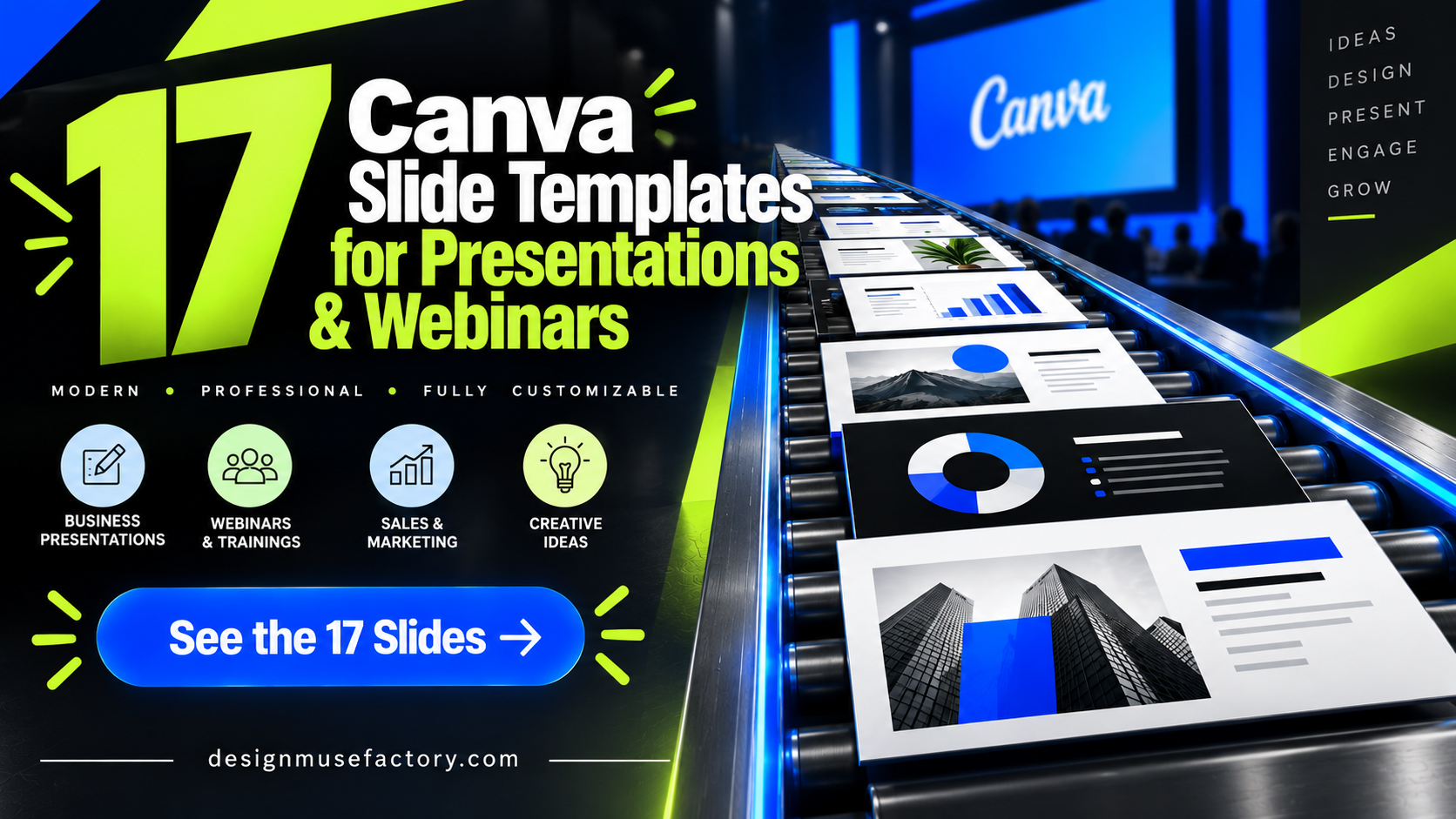
17 Best Canva Slide Template Designs for Presentations and Webinars
A well-matched Canva Slide Template can give you a structured starting point for a webinar, course, marketing presentation, business proposal, or branded slide deck. Instead of designing every page from scratch, you can begin with layouts already organized around presentation content and adapt them to your project.
The 17 options below were selected from the supplied product collection for their direct relevance to Canva slides and presentations. They range from focused webinar and course decks to social media strategy slides, business branding presentations, and 32-slide collections in different visual styles.
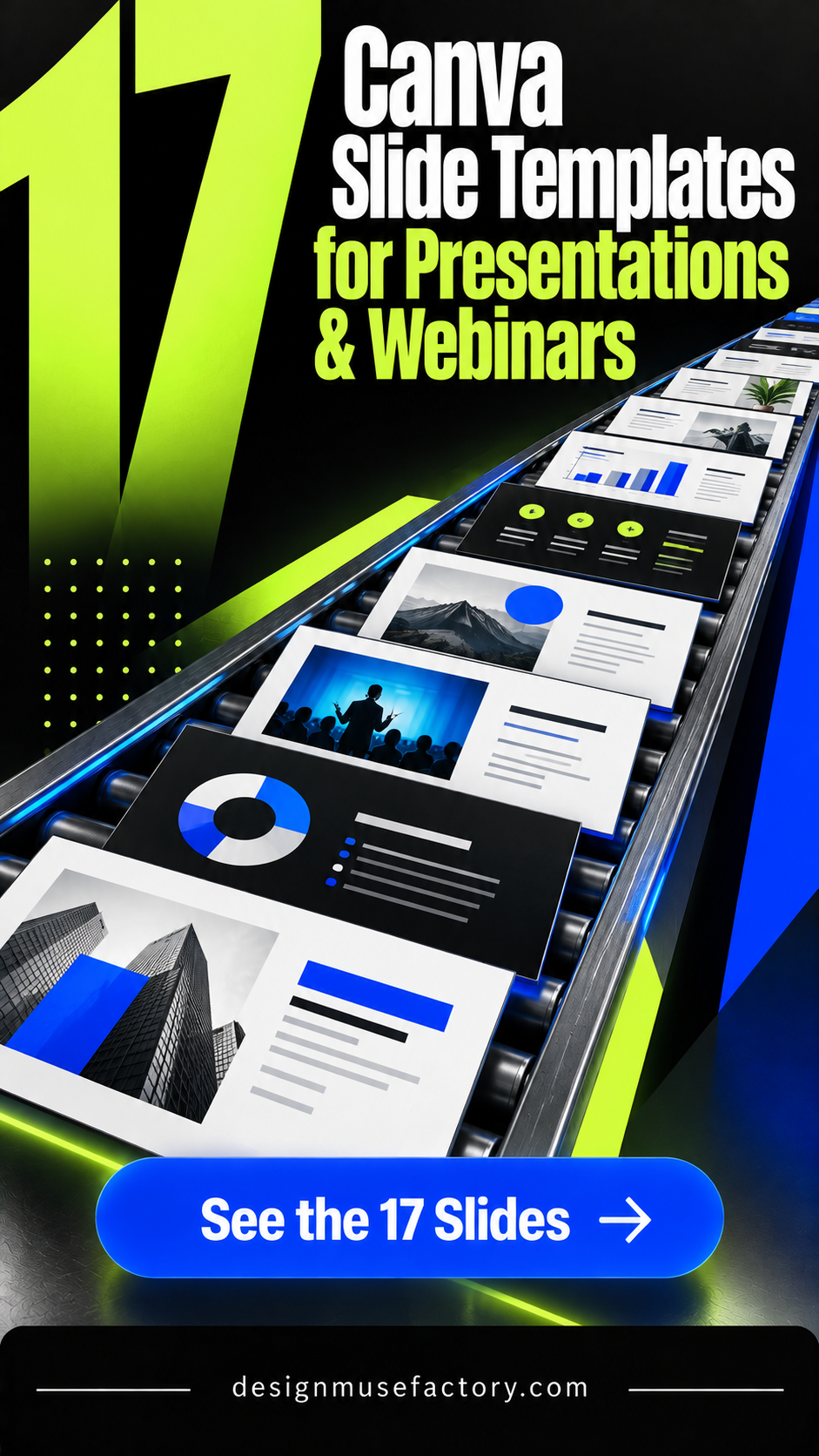
Why These Canva Slide Templates Are Worth Considering
The right slide deck depends on what you need to communicate. Course creators may want lesson, framework, and call-to-action layouts, while marketers may need strategy, audience, audit, and progress slides. A business proposal can call for a more restrained presentation style, while creative projects may benefit from a distinctive color or visual theme.
This roundup prioritizes products explicitly described as Canva slide, presentation, webinar, or course templates. Where the source provides specific slide counts, dimensions, customization options, or included layouts, those details are highlighted without assuming features that are not documented.
Best Canva Slide Template Designs
1. 21 Page Canva Slide Deck Template — Best for Structured Webinars and Masterclasses
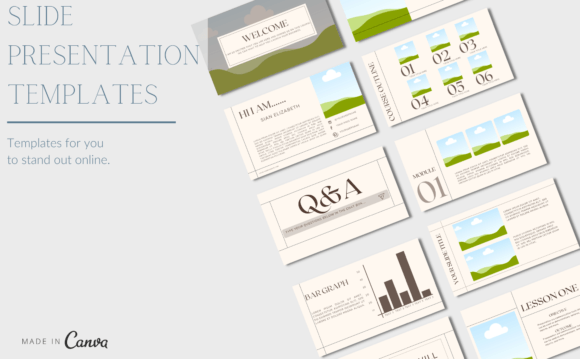
A 21-slide Canva deck created for webinars, masterclasses, courses, and workshops. Its documented layouts cover the presentation journey from welcome and introduction pages to audience engagement, testimonials, infographics, frameworks, pricing guides, calls to action, and a closing slide.
- Includes 21 webinar slides.
- Designed for course creators, coaches, and educators.
- Includes framework, course-outline, pricing, and CTA layouts.
- Colors and other elements can be adapted to match branding in Canva.
Keep in mind: Its strongest documented use is teaching and webinar content rather than a general corporate presentation.
2. 60 Slide Deck Presentation, Social Media — Best for Social Media Strategy
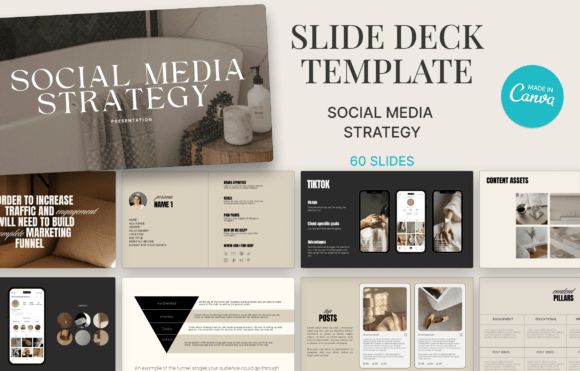
This 60-slide Canva deck is built around social media strategy presentations. Its documented sections include an executive summary, goals, target audience, competitive analysis, social media audit, strategy, content creation, and progress measurement.
- Contains 60 slides in total.
- Designed for social media coaches, content creators, marketers, and entrepreneurs.
- Includes strategy, audience, audit, and content-creation topics.
- Described as fully editable in Canva.
Keep in mind: Its specialist social media focus makes it most relevant when the presentation centers on marketing strategy rather than general-purpose slides.
3. Slide Deck Presentation Canva Template — Best for Online Courses and Webinars
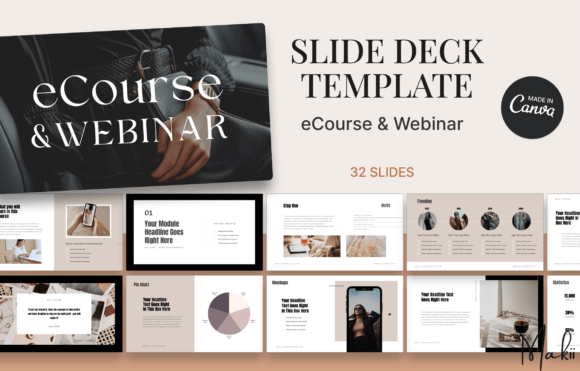
A 32-slide Canva presentation designed around eCourses and webinars. Documented layouts include introductions, learning objectives, course outlines, story pages, quotes, process maps, timelines, statistics, charts, and mockups for presenting educational content.
- Includes 32 slides.
- Intended for coaches, educators, creators, and entrepreneurs.
- Includes course-outline, timeline, process, statistics, and chart layouts.
- Described as fully editable in Canva.
Keep in mind: The supplied content structure is particularly oriented toward knowledge sharing and course delivery.
4. Course & Webinar Slide Deck for Canva — Best for Comprehensive Course Presentations
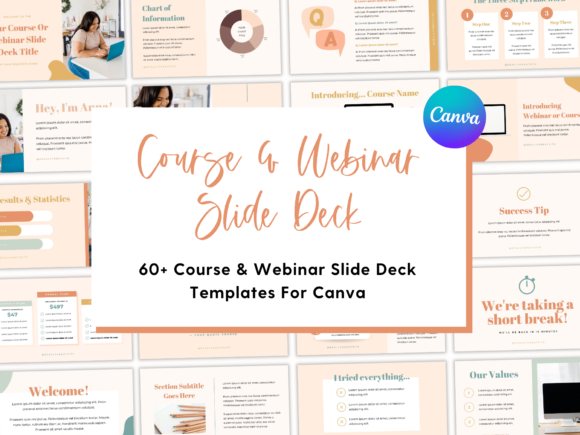
A 60-page Canva template set developed for courses and webinars. The source describes a mix-and-match workflow and provides layouts including title covers, outlines, welcome pages, story and introduction pages, giving course creators room to organize a longer presentation.
- Includes 60 pages.
- Created for course creators and online business owners.
- Pages can be mixed, matched, or removed according to the description.
- Colors, fonts, photos, and graphics can be changed to fit branding.
Keep in mind: The larger collection is particularly suited to users who need more layout variety for course or webinar content.
5. 10 Page Canva Webinar Slide Template — Best for Compact Webinar Decks
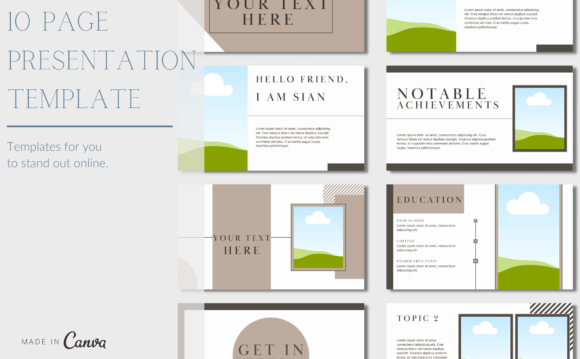
A compact 10-slide Canva template for webinars, masterclasses, courses, and workshops. It is designed for course creators, coaches, and educators who want a shorter presentation framework that can be customized to reflect their branding.
- Includes a 10-slide webinar template.
- Designed for courses, webinars, masterclasses, and workshops.
- Intended for coaches, educators, and course creators.
- The source states it can be customized with a free Canva account.
Keep in mind: With 10 slides, this is a more compact option than the 21-, 32-, and 60-page course-oriented collections in the roundup.
6. PowerPoint Template Business Branding — Best for Branding Proposals
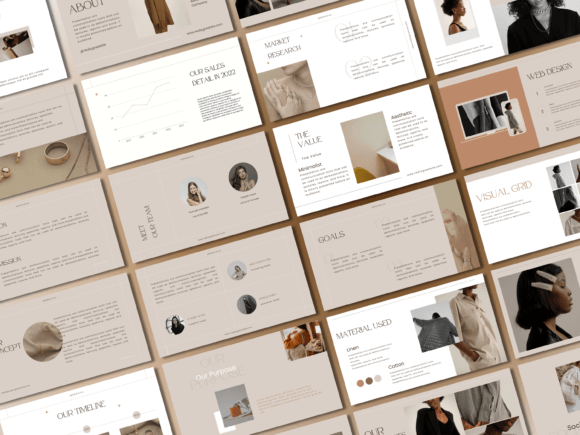
A minimal professional presentation template positioned for business branding proposals. The supplied description identifies it as an editable PowerPoint presentation and a Canva slide deck, making its documented focus more business-oriented than the course and webinar templates above.
- Focused on business branding proposals.
- Described as an editable PowerPoint template.
- Also identified as a Canva slide deck.
- Uses a minimal professional presentation direction.
Keep in mind: The source description is brief and does not establish a slide count or more detailed layout inventory.
7. Black & White Floral Slide Canva Template — Best for Floral Monochrome Presentations
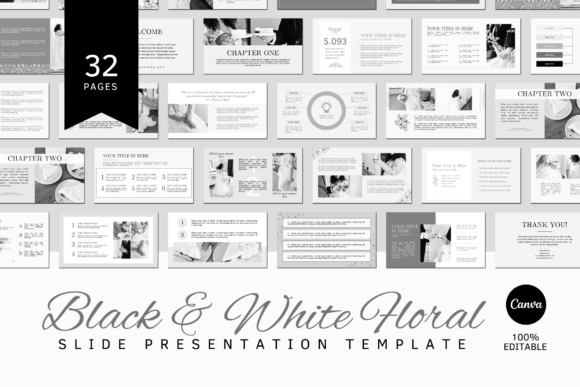
A 32-slide Black & White Floral Canva collection sized at 20 × 11.25 inches. The templates support changes to colors, photos, fonts, and text, while the included PDF provides access to the Canva template.
- Includes 32 slide templates.
- Slides are specified at 20 × 11.25 inches.
- Colors, photos, fonts, and text are editable.
- The source states that the elements used in the template are free.
Keep in mind: Mockups are not included, and Canva access is required to use the template.
8. Caramel Desert Slide Canva Template — Best for Warm Neutral Slides
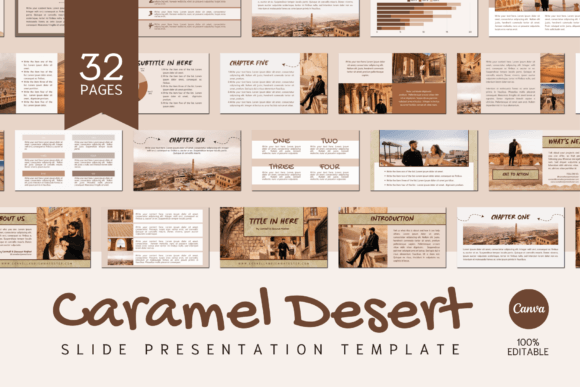
The Caramel Desert collection provides 32 Canva slides sized at 20 × 11.25 inches. Its warm theme offers a distinct visual starting point, while the documented editing controls allow users to replace colors, photography, fonts, and text.
- Includes 32 slides.
- Specified at 20 × 11.25 inches.
- Colors, photos, fonts, and text can be changed in Canva.
- Designed for Canva Free or Pro accounts according to the listing.
Keep in mind: The source notes that mockups are not included; the product is a digital file providing access to the Canva template.
9. Dusty Pastel Canva Slide Template — Best for Soft Pastel Presentations
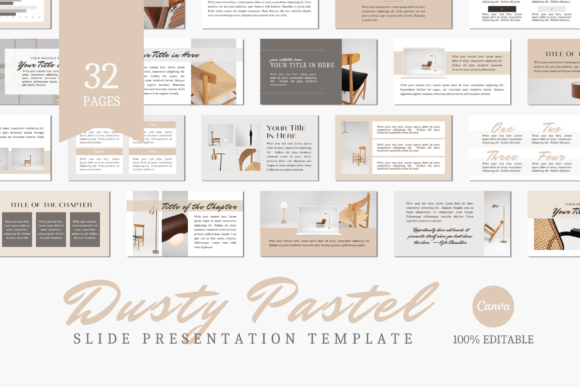
This Dusty Pastel collection contains 32 slides at 1920 × 1080 pixels. It offers a softer visual direction while retaining broad editing control in Canva, including changes to colors, photos, fonts, and written content.
- Includes 32 slide templates.
- Uses 1920 × 1080 px dimensions.
- Colors, photos, fonts, and text are editable.
- The listing states that all template elements used are free.
Keep in mind: The supplied description says mockups are not included and Canva access is necessary.
10. Neutral Tones Canva Slide Template — Best for Restrained Neutral Presentations
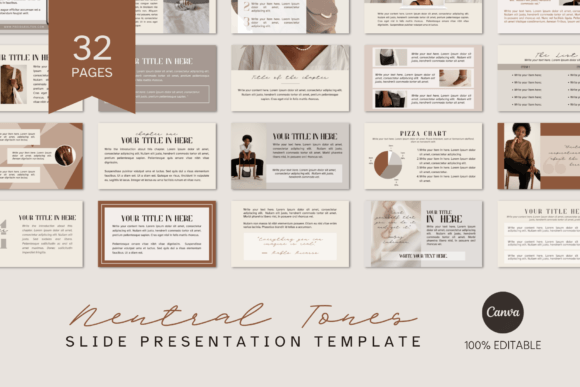
A 32-slide, 1920 × 1080 Canva collection built around a Neutral Tones theme. The layouts can be adapted by changing colors, photographs, fonts, and copy, making the supplied styling a starting point rather than a fixed presentation system.
- Contains 32 slide templates.
- Uses 1920 × 1080 px dimensions.
- Supports color, photo, font, and text changes.
- Compatible with Canva Free or Pro according to the source.
Keep in mind: Mockups are excluded from the product according to the supplied description.
11. Blue Mood Canva Slide Template — Best for Blue-Themed Presentations
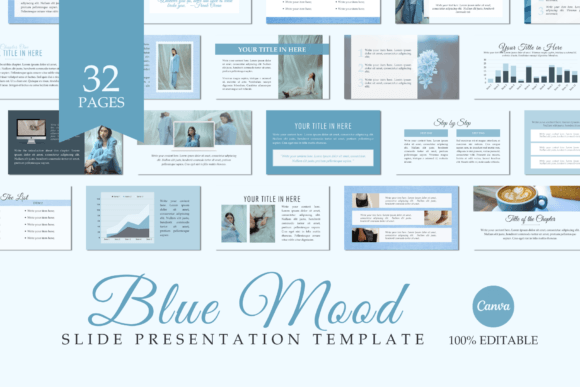
Blue Mood provides 32 presentation slides in a 1920 × 1080 format. Its blue-oriented theme differentiates it visually, while the Canva layouts allow users to change the supplied colors, replace photos and fonts, and add their own text.
- Includes 32 slides.
- Uses 1920 × 1080 px dimensions.
- Supports changes to colors, imagery, fonts, and text.
- The template can be accessed with Canva Free or Pro according to the listing.
Keep in mind: The source specifically excludes mockups from the included product.
12. Pink Lily Canva Slide Template — Best for Pink Floral-Inspired Slides
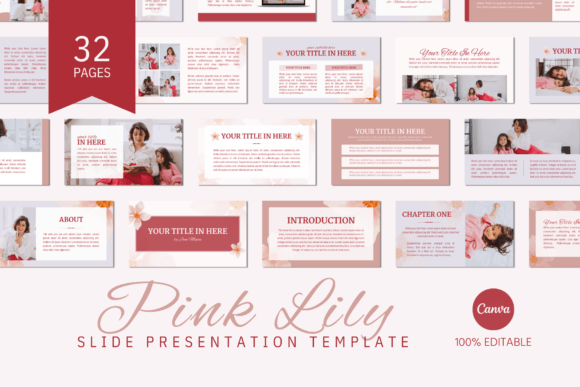
Pink Lily is a 32-slide Canva template set at 1920 × 1080 pixels. Its named visual theme provides a distinct starting style, while users can alter colors, photography, typography, and written content within Canva.
- Includes 32 presentation slides.
- Uses 1920 × 1080 px dimensions.
- Colors, photos, fonts, and text can be customized.
- The listing supports Canva Free and Pro access.
Keep in mind: The supplied description states that mockups shown for presentation purposes are not included.
13. Green Olive Canva Slide Template — Best for Earthy Green Presentations
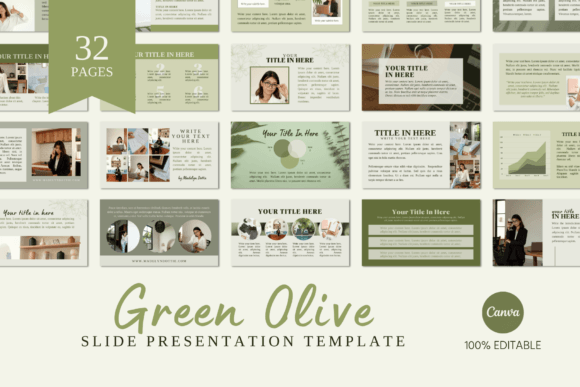
Green Olive offers 32 Canva slides in a 1920 × 1080 format. Its olive-themed visual direction provides an earthy starting point, and the source confirms that colors, images, fonts, and text can all be replaced or adjusted.
- Contains 32 slides.
- Uses 1920 × 1080 px dimensions.
- Supports editing of colors, photos, fonts, and text.
- The listing states that its template elements are free to access in Canva.
Keep in mind: Canva is required for editing, and mockups are not included.
14. Autumn Fair Canva Slide Template — Best for Warm Seasonal Styling
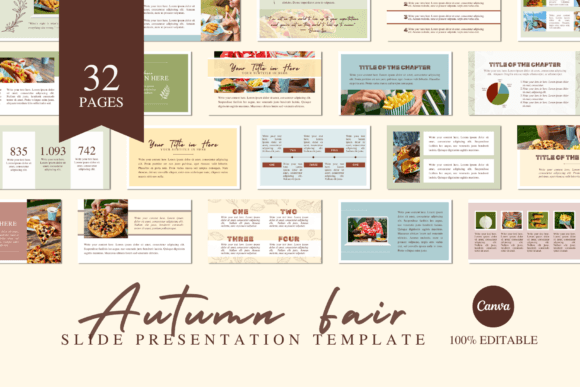
Autumn Fair is a 32-slide Canva collection at 1920 × 1080 pixels. The theme offers a warm visual direction while keeping the core presentation elements editable, including colors, photography, fonts, and copy.
- Includes 32 slide templates.
- Uses a 1920 × 1080 px format.
- Colors, photos, fonts, and text can be edited.
- Works with Canva Free or Pro according to the source.
Keep in mind: The listing notes that mockups are not part of the included digital product.
15. Green Veggies Canva Slide Template — Best for Green-Themed Visual Projects
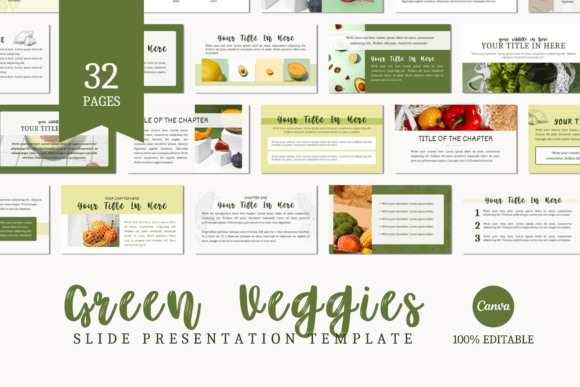
The Green Veggies collection contains 32 slides at 1920 × 1080 pixels. Its green visual theme distinguishes it from the neutral and pastel options, while Canva editing allows users to replace colors, photographs, fonts, and text.
- Includes 32 slide templates.
- Uses 1920 × 1080 px dimensions.
- Supports color, image, font, and text changes.
- The source states that all elements used in the template are free.
Keep in mind: The listing does not include mockups and requires Canva access to use the template.
16. Webinar & Course Slide Deck Template — Best for Light Linen Styling
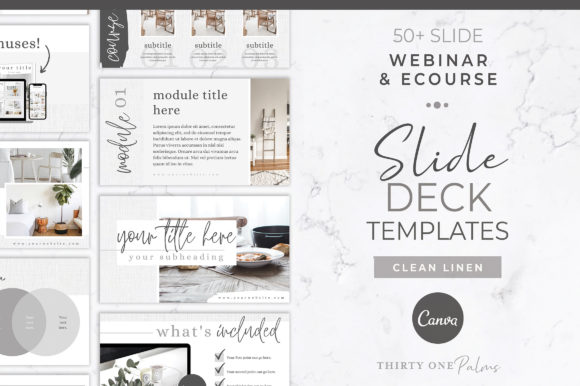
This Canva webinar and course deck uses light linen textures, handwritten text, and modern accents. Its documented content possibilities include information slides, charts and graphs, bonuses, resources, program sign-ups, and question prompts.
- Designed for webinars, eCourses, and presentations.
- Uses linen textures with handwritten and modern accents.
- Supports adding photography and brand colors.
- The source mentions charts, graphs, bonuses, resources, and question-oriented content.
Keep in mind: The white linen texture color itself is not editable according to the supplied description, although the texture can be replaced.
17. Webinar & Course Slide Deck Template — Best for Pink Creative Styling
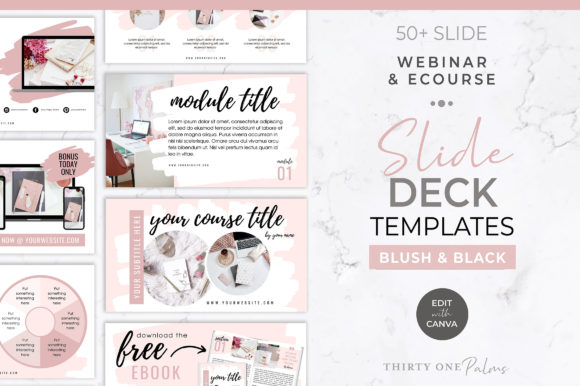
A modern Canva webinar and course deck built around pink strokes, shades, handwritten text, and contemporary accents. The layouts are described for sharing information, charts, graphs, bonuses, resources, program invitations, and audience questions.
- Designed for webinars, eCourses, and presentations.
- Uses pink strokes and handwritten visual accents.
- Supports adding personal photography and brand colors.
- The source notes that basic Canva knowledge is required.
Keep in mind: Its defined pink creative styling is most suitable when that visual direction works with the project or can be adapted to the intended brand.
How to Choose a Canva Slide Template
Start with the presentation’s job. A Canva slide presentation template for a webinar needs to guide an audience through a sequence, while a social media strategy deck may need room for goals, audience analysis, audits, content planning, and progress reporting. Business proposals can call for a more restrained visual approach.
Choose the Right Slide Count
The supplied collection ranges from a compact 10-slide webinar template to 21-, 32-, and 60-page options. A smaller deck can suit a focused presentation, while a larger set gives you more documented layout choices for longer courses, strategy presentations, or webinars.
Match the Layouts to Your Content
Look beyond the cover slide. Course creators can prioritize outlines, lesson structures, frameworks, stories, and calls to action. Marketers may get more value from audience, audit, strategy, content, and measurement layouts. The closer the supplied slide structure is to your planned content, the less rebuilding you may need.
Consider the Visual Theme
Useful Canva slide template ideas can start with a style that already aligns with your project. This collection includes neutral, blue, green, pastel, floral, autumn-inspired, linen, and pink creative directions. Many of the supplied templates also document controls for changing colors, photos, fonts, and text.
Check What “Free” Means for the Specific Template
Searchers looking for Canva slide templates free should distinguish between a free Canva account and a free product. Several listings here state that their templates can be used with Canva Free or Pro and that the elements used are free, but that does not establish that the marketplace product itself is free.
How to Use Canva Slide Templates Well
- Outline the presentation first. Decide what the audience needs to understand before choosing individual layouts.
- Use only the slides you need. A larger template collection does not require you to keep every available layout.
- Build a consistent visual system. Keep typography, colors, image treatment, and spacing coherent across the complete deck.
- Give each slide a clear purpose. Separate major ideas rather than crowding several unrelated messages onto one page.
- Adapt the deck to the audience. A client proposal, social media strategy, webinar, and educational course can require different amounts of explanation and visual detail.
- Review the sequence before presenting. Check that the transition from opening context to supporting information and final action is logical.
A Practical Canva Slide Template Decision Workflow
For courses and webinars, begin with the templates that explicitly provide teaching-oriented structures. The 21-page deck includes audience engagement, testimonials, frameworks, pricing, and CTA layouts. The 32-slide eCourse option adds learning objectives, process maps, timelines, statistics, and charts, while the 60-page Course & Webinar set offers more layout variety for longer presentations.
For marketing work, the 60-slide Social Media presentation is the most specialized option in this dataset because its documented sections directly cover goals, target audiences, competitive analysis, audits, strategy, content creation, and measurement. The Business Branding template is oriented instead toward professional branding proposals.
If content structure is less specialized and visual direction matters more, compare the 32-slide themed collections. Dusty Pastel, Neutral Tones, Blue Mood, Pink Lily, Green Olive, Autumn Fair, Green Veggies, Black & White Floral, and Caramel Desert provide different starting aesthetics while documenting similar Canva customization controls.
Frequently Asked Questions
What is a Canva Slide Template?
A Canva slide template provides pre-designed presentation layouts that can serve as a starting framework for your own content. Depending on the specific product, documented editing options may include text, colors, fonts, photographs, and other visual elements.
Are these Canva slide templates free?
The supplied data does not establish that the marketplace products themselves are free. Several individual listings state that they work with a free Canva account or use free Canva elements. Those statements describe Canva access or template elements, not necessarily the purchase price of the product.
How many slides should a presentation template have?
There is no single ideal number. This roundup includes documented sets of 10, 21, 32, and 60 slides or pages. A focused webinar may need fewer layouts, while a course or detailed strategy presentation can benefit from a larger library of slide types.
Can Canva slide templates be used for webinars and courses?
Several products in this selection are specifically described for webinars, eCourses, masterclasses, workshops, or educational presentations. Their documented layouts include course outlines, introductions, frameworks, audience engagement, learning objectives, resources, and calls to action.
Can I customize Canva slide templates to match my brand?
Many products in this roundup explicitly support customization. Depending on the individual listing, documented options include changing colors, fonts, photographs, graphics, backgrounds, and text. Check the specific product details because editing limitations can vary.
What should marketers look for in Canva slide templates?
Start with layouts that match the information you regularly present. For social media strategy, useful structures can include goals, audience analysis, competitive research, audits, content planning, and measurement. For branding proposals, a more restrained business presentation may be appropriate.
Final Thoughts
The right Canva Slide Template depends on the content you need to present. Course creators and educators can focus on decks with documented webinar, lesson, framework, and audience-engagement layouts. Marketers may prefer a strategy-focused collection, while branding proposals can benefit from a more professional business direction.
If your project does not need a specialized structure, the 32-slide themed Canva templates provide several visual directions with documented customization of colors, photos, fonts, and text. Choose the presentation framework that most closely matches your content first, then adapt the styling to create a consistent finished deck.