14 Best Canva Frames Templates for Creative Photo and Design Projects
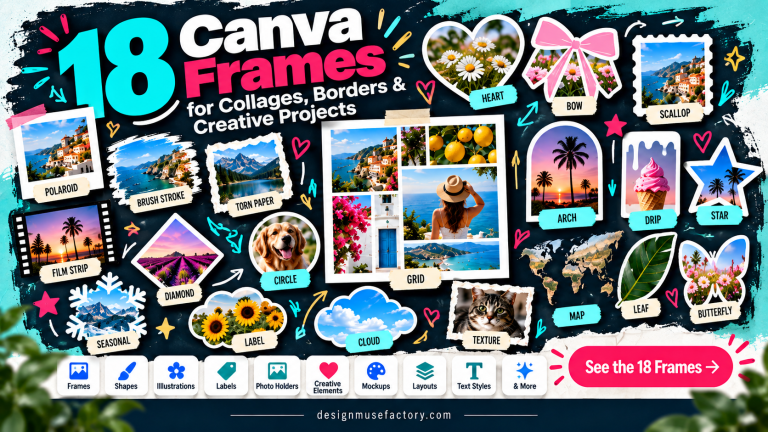
Canva Frames Templates can give photos, artwork, and other visual content a defined shape or decorative treatment without requiring you to build every frame from scratch. This roundup focuses on 14 options ranging from brush strokes and torn-paper effects to sublimation layouts, themed shapes, and photo-focused designs.
The selections are organized primarily by relevance to frame-based Canva projects, followed by the distinct use cases and styles described in their listings. That makes it easier to compare versatile frame bundles with more specialized options for crafts, personalized products, and visual content.

Why These Canva Frames Templates Are Worth Considering
The products in this selection cover noticeably different approaches to framing. Some concentrate on expressive brush, watercolor, grunge, or ripped-paper effects, while others provide frames shaped for specific craft projects, letters, newborn designs, or sublimation blanks. A few broader templates are designed for displaying photos and artwork in general layouts.
This variety is useful when searching for Canva photo frames templates because the right choice depends on what will go inside the frame and how the finished design will be used. The detailed product descriptions below distinguish those purposes rather than treating every frame as interchangeable.
Best Canva Frames Templates
1. Editable Canva Frames Templates Brush — Best for Versatile Brush-Style Designs
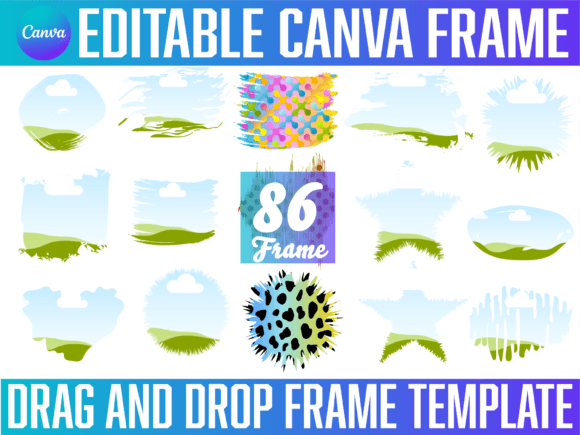
A collection of editable Canva frame designs delivered through a PDF. The supplied instructions explain that the file can be opened or uploaded to Canva, with a link on the final page providing access to the designs.
- Designed specifically around editable Canva frames.
- Uses a PDF-based access workflow for the included designs.
- A relevant option for users specifically seeking brush-style Canva templates.
Keep in mind: Follow the supplied PDF instructions to access the designs in Canva.
2. Brush Stroke Canva Frames Templates — Best for Expressive Brush Effects
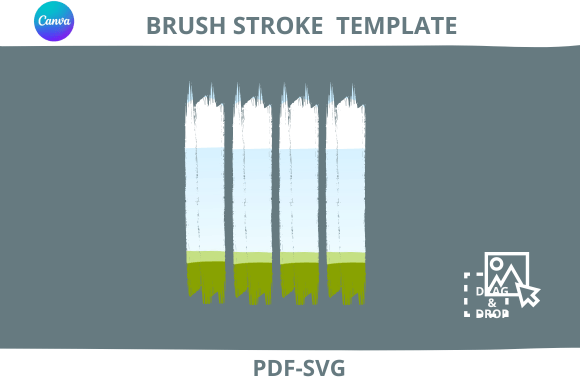
Built around brush-stroke framing, this Canva template bundle is intended for drag-and-drop design work. Its textured visual direction makes it relevant when a conventional geometric frame feels too restrained for the project.
- Distinct brush-stroke frame aesthetic.
- Described as a drag-and-drop Canva frame template bundle.
- Supplied as a digital PDF file.
Consider: The listing recommends checking its instructions for using the PDF files in Canva before purchasing.
3. 55 Canva Templates for Sublimation — Best for Product Blank Projects
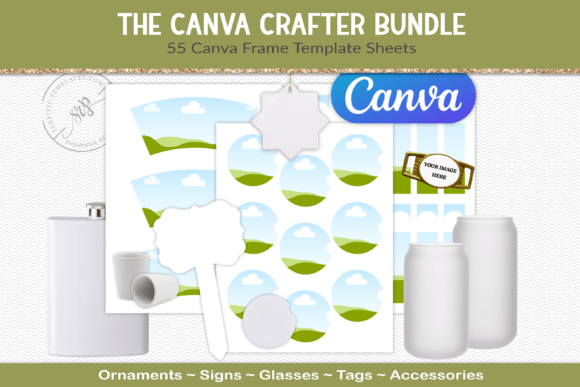
This larger set contains 55 Canva frame templates intended for sublimation work. It includes preview images and a file-size guide for each template, while the layouts are described as fitting product blanks sold by JPPlus and being arranged on an 8.5 × 11-inch sheet.
- Includes 55 Canva frame templates.
- Includes preview images and a size guide.
- Specifically oriented toward sublimation product blanks.
Keep in mind: The listing specifically references blanks sold by JPPlus, so this set is more specialized than a general photo-frame collection.
4. Torn Paper Ripped Canva Frame Template — Best for Ripped-Paper Layouts
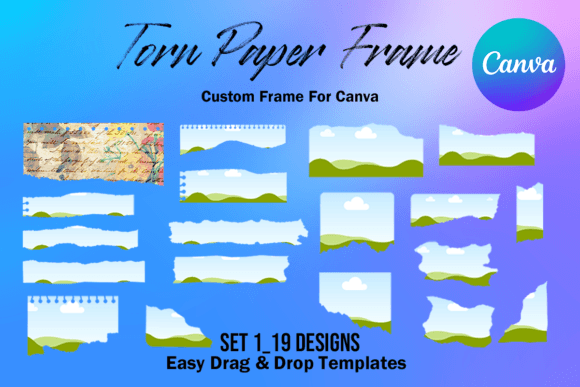
A set of 19 custom Canva frames built around a torn-paper look. The editable frames use a drag-and-drop workflow, are approximately sized for an 8.5 × 11-inch letter page, and can be resized to suit the design.
- Includes 19 custom-made Canva frames.
- Distinctive torn and ripped-paper treatment.
- Editable and described as resizable with a transparent layer.
Consider: This is an editable Canva frame product rather than a PNG or SVG set.
5. Rustic Square Grunge Frame Template — Best for Grunge Photo Styling
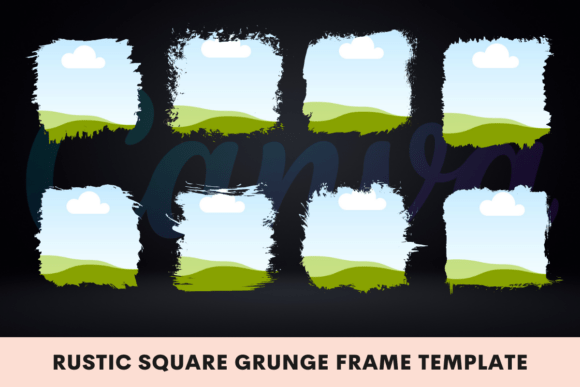
A rustic square frame template aimed at presenting photos, artwork, and other visual content with a grunge-inspired finish. The listing describes the design as fully editable in Canva, drag-and-drop ready, high-resolution, and scalable.
- Rustic square and grunge visual direction.
- Designed for displaying photos, artwork, or other visuals.
- Listed as editable, drag-and-drop ready, and scalable.
Keep in mind: Its deliberately distressed appearance is most relevant when a clean or minimalist frame is not the goal.
6. Watercolor Splash Canva Frame Effect_C — Best for Artistic Watercolor Effects
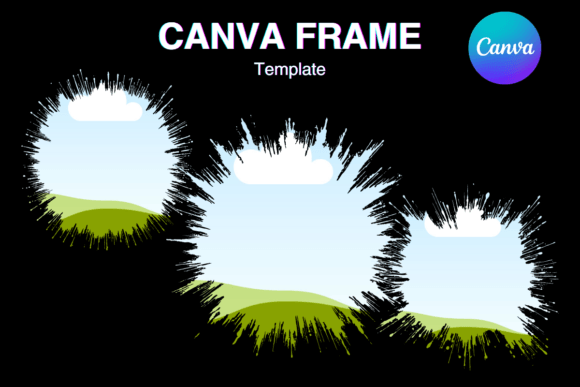
Three custom Canva frames use a watercolor-splash treatment for a softer artistic look. Each is listed at 12 × 12 inches and 3600 × 3600 pixels, with editable drag-and-drop framing that can be resized for different needs.
- Three custom watercolor-style frames.
- Listed at 12 × 12 inches and 3600 × 3600 pixels each.
- Editable, resizable Canva frame format.
Consider: The listing explicitly identifies these as editable Canva frames, not PNG or SVG files.
7. Grunge Brushstroke Canva Frame — Best for Distressed Brushstroke Projects
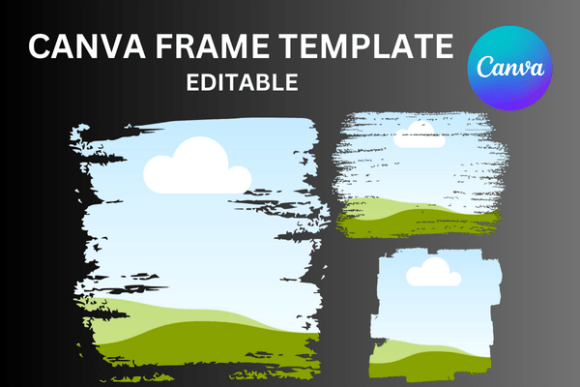
This set combines a grunge look with brushstroke-shaped framing. It contains three custom Canva frame templates accessed through a PDF in the supplied ZIP file, with drag-and-drop editing, resizing, and a transparent layer described in the listing.
- Three custom grunge brushstroke frames.
- PDF supplied within a ZIP file.
- Frames can be changed repeatedly within a design according to the listing.
Keep in mind: Choose this for a distressed brush treatment rather than a conventional smooth-edged photo frame.
8. Canva Frame Template Bleach Effect Set A — Best for Bleach-Effect Designs
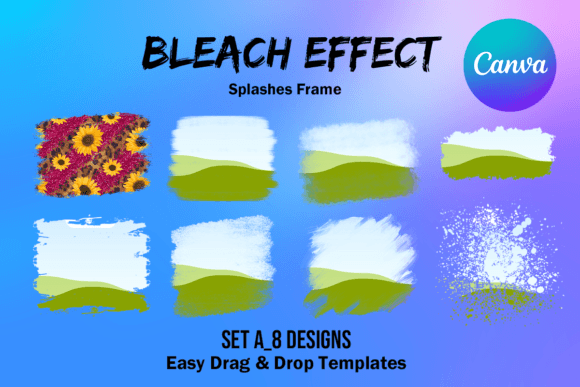
Eight custom Canva frames form this bleach-effect set. Each frame is listed at approximately 6.6 × 6.6 inches and 2000 × 2000 pixels, with editable drag-and-drop sizing and a transparent layer intended for projects including vinyl sublimation.
- Includes eight custom Canva frames.
- Bleach-effect visual treatment.
- Listed at 2000 × 2000 pixels per frame.
Consider: The set is specifically described as editable Canva frames rather than PNG or SVG artwork.
9. Car Coaster Canva Frame Template — Best for Car Coaster Sublimation
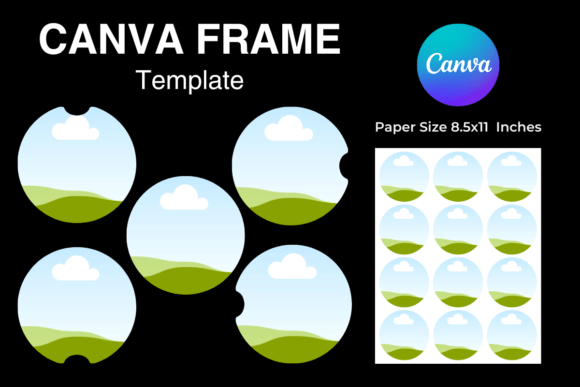
Designed specifically around car-coaster projects, this product includes five custom Canva frames. The listing gives an approximate 2.56 × 2.56-inch size for each and references an 8.5 × 11-inch paper size, along with editable drag-and-drop resizing.
- Five custom-made Canva frames.
- Focused on car-coaster projects.
- Described for vinyl sublimation use.
Keep in mind: Its specialized dimensions and purpose make it less general than photo-oriented Canva templates frames.
10. Faux Embroidery Canva Frame Letters — Best for Personalized Letter Designs
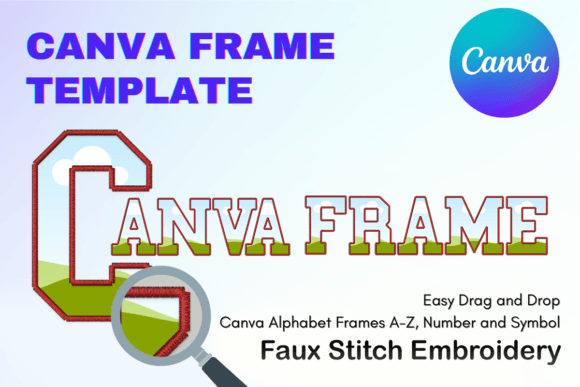
These letter-shaped Canva frames are designed for creating customized sublimation letters with a faux-embroidery theme. The listing specifies a 12 × 12-inch paper size and describes the frames as editable, resizable, drag-and-drop templates with a transparent layer.
- Letter-frame format for personalized designs.
- Faux-embroidery styling.
- Specifically described for creating sublimation letters in Canva.
Consider: This is a themed letter-frame product rather than a general-purpose collection of conventional photo frames.
11. Baby Footprints Newborn Canva Frame — Best for Newborn-Themed Projects
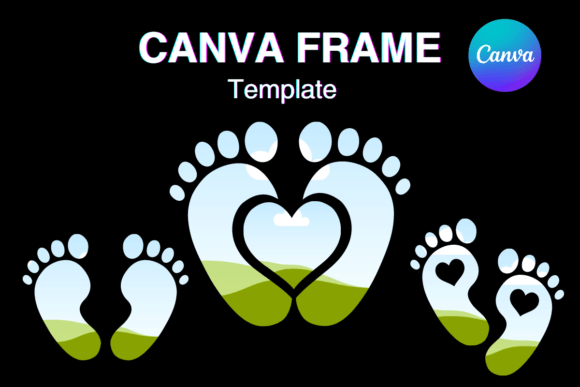
Three custom Canva frames use a baby-footprints theme for newborn-related creative projects. The frames are listed for a 12 × 12-inch paper size and use an editable drag-and-drop format that can be resized as needed.
- Includes three custom Canva frames.
- Clear baby-footprints and newborn theme.
- Described as editable, resizable, and suitable for vinyl sublimation.
Keep in mind: The themed shape makes this a targeted choice for newborn-related designs rather than an all-purpose frame set.
12. Mouth Kiss Lips Canva Frames Template — Best for Lip-Shaped Designs
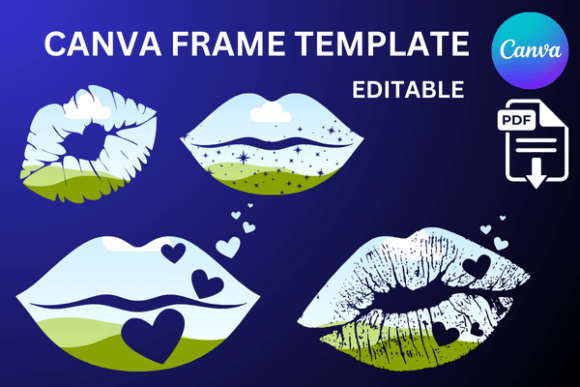
This themed product provides four custom editable Canva frame templates with a mouth-and-lips concept. The files are supplied through a ZIP containing four PDFs, and the listing describes drag-and-drop editing, resizing, a transparent layer, and sublimation use.
- Four custom editable Canva frames.
- Distinctive mouth-and-lips theme.
- ZIP package containing four PDFs.
Consider: Its recognizable theme is better suited to projects that specifically benefit from lip-shaped framing.
13. Poodle Canva Frame Template — Best for Poodle-Themed Designs
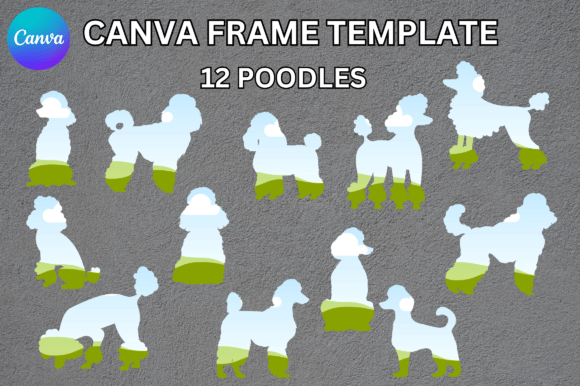
A single custom Canva frame centered on a poodle shape. It is delivered through a PDF link and described as an editable drag-and-drop frame that can be resized, with a transparent layer and suitability for vinyl sublimation.
- Specific poodle-shaped frame concept.
- Editable and resizable Canva template.
- Straightforward choice for a narrowly themed project.
Keep in mind: The listing includes one custom frame, so this is considerably more specialized than the multi-frame bundles above.
14. Canva Bookmark Template — Best for Framed Bookmark and Content Layouts
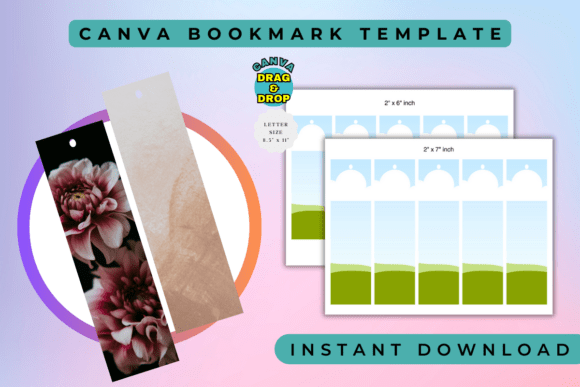
Although titled as a bookmark template, its description focuses on Canva layouts with frames and borders for presenting photos, artwork, and visual content. It is described as fully editable, drag-and-drop ready, high-resolution, and scalable.
- Description explicitly emphasizes frames and borders.
- Intended for photos, artwork, and other visual content.
- Listing mentions social posts, product promotions, and client projects among potential uses.
Consider: The product title identifies it as a bookmark template, so it is a less direct match for a general Canva frame search than the dedicated frame products above.
How to Choose Canva Frames Templates
Start with the role the frame needs to play in the finished design. A frame can act as a simple container for an image, but it can also become a major visual element through brush strokes, watercolor edges, grunge textures, torn-paper shapes, or recognizable themed silhouettes.
Match the Frame to the Project
For flexible visual content, a broad frame collection or general brush-style set gives you more room to experiment. For sublimation, car coasters, personalized letters, or newborn projects, a template designed around that particular application can provide a more focused starting point.
Choose a Visual Style That Supports the Content
Brushstroke, watercolor, ripped-paper, bleach-effect, and grunge frames all create different visual emphasis. A decorative frame can become part of the message, while a quieter shape lets the photograph or artwork carry more of the visual weight.
Check the Supplied Format and Workflow
Several products in this roundup use PDFs to provide access to Canva templates, while one uses a ZIP containing PDF files. Check the listing details for the product you choose so its delivery method matches the way you prefer to organize your design workflow.
Think Beyond Circle Frames
Searches for Canva frames templates circle often reflect a need for simple shaped image placement, but a circular frame is only one visual direction. Organic brush strokes, torn edges, letters, themed silhouettes, and square grunge layouts can make more sense when the frame itself needs to contribute to the design concept.
Canva Photo Frames Templates: Practical Design Ideas
For photo-led work, consider how much attention the frame should receive compared with the image. A restrained frame can keep portraits or product visuals prominent. Watercolor, brushstroke, ripped-paper, and grunge effects create a stronger decorative layer and can help establish the overall visual character of a page.
For repeated content, consistency matters. Using related frame shapes across a group of graphics can help them feel connected even when the images change. For a one-off craft or personalized project, a distinctive silhouette such as footprints, letters, lips, or a poodle can instead become the central design device.
How to Use Canva Frames Templates Effectively
Begin by deciding what image or artwork will occupy the frame. The subject should remain recognizable after it is placed into the selected shape, especially with irregular brush, grunge, or themed frames where parts of the original rectangular image may no longer be visible.
- Choose the frame according to the finished project rather than selecting a shape in isolation.
- Follow the product’s supplied PDF or template-access instructions where applicable.
- Place your visual content into the frame and check how the crop affects the main subject.
- Reposition the content so important details remain visible within the frame shape.
- Keep surrounding text and decorative elements from competing with an already expressive frame.
- Review the complete layout at its intended final size before finishing the design.
A Practical Canva Frame Decision Workflow
For a broad creative toolkit, start with the dedicated brush-frame collections or the larger 55-template sublimation set, depending on your intended project. If the visual style matters most, narrow the choice to watercolor, torn paper, rustic grunge, brushstroke, or bleach effects.
For specialized work, select by subject instead. The car-coaster set has a defined product application, faux-embroidery letters focus on personalized lettering, and the baby footprints, lips, and poodle frames use recognizable themed shapes. This approach avoids choosing a large bundle when one purpose-built frame is all the project needs.
If you are specifically searching for Canva frames templates free, distinguish between Canva’s general frame resources and the third-party products in this roundup. Do not assume a listed product is free unless its supplied product information explicitly says so.
Frequently Asked Questions
What are Canva frames used for?
Frames provide defined areas or shapes for visual content. Depending on the design, they can organize a layout, crop imagery into a particular shape, or add a decorative treatment around the visual.
Which Canva frame style should I choose for photos?
Choose according to the role of the photograph. Cleaner frames keep attention on the image, while watercolor, brushstroke, grunge, and ripped-paper treatments make the frame itself a stronger part of the composition.
Are the Canva Frames Templates in this roundup free?
The supplied product data does not establish these listings as free products, so this roundup does not make that claim. Check the relevant product page for current purchase information before deciding.
Do I need a large frame bundle?
Not necessarily. A larger collection can make sense when you expect to create varied projects, while a single themed frame may be more practical when you already know the exact subject or product you are designing for.
What should I check before choosing a frame template?
Check the intended use, frame style, number of included designs when stated, supplied dimensions when relevant, and how the template is accessed. For specialized craft projects, also make sure the frame’s stated purpose aligns with your project.
Can I use decorative frames for professional-looking content?
Decorative framing can work when it supports the visual direction of the project. The key is restraint: an expressive frame usually needs simpler surrounding typography and graphics so the layout does not become visually crowded.
Final Thoughts
The right Canva Frames Templates depend on whether you need a flexible collection, a distinctive visual effect, or a frame built around a specific craft or subject. Brush and grunge options suit expressive layouts, watercolor and torn-paper frames provide alternative decorative directions, and specialized sets can make more sense for sublimation, letters, newborn themes, or other focused projects.
Choose the frame that supports the content rather than overpowering it, then use the individual product details above to match the template format and intended application to your project.