
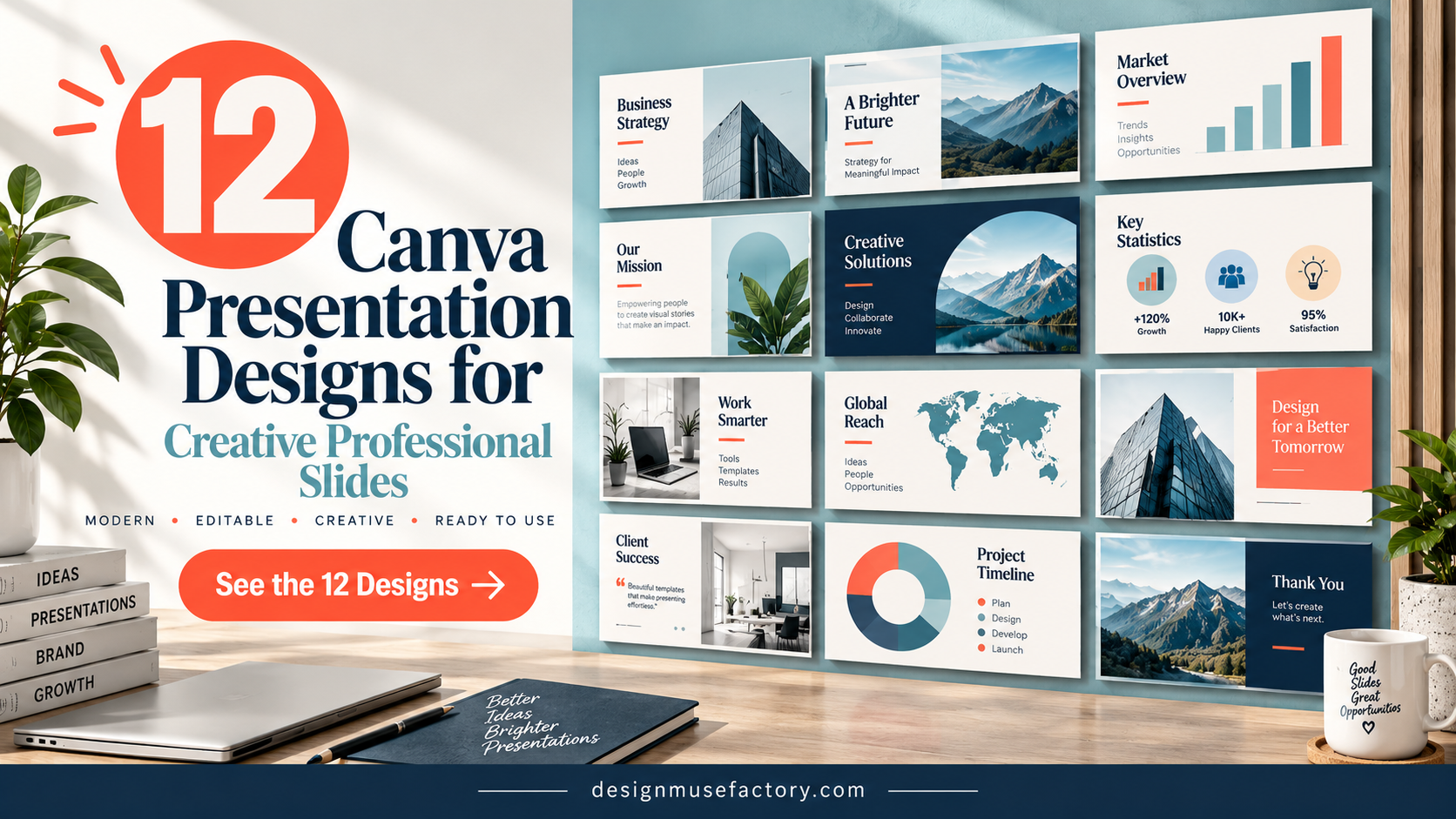
12 Best Canva Presentation Design Templates for Creative Professional Slides
A strong Canva Presentation Design gives you more than an attractive starting point: it helps organize information into slides that fit a specific purpose. The templates in this roundup cover marketing presentations, webinars, business and project proposals, pitch decks, brand guidelines, company profiles, and educational content.
These 12 options were selected from the supplied product collection for their direct relevance to presentation design in Canva. The selection also provides a useful range of aesthetics and structures, from minimalist business layouts to abstract branding decks and specialized webinar presentations.
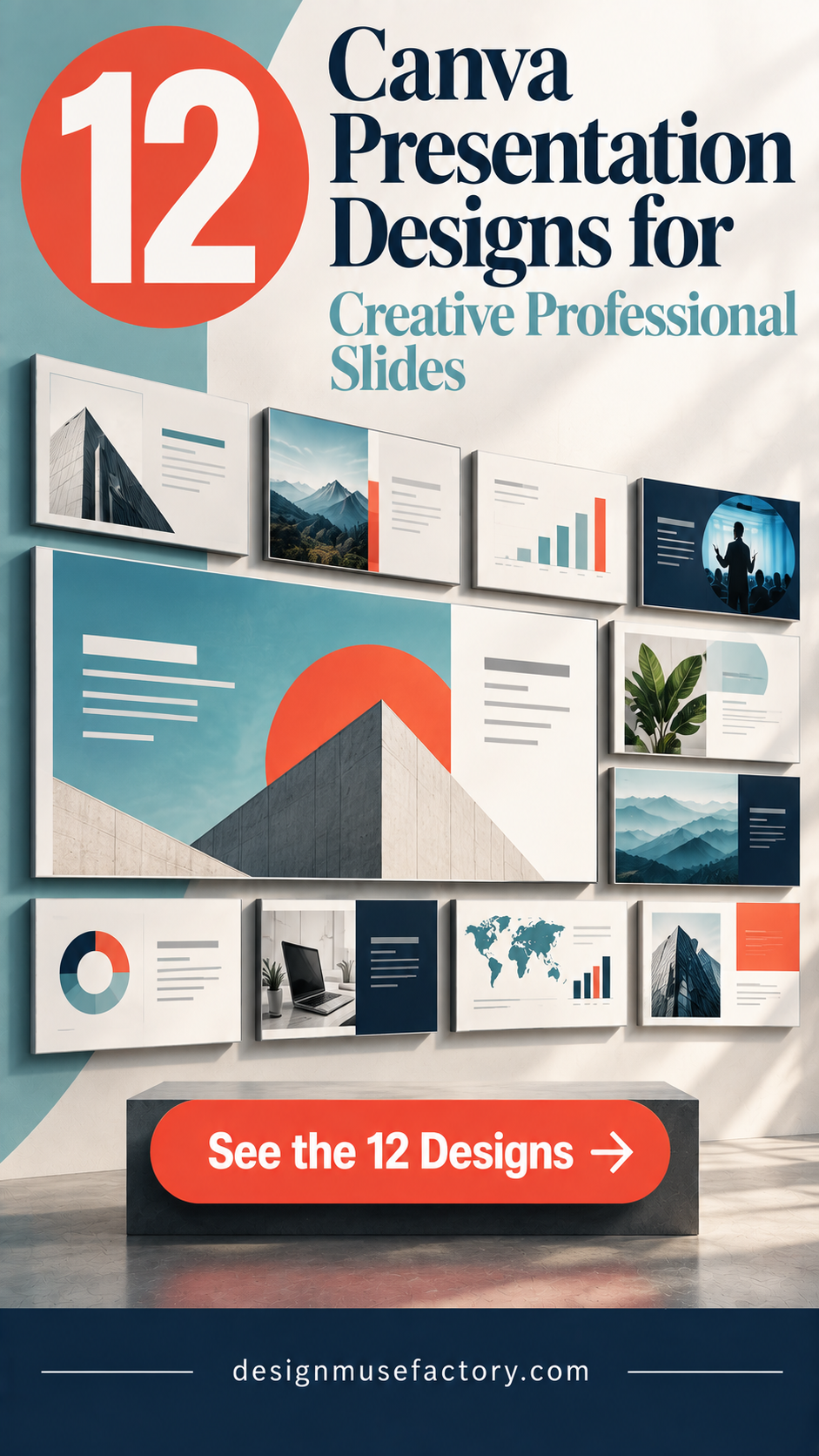
Why These Canva Presentation Designs Are Worth Considering
Presentation templates are most useful when their structure already resembles the story you need to tell. A marketing presentation may need timelines, charts, infographics, and team slides, while a webinar can benefit from agenda, key-point, data-visualization, quote, and call-to-action layouts. Proposals and pitch decks need a different visual rhythm again.
The products below were therefore considered primarily by intended use and the design information documented in their descriptions. Slide count, dimensions, editable elements, visual direction, and specialized presentation purpose are included only where supported by the supplied product data.
Best Canva Presentation Design Templates
1. 20 Marketing Canva Presentation Template — Best for Marketing Presentations
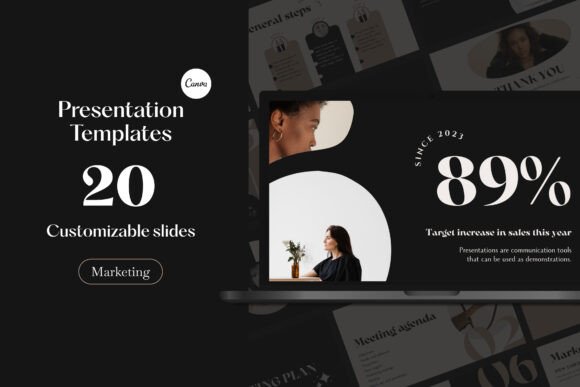
A 20-slide Canva collection created for marketing presentations, campaigns, strategies, reports, workshops, and meetings. Its documented layouts include timelines, charts, infographics, team introductions, title pages, and closing slides in a modern neutral style.
- Includes 20 unique slides.
- Designed around marketing and business presentation needs.
- Text, colors, fonts, photos, animations, and logos can be customized in Canva.
- Uses a panoramic 16:9 presentation layout.
Keep in mind: Its documented layouts are especially relevant to marketing communication, so users building unrelated presentation types may not need every included page.
2. Templatera Canva Presentation Template — Best for Versatile Business Slides
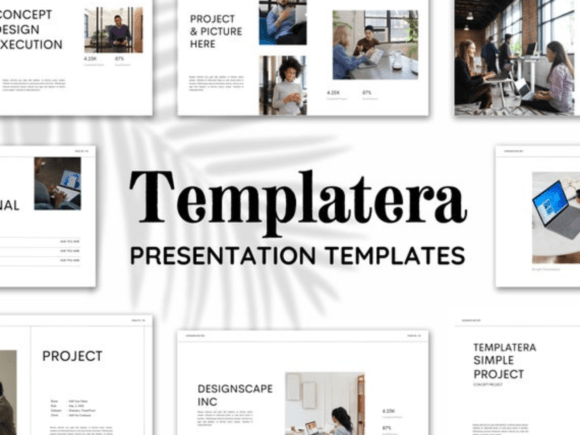
A 30-template presentation set combining minimal business styling with creative photo layouts. It is documented for reports, projects, school presentations, pitch decks, interviews, real estate, and other professional or personal presentations.
- Includes 30 presentation templates at 1920 × 1080 px.
- Fonts and colors can be customized for branding.
- Supports changes to text, shapes, backgrounds, photos, and fonts.
- Canva elements can be used to replace illustrations and charts.
Keep in mind: This is a broad presentation collection rather than a template built around one narrowly defined business scenario.
3. Modern Webinar Slide Templates — Best for Webinar Presentations
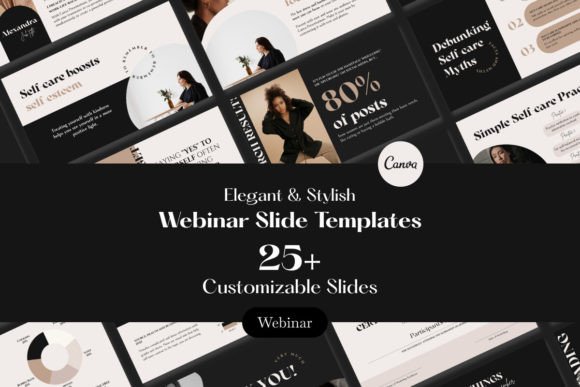
A Canva presentation collection with more than 25 slides specifically designed for webinars. It includes layouts for introductions, agendas, key points, data visualization, quotes, and calls to action, with editable graphics and text placeholders.
- Includes more than 25 slides in 16:9 format.
- Designed specifically around webinar presentations.
- Includes introduction, agenda, data, quote, and CTA sections.
- Graphics and text placeholders are described as fully editable.
Keep in mind: Its strongest documented use is webinar content, including educational sessions, business pitches, and product demonstrations.
4. Modern Pitch Deck Presentation Canva — Best for Modern Pitch Decks
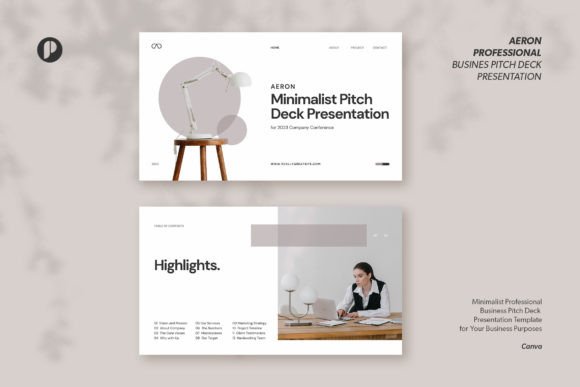
Aeron is a white minimalist pitch deck with 15 unique Canva slides. Its clean, organized layout uses modern styling with photos and illustrations, while editable text, images, and colors provide room to adapt the deck to a business presentation.
- Includes 15 unique slides.
- Uses a 1920 × 1080 px presentation format.
- Built around a white minimalist and modern design direction.
- Text and colors are editable, and graphics are described as resizable and editable.
Keep in mind: This template is specifically positioned as a pitch deck, making it most relevant when presenting business ideas rather than general educational material.
5. Brand Guidelines Presentation Canva — Best for Fashion Brand Guidelines
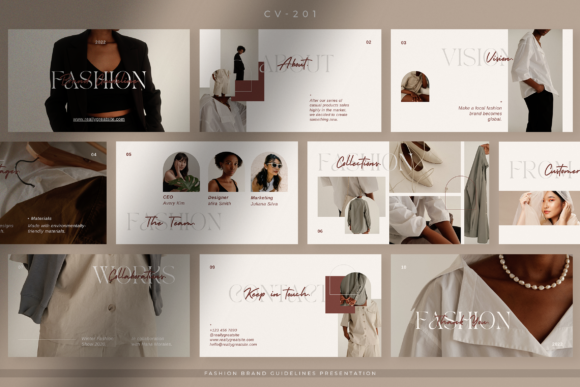
A clean fashion-focused brand guidelines presentation containing 10 unique Canva slide designs. Its simple, neat layout is intended for communicating core brand information to clients, partners, or customers and can also suit marketing kits or business proposals.
- Includes 10 unique slides.
- Created around fashion brand guideline presentations.
- Text, images, and colors can be customized in Canva.
- Slides use 1920 × 1080 px dimensions.
Keep in mind: Its documented concept is specifically fashion-oriented, so the existing aesthetic may require adaptation for brands in other industries.
6. Abstract Brand Kit Presentation Canva — Best for Creative Brand Presentations
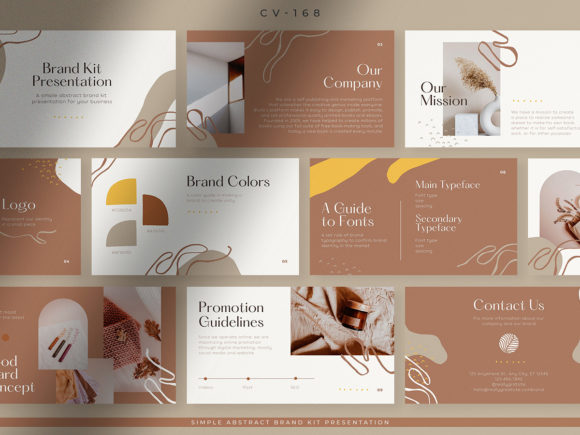
A 10-slide brand kit presentation combining abstract design with rosy brown and beige tones. The Canva layouts are organized for presenting brand information to prospective clients or partners and are positioned for companies, startups, entrepreneurs, and other businesses.
- Contains 10 unique slide designs.
- Combines simple layouts with abstract visual elements.
- Text, images, and colors can be customized.
- Uses a 1920 × 1080 px slide format.
Keep in mind: The rosy brown and beige aesthetic is a defined starting style, so consider how closely it aligns with your existing visual identity.
7. Minimalist Webinar Presentation Canva — Best for Simple Webinar Design
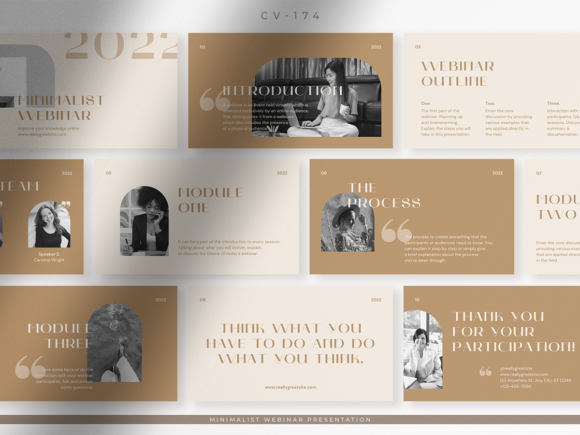
The Latte template provides 10 Canva slides for webinars, online seminars, and virtual events. Its minimalist styling and organized layouts are intended to accommodate webinar discussion material and schedules without relying on an overly decorative presentation design.
- Includes 10 unique slides.
- Designed for webinars, online seminars, and virtual events.
- Text, images, and colors can be customized in Canva.
- Uses 1920 × 1080 px dimensions.
Keep in mind: Its 10-slide structure is more compact than the larger webinar collection included earlier in this roundup.
8. Business Proposal Presentation Canva — Best for Elegant Business Proposals
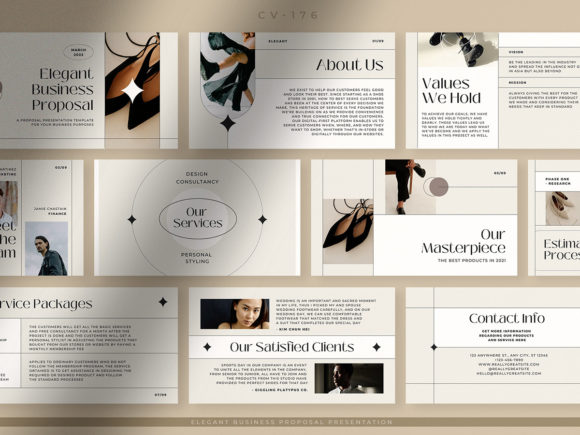
An elegant 10-slide business proposal template using ivory white and soft gray tones. Its organized Canva layouts are designed around company offers and proposals, while the source also identifies company profiles and marketing kits as potential uses.
- Includes 10 unique presentation slides.
- Uses an elegant, feminine visual direction.
- Text, images, and colors can be customized.
- Slides are specified at 1920 × 1080 px.
Keep in mind: The ivory, soft gray, and feminine styling should be considered in relation to the visual tone of the business or proposal.
9. Company Profile Presentation Canva — Best for Company Introductions
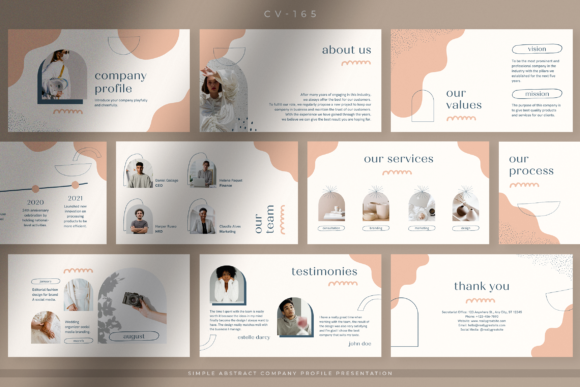
A 10-slide company profile template with a simple abstract design and chocolate-milk-inspired coloring. Its layouts are intended to introduce a company to prospective clients, customers, and business partners while maintaining a professional presentation structure.
- Includes 10 unique slide designs.
- Created specifically around company profile presentations.
- Text and colors are editable in Canva.
- Uses a 1920 × 1080 px format with editable and resizable graphics.
Keep in mind: Its strongest documented purpose is company introduction rather than a marketing campaign, webinar, or investor pitch.
10. Project Proposal Presentation Canva — Best for Soft Monochrome Proposals
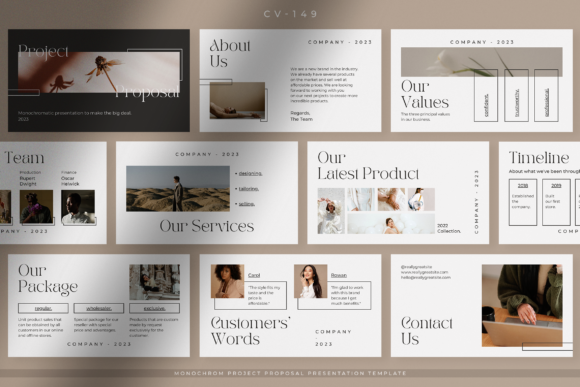
A soft monochrome proposal design using an ivory background and simple layouts. The source describes 10 unique Canva designs for project or business proposals and notes that users can customize the text, images, and colors.
- Designed around business offers and project proposals.
- Uses a simple, elegant ivory visual direction.
- Can accommodate information such as products, portfolios, and packages.
- Text, images, and colors are documented as customizable in Canva.
Keep in mind: The source contains conflicting feature details about presentation slides versus Instagram dimensions, so those disputed format specifications are not relied on here.
11. Project Proposal Presentation Canva — Best for Minimal White Proposals
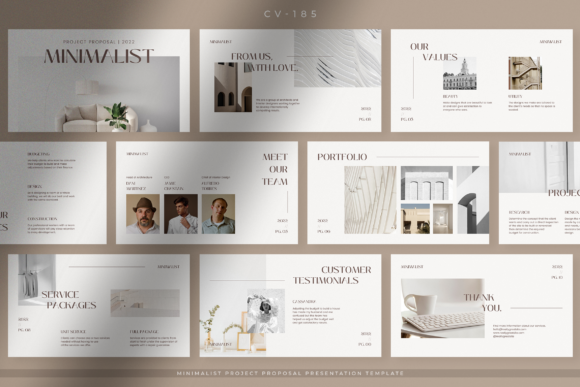
This Pure White project proposal template provides 10 Canva slides with a minimalist, organized layout. It is intended for presenting project and company information and is also described for company profiles, marketing kits, business offers, and proposals.
- Includes 10 unique slides.
- Uses a simple, minimalist white presentation style.
- Text, images, and colors can be customized in Canva.
- Uses 1920 × 1080 px dimensions with resizable and editable graphics.
Keep in mind: Compared with the soft monochrome proposal option above, this template is described around a more explicitly pure-white minimalist appearance.
12. Viral Reels Guide Slide Deck, Canva — Best for Social Media Education
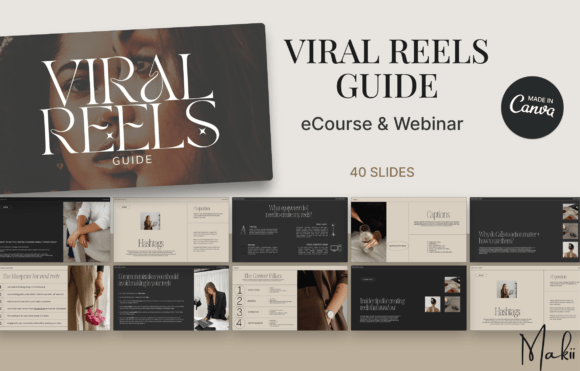
A 40-slide Canva presentation centered on teaching Reels strategy. Its documented topics include target audiences, equipment, content pillars, hooks, calls to action, captions, hashtags, trending audio, and a Reels blueprint, making it a specialized educational deck.
- Includes 40 editable Canva slides.
- Designed for coaches, course creators, social media educators, and digital-product sellers.
- Text, images, and colors can be customized.
- The supplied description states that PLR rights are included.
Keep in mind: This is a content-specific presentation rather than a blank general-purpose deck. The listing also notes that some elements may require Canva Pro, although free alternatives can be substituted.
How to Choose a Canva Presentation Design
Start with the purpose of the deck rather than choosing only by appearance. The strongest Canva presentation design template for a marketing report may be very different from one intended for a webinar, brand guideline, investor pitch, company introduction, or client proposal.
Match the Layouts to Your Content
Consider what information the presentation must contain before evaluating its visual style. Marketing decks can benefit from timelines, charts, infographics, and team pages. Webinar presentations may need agendas, key points, data visualization, quotations, and calls to action. A company profile or proposal has a different information hierarchy.
Choose an Aesthetic That Supports the Message
Useful Canva presentation design aesthetic choices in this collection range from minimalist white and soft monochrome layouts to abstract brand designs, neutral marketing slides, and more specialized visual directions. A restrained style can keep attention on detailed business information, while a more expressive deck may suit brand-focused content.
Consider Slide Count and Presentation Length
The documented products range from 10-slide sets to a 40-slide educational deck. More slides do not automatically make a template more useful. A focused proposal may work well with a compact set, while training material or a detailed webinar can require more layouts to separate topics clearly.
Canva Presentation Design Ideas for More Creative Slides
Good Canva presentation design ideas begin with hierarchy. Give each slide one primary purpose, make the headline easy to identify, and avoid giving every text block or graphic equal visual weight. Templates provide the framework, but editing the hierarchy around your actual message is what makes the final presentation coherent.
For a more Canva presentation design creative approach, vary slide composition without abandoning consistency. You might alternate between text-led pages, photography, charts, quotations, timelines, or key statistics when those formats suit the content. Keep recurring typography, spacing, and color decisions consistent so the deck still feels like one presentation.
How to Use Canva Presentation Templates Well
- Outline your message first. Establish the introduction, supporting points, evidence, and closing action before deciding which slide layouts to keep.
- Remove unnecessary pages. A template is a starting structure, so you do not need to use every available slide.
- Adapt the visual system. Where the specific template supports it, adjust fonts, colors, photography, and other editable elements to create a consistent identity.
- Keep text focused. Presentation slides generally work better when the audience can quickly identify the main point rather than reading dense paragraphs while listening.
- Use visual layouts purposefully. Charts, timelines, images, and infographics should clarify information rather than simply fill empty space.
- Review the entire deck as a sequence. Check that one slide leads logically to the next and that visual changes do not distract from the message.
A Practical Canva Presentation Design Decision Workflow
For marketing work, the 20 Marketing Canva Presentation Template provides the most directly specialized structure in this collection, with documented timelines, charts, infographics, team introductions, and other marketing-oriented pages. For broader business use, Templatera offers 30 layouts and is described for reports, projects, pitch decks, interviews, and other professional presentations.
For webinars, compare presentation length and structure. Modern Webinar Slide Templates provides more than 25 slides with documented agenda, key-point, data, quote, and CTA sections, while Minimalist Webinar Presentation Canva offers a more compact 10-slide approach.
Brand-focused users can compare the fashion-oriented Brand Guidelines Presentation with the abstract rosy-brown-and-beige Brand Kit template. For proposals, the collection includes elegant, soft-monochrome, and pure-white directions. The Modern Pitch Deck is more specifically oriented toward presenting business ideas, while the Company Profile template focuses on introducing an organization.
Frequently Asked Questions
What makes a good Canva Presentation Design?
A useful presentation design should support the information being communicated. Clear hierarchy, readable typography, consistent visual choices, appropriate layouts, and a logical slide sequence are generally more important than adding decoration to every page.
How do I choose a Canva presentation design aesthetic?
Match the aesthetic to the subject, audience, and existing brand identity. Minimal and neutral layouts can suit information-heavy business material, while abstract or more expressive designs can work well when brand personality needs greater visual emphasis.
Which Canva presentation template is useful for marketing?
For the products in this selection, the 20 Marketing Canva Presentation Template is explicitly designed around marketing use and includes documented layouts such as timelines, charts, infographics, team introductions, and closing slides.
Can I customize these Canva presentation templates?
The supplied descriptions document customization for these products to varying degrees. Commonly listed editable elements include text, colors, images, fonts, graphics, shapes, and backgrounds. Check the specific template details because the documented controls are not identical across every product.
How many slides should a Canva presentation have?
The appropriate number depends on the amount and type of information you need to communicate. This collection includes compact 10-slide templates as well as sets with 15, 20, 25+, 30, and 40 slides. Choose enough layouts to explain the subject clearly without adding pages solely to make the presentation longer.
Can the same Canva presentation design work for every type of presentation?
Not necessarily. A webinar, marketing report, brand guideline, company profile, project proposal, and pitch deck can require different content structures. Starting with a template whose documented purpose already resembles your project can reduce the amount of restructuring required.
Final Thoughts
Choosing a Canva Presentation Design is easier when you start with the presentation’s purpose. Marketing users can prioritize layouts built around campaigns and reporting, webinar creators can look for agenda and teaching structures, and businesses preparing proposals or pitches can focus on templates organized around those specific communication needs.
Visual style should come next. Minimal white, monochrome, abstract, neutral, and brand-focused designs can all work effectively when they support the subject and audience. Begin with the template whose structure most closely fits your content, then use its documented Canva customization options to shape a consistent final presentation.
