17 Best Canva Lead Magnet Templates for Guides, Workbooks and Email List Growth
A Canva Lead Magnet template can give you a ready-made visual structure for an ebook, workbook, checklist, coaching resource, or promotional freebie without designing every page from scratch. The 17 options below include compact templates, large multi-page bundles, niche-focused coaching designs, and promotional assets for presenting your finished lead magnet.
These products were selected primarily for their relevance to lead magnet creation and the practical formats described in their listings. The roundup will help you compare page counts, document styles, customization options, intended audiences, and the different ways each template can fit into a content or email-list workflow.

Why These Canva Lead Magnet Templates Are Worth Considering
The collection covers several common approaches to Canva lead magnet design. There are multi-page ebooks for educational content, workbook layouts with worksheet pages, checklists for more focused resources, Instagram templates for promoting an offer, and a mockup kit for presenting a finished ebook or freebie.
Most of the document-based options also describe editable colors, fonts, photos, text, or other visual elements. This makes it easier to start with an established page structure and then adapt the design to your own branding and content rather than treating the supplied appearance as fixed.
Best Canva Lead Magnet Templates
1. Lead Magnet Canva Template Bundle — Best for a Large Multi-Format Collection
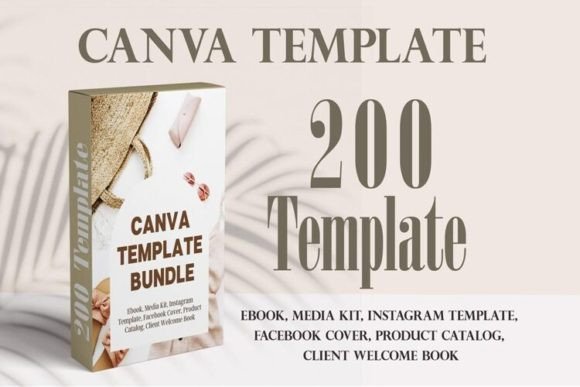
A 200-page Canva bundle aimed at coaches, designers, photographers, virtual assistants, and other service businesses. It combines multiple ebook sets with catalog, media kit, Instagram post, and Facebook cover templates for a broad content toolkit.
- 200 pages are stated in the product description.
- Includes multiple ebook page collections with covers, contents, interior layouts, and CTA pages.
- Also includes catalog, media kit, Instagram post, and Facebook cover templates.
- Colors, fonts, and photos can be changed using a free Canva account.
Keep in mind: This is a broad bundle, so it may be more extensive than necessary if you only need one short downloadable resource.
2. 300 Page Ebook Template Canva | Workbook — Best for Coaches Who Need Extensive Page Variety
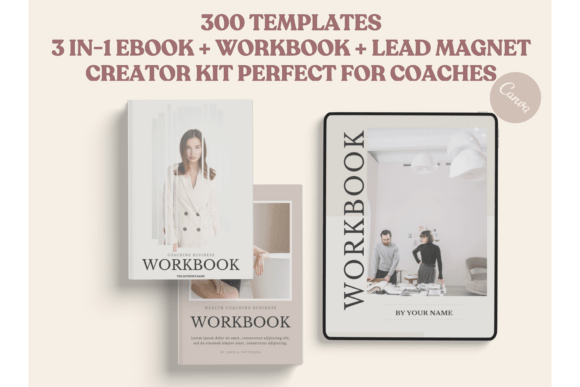
This 3-in-1 ebook, workbook, and lead magnet creator kit contains 300 mix-and-match templates for coaches and other service-based creators. It combines covers, worksheets, planners, chapter dividers, universal pages, CTAs, resources, testimonials, and more.
- 300 mix-and-match templates are listed.
- Includes more than 110 worksheet pages plus covers, planners, chapters, CTAs, and resource pages.
- A4 and US Letter sizes are stated in the listing.
- Text, background colors, and element positioning can be customized.
Keep in mind: The very large page library is most relevant when you want substantial choice rather than a small, ready-to-fill lead magnet.
3. Canva Lead Magnet Workbook – Beige Color — Best for Coaching Workbooks
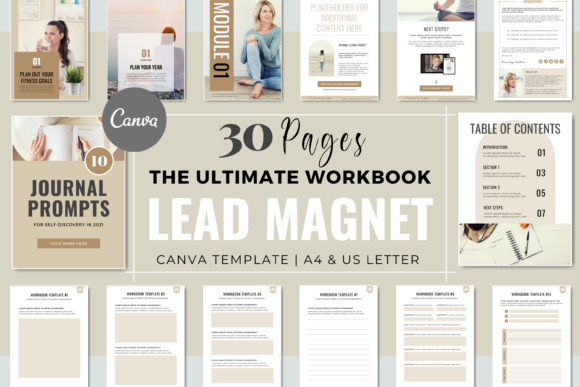
A neutral beige workbook lead magnet with 30 core pages plus four bonus pages in US Letter and A4 sizes. It is geared toward coaches, freelancers, and consultants and combines covers, introductory layouts, worksheets, content pages, and calls to action.
- 30 pages plus four bonus pages.
- Includes 15 worksheet pages and two content-style pages.
- Four cover styles and multiple introduction and section pages are included.
- Colors, fonts, photos, logo, and content can be adapted to your branding.
Keep in mind: Its supplied design starts with a beige color direction, although the description states that the branding elements can be changed.
4. Canva Lead Magnet Workbook – Pastel Blue — Best for Pastel Workbook Designs
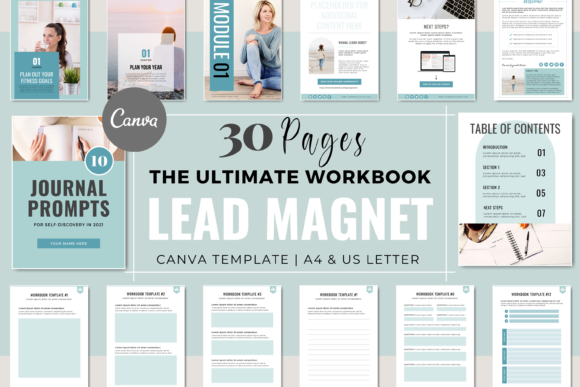
A pastel-blue 30-page workbook plus four bonus pages for coaching, consulting, email-list, course, and online-business projects. Its layouts include covers, introduction pages, section dividers, worksheets, content pages, and three CTA options.
- 30 pages plus four bonus pages.
- Available in US Letter and A4 sizes according to the description.
- Contains 15 worksheet pages plus two content-style layouts.
- Brand colors, fonts, photos, logo, and content can be changed.
Keep in mind: It shares its general workbook structure with the beige and blush-pink versions, so the starting visual style may help determine which one you prefer.
5. Canva Lead Magnet Workbook – Blush Pink — Best for Wellness and Lifestyle Workbooks
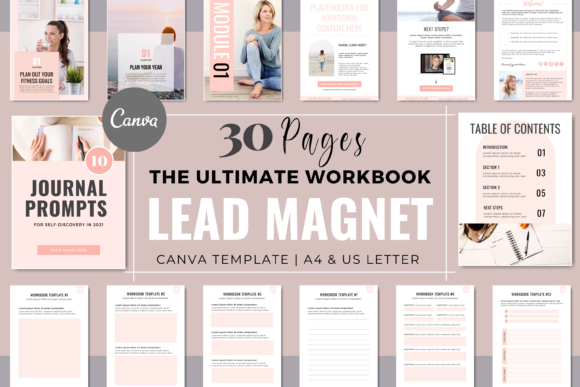
This blush-pink workbook provides 30 pages plus four bonus layouts for health, wellness, life, nutrition, and fitness coaches as well as freelancers and consultants. It combines worksheet-heavy content with introductory, divider, cover, and CTA pages.
- 30 pages plus four bonus pages.
- Includes 15 worksheet layouts and two content pages.
- US Letter and A4 sizes are provided.
- Designed to accept custom colors, fonts, logos, photos, and content.
Keep in mind: The supplied aesthetic is blush pink, making it most convenient when that starting style is reasonably close to your intended branding.
6. Canva Lead Magnet EBook – Blush Pink — Best for Coaching Ebooks and How-To Guides
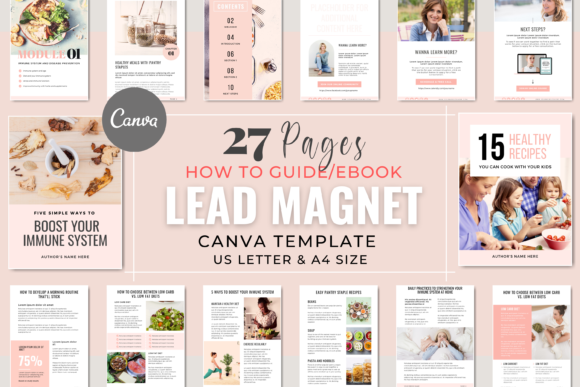
A 27-page blush-pink ebook and how-to guide template created around coaching and online-business lead magnets. It includes four covers, introduction layouts, contents and divider pages, 14 content pages, and three CTA or next-step layouts.
- 27 total pages.
- Four cover styles and 14 content-style pages are listed.
- Includes three CTA or next-step pages.
- US Letter and A4 versions are supplied.
Keep in mind: This version emphasizes ebook and guide content rather than the worksheet-heavy structure of the related workbook templates.
7. Canva Lead Magnet EBook – Pastel Blue — Best for Pastel Ebook Freebies
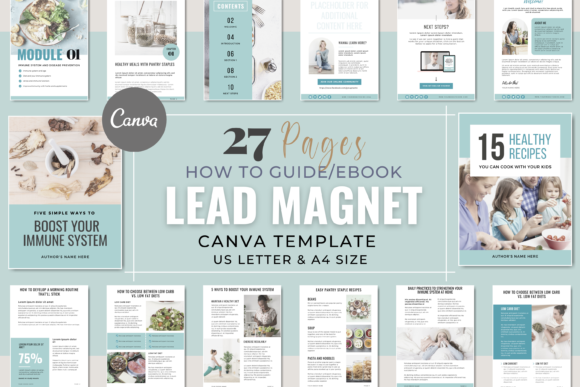
A 27-page ebook and guide layout supplied in US Letter and A4 formats. Its page mix covers introductory material, section organization, main content, and calls to action, giving coaches and consultants a structured starting point for a downloadable resource.
- 27 pages in total.
- Four cover-page styles.
- Four table-of-contents and section-divider pages plus 14 content layouts.
- Colors, fonts, photos, logo, and content can be customized.
Keep in mind: The source text contains inconsistent color wording, so it is safest to rely on the product title and preview for its specific starting appearance.
8. Canva Lead Magnet EBook – Neutral Beige — Best for Neutral Ebook Layouts
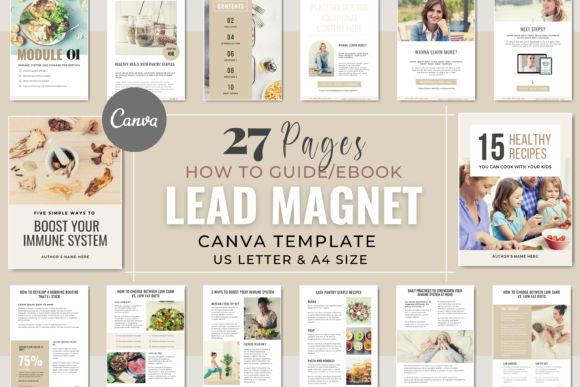
A 27-page Canva ebook and how-to guide option with US Letter and A4 versions. The page structure includes covers, introduction pages, contents and dividers, 14 content layouts, and three CTA pages for building a complete downloadable resource.
- 27-page structure.
- Four covers and 14 content pages are included.
- Three CTA or next-step layouts.
- Brand colors, fonts, photos, and other branding elements can be edited.
Keep in mind: As with the pastel-blue version, the source description contains conflicting color wording; the title identifies this product as the Neutral Beige version.
9. Canva Lead Magnet Template for Coaches — Best for Coaching Checklists
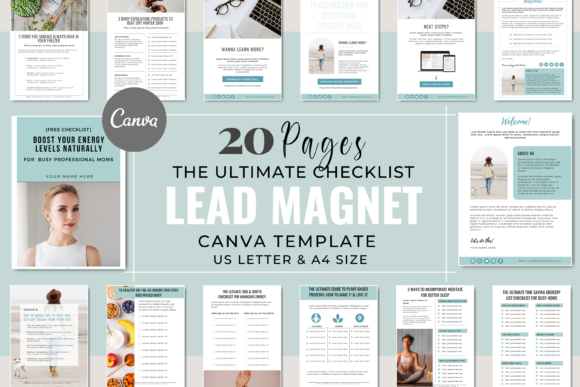
A 20-page pastel-blue checklist template aimed at coaching clients, courses, and online businesses. It combines three covers, two introduction layouts, 12 checklist pages, and three next-step pages in both US Letter and A4 sizes.
- 20 total pages.
- Twelve dedicated checklist pages.
- Three cover options and three CTA or next-step pages.
- Colors, text, photos, fonts, and other branding elements can be edited.
Keep in mind: Its checklist format is more focused than an ebook or full workbook, which may be preferable for concise resources but less suitable for long-form material.
10. Canva Lead Magnet Checklist – Beige — Best for Neutral Checklist Freebies
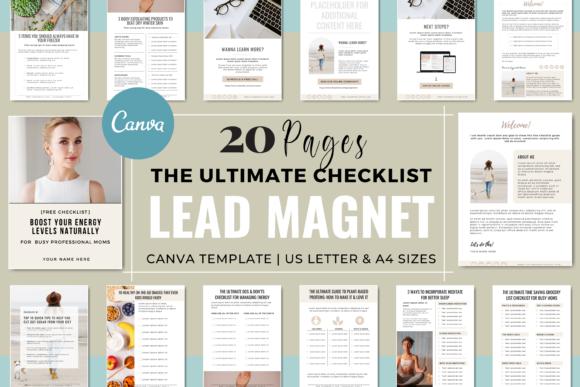
This neutral-beige checklist pack provides 20 pages for coaching, course, and online-business freebies. It contains three cover styles, two introduction layouts, 12 checklist pages, and three call-to-action or next-step pages.
- 20 pages in US Letter and A4 sizes.
- Twelve unique checklist layouts.
- Three cover styles and three CTA pages.
- Brand colors, fonts, photos, and content can be customized.
Keep in mind: This option is specifically structured around checklists rather than the broader page variety found in the workbook and ebook products.
11. Minimalistic Lead Magnet Template Canva — Best for Clean, Modern Branding
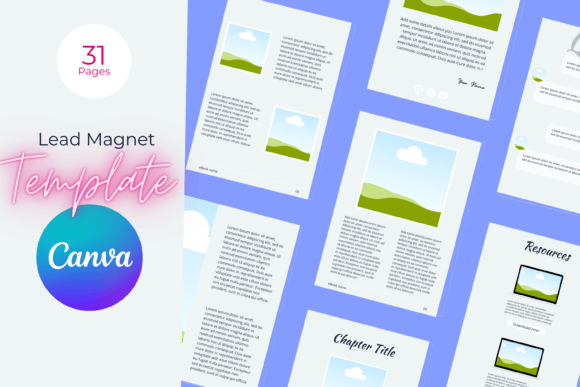
A clean, modern lead magnet template built around a minimal aesthetic. Its description highlights headline, copy, and call-to-action elements while allowing users to replace images, change colors, and adjust the layout to better match their branding.
- Minimalistic visual direction with clean lines.
- Fully editable in Canva according to the description.
- Images, colors, and layout can be changed.
- Designed as a general business lead magnet rather than for one narrow niche.
Keep in mind: The supplied description does not state a page count, so it offers less quantitative detail than several of the larger template packs.
12. Lead Magnet Ebook Template, Workbook — Best for Fully Editable Ebook Layouts
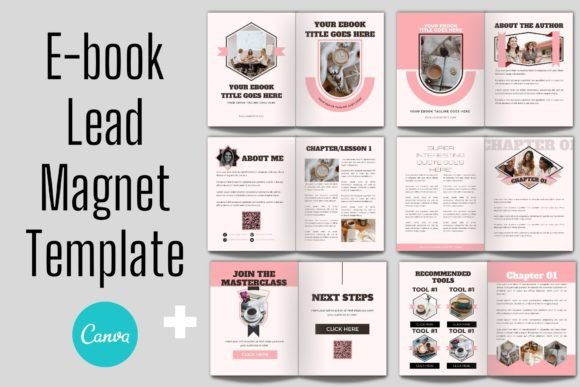
An editable Canva ebook lead magnet template designed for users comfortable with basic drag-and-drop editing. Text, fonts, colors, images, logos, and individual design elements can be adjusted, moved, resized, added, or removed.
- Fully layered Canva template according to the listing.
- Editable text, fonts, colors, images, logos, and elements.
- Supports drag-and-drop image placement.
- The template is accessed through a link in the supplied PDF instructions.
Keep in mind: The listing states that basic Canva knowledge is needed, so this is most appropriate for users already comfortable moving and resizing elements.
13. Lead Magnet Template, Editable Workbook — Best for Flexible Workbook Editing
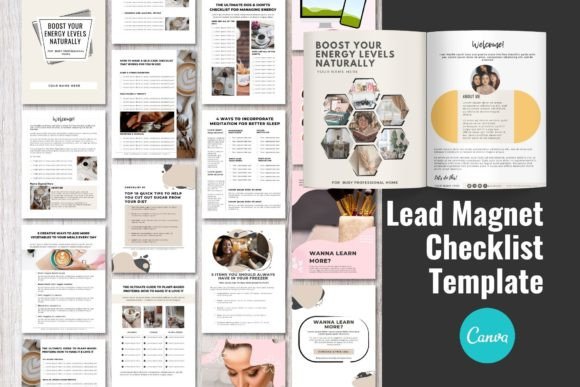
A Canva ebook and workbook-style lead magnet with extensive element-level editing. The source describes customizable text, typography, colors, images, logos, positioning, rotation, scaling, and other design elements for adapting the layout to your own content.
- Editable text, font size, font color, and typography.
- Images and logos can be uploaded.
- Elements can be moved, added, removed, rotated, and scaled.
- Editing takes place in Canva through a browser.
Keep in mind: Basic Canva knowledge is explicitly recommended in the product description.
14. Free Lead Magnet Templates Canva — Best for Square Social Content
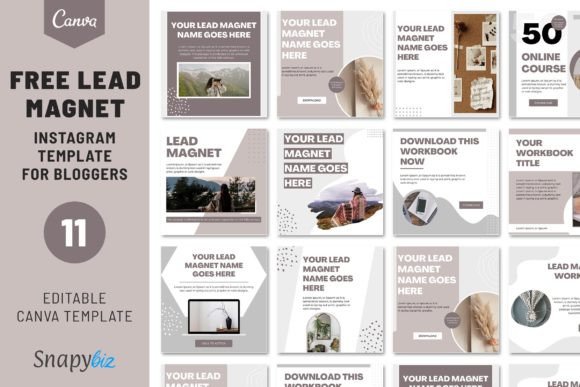
A set of 11 editable 1080 × 1080 Canva templates with a strong social-media orientation. Users can replace pictures and modify text, colors, fonts, shapes, and positioning, with a how-to-use guide included in the package.
- Eleven templates are listed.
- Each template is described as 1080 × 1080.
- A usage guide is included.
- Pictures, text, colors, fonts, shapes, and positions can be customized.
Keep in mind: The square format makes this set more social-content oriented than the US Letter and A4 ebook or workbook templates in the roundup.
15. Lead Magnet Instagram Canva Templates — Best for Promoting Lead Magnets on Instagram
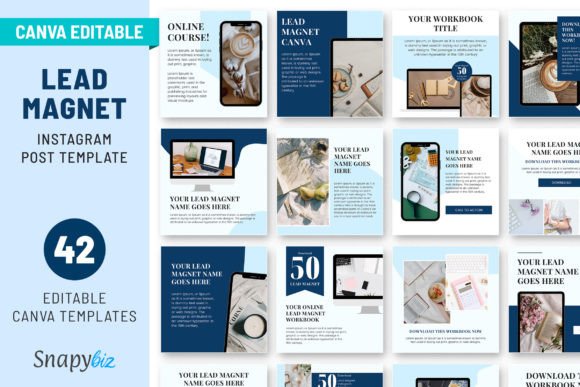
A collection of 42 editable blue Instagram templates designed for bloggers, coaches, and digital entrepreneurs promoting lead magnets. The layouts can be customized with brand colors and content to support social posts connected to a wider marketing funnel.
- 42 editable Canva templates are listed.
- Specifically designed around Instagram promotion.
- Aimed at bloggers, coaches, and digital entrepreneurs.
- Brand colors and content can be customized.
Keep in mind: This product is primarily useful for promoting a lead magnet rather than laying out a conventional multi-page ebook or workbook.
16. Canva Ebook Lead Magnet Template — Best for Drag-and-Drop Customization
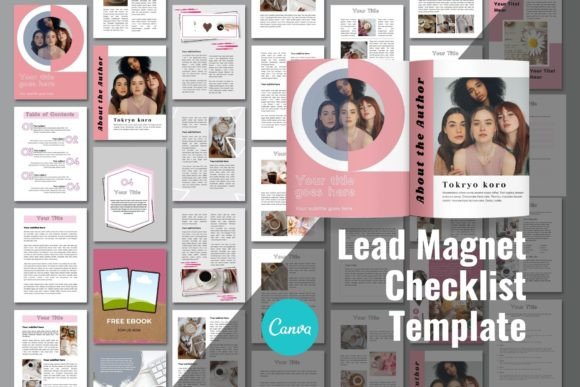
An ebook lead magnet template with layered Canva editing and drag-and-drop image placement. Its description supports changing text, fonts, colors, graphics, logos, positioning, rotation, scaling, and other elements directly in the browser.
- Fully layered Canva template.
- Text, colors, graphics, and fonts can be edited.
- Images and logos can be uploaded and placed in the design.
- Basic Canva knowledge is recommended.
Keep in mind: The spreadsheet’s supplied Product URL for this item points to the same image URL used above rather than a separate marketplace product page.
17. Canva Book/Lead Magnet Mockup Kit — Best for Presenting a Finished Lead Magnet
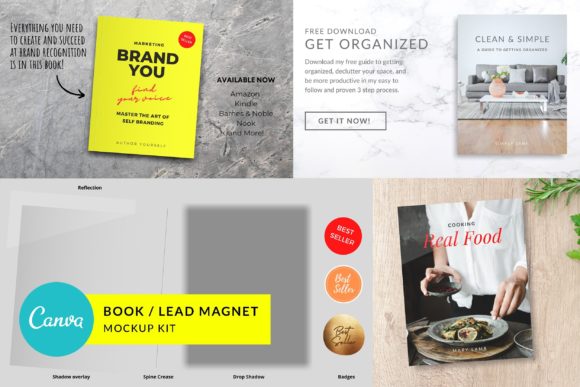
A mockup kit for turning an ebook or lead magnet cover into a more dimensional promotional graphic. It includes four premade templates plus editable visual elements such as shadows, reflections, overlays, a spine crease, badges, and replaceable backgrounds.
- Four premade templates for lead magnet, cookbook, and ebook presentations.
- Includes customizable shadows, reflection or glare, overlays, spine crease, and badges.
- Backgrounds and book-cover imagery can be replaced using drag-and-drop editing.
- The book elements can be rotated according to the description.
Keep in mind: This kit is for creating promotional mockups of a lead magnet rather than designing the internal pages of the lead magnet itself. The spreadsheet’s supplied Product URL points to its image file.
How to Choose a Canva Lead Magnet Template
The most useful Canva lead magnet templates are not necessarily the ones with the highest page count. Start by deciding what kind of resource you are creating and how much content it genuinely needs. A checklist, workbook, ebook, and promotional Instagram post serve different roles, even when all of them are part of the same lead-generation workflow.
Choose the Format Before the Visual Style
Match the page structure to the information you want to deliver. A checklist works naturally for concise actions or reference points. A workbook gives readers space to work through exercises, while an ebook or guide provides more room for educational content. A mockup or Instagram template serves a promotional role rather than replacing the downloadable document itself.
Look at the Page Mix, Not Just the Total
A large page count is useful only when those layouts support your planned content. For example, some products in this roundup emphasize worksheets, while others provide more general content pages, covers, section dividers, calls to action, planners, or promotional assets. Compare those components with your outline before choosing.
Consider How Much Branding You Want to Change
Many of the supplied templates support changes to colors, fonts, photos, logos, and text. Some also describe deeper editing such as moving, scaling, rotating, adding, or removing individual elements. If your final freebie needs to closely match an existing brand, these customization options may matter more than the original color palette.
Match the Template to Your Audience
Several products here are specifically described for health, wellness, life, nutrition, or fitness coaches, while others target bloggers, digital entrepreneurs, service businesses, freelancers, consultants, photographers, and designers. A more general lead magnet template Canva design may make sense when you want to build the visual identity around your own niche from the beginning.
Think About Document Size
If the lead magnet will be distributed as a document, the listed US Letter and A4 options can be useful for readers who may view or print it in different regions. The square 1080 × 1080 templates in this collection serve a different purpose and are better understood as social-oriented layouts rather than standard document pages.
How to Use a Canva Lead Magnet Template Well
A polished template gives you the visual framework, but the content still needs a clear purpose. Before editing the design, define the specific reader, the problem the resource addresses, and the useful result the reader should get from it. This makes it easier to decide which supplied pages belong in the final document.
- Outline the content first. Decide whether the resource needs a checklist, guide, workbook, or another format before filling template pages.
- Select only useful layouts. A bundle may contain dozens or hundreds of options, but the finished lead magnet does not need to use every page.
- Apply consistent branding. Where supported by the template, replace the original colors, fonts, imagery, logo, and other visual elements with your own.
- Keep page hierarchy clear. Make headings, body copy, checklists, exercises, and calls to action easy to distinguish visually.
- Finish with a logical next step. Several templates in this roundup include dedicated CTA pages that can be adapted to the purpose of your resource.
- Review every page before exporting. Check text, images, page order, branding, and any links or calls to action you have added.
A Practical Way to Compare Canva Lead Magnet Designs
For maximum page variety, the 200-page Lead Magnet Canva Template Bundle and 300-page Ebook Template Canva | Workbook provide the broadest documented collections in this dataset. The 300-page kit places particularly strong emphasis on worksheets, while the 200-page bundle spreads its layouts across ebooks and additional marketing formats.
For coaching workbooks, the beige, pastel-blue, and blush-pink 30-page workbook products use a focused structure with worksheet pages and CTA layouts. Their functional descriptions are similar, so your preferred starting aesthetic may be the easiest way to distinguish between them.
If you are building a shorter educational freebie, the 27-page ebook options provide more content-oriented layouts without the larger worksheet component. For an actionable checklist, the 20-page beige checklist and coaching template are more specialized choices.
The Instagram template set and Book/Lead Magnet Mockup Kit solve different problems. The Instagram collection supports promotion around a lead magnet, while the mockup kit helps create presentation graphics for an ebook or downloadable resource after the underlying content has been designed.
Frequently Asked Questions
What is a Canva Lead Magnet template?
It is an editable Canva layout that can provide the visual structure for a downloadable resource or related marketing asset. The products in this roundup include ebook, workbook, checklist, Instagram, and mockup formats, with different levels of customization and page variety.
Which type of Canva lead magnet design should I choose?
Choose according to the content you need to deliver. Checklists suit concise actions or reference material, workbooks support exercises and participation, and ebooks or guides give you more space for educational content. Promotional templates and mockups are more useful for presenting or marketing the finished resource.
Can I customize these Canva lead magnet templates to match my brand?
Many products in this roundup explicitly support changes to colors, fonts, photos, text, logos, or other visual elements. Some listings also describe moving, resizing, rotating, adding, and removing individual design elements. Check the specific product details because the documented customization options vary.
Do I need Canva Pro to edit a lead magnet template?
Several products in this collection specifically state that they can be edited using a free Canva account. Because the supplied information differs between products, check the individual listing description for the template you plan to use rather than assuming the same requirement applies to every design.
Is an ebook or workbook better for a lead magnet?
They serve different content styles. An ebook or guide is useful when you mainly want to explain or teach information. A workbook is more appropriate when readers need worksheets, prompts, planning pages, or space to work through a process. The right format depends on what you want the reader to do with the resource.
Can I create a short checklist instead of a large ebook?
Yes. The supplied product collection includes dedicated checklist templates as well as much larger ebook and workbook bundles. If the content is naturally concise, a focused checklist can avoid forcing a simple idea into unnecessary pages.
Do I need separate graphics to promote my lead magnet?
You can create separate promotional assets if they fit your workflow. This roundup includes a 42-template Instagram collection specifically oriented toward lead magnet promotion and a Canva mockup kit for presenting an ebook or lead magnet cover as a dimensional graphic.
Final Thoughts
The right Canva Lead Magnet template depends less on having the largest bundle and more on matching the layout to the resource you want to create. The 200-page and 300-page collections offer extensive page variety, while the 30-page workbook designs are more focused on coaching exercises and structured reader participation.
For educational guides, the 27-page ebook templates provide a more content-oriented structure. The dedicated checklist designs suit shorter actionable resources, while the Instagram templates and mockup kit can support promotion and presentation after the core lead magnet has been created. Choose the format that fits your content first, then customize the supported visual elements to make the final resource consistent with your brand.