16 Best Canva Presentation Templates for Business, Webinars and Creative Slides
The right Canva Presentation Templates can give you a practical starting point for business decks, webinars, courses, brand presentations and other slide-based projects. This roundup includes 16 options selected for their relevance to presentation design, with styles ranging from simple and minimalist layouts to aesthetic decks and extensive webinar collections.
The selection also reflects the variety people typically need from presentation templates: editable branding, different slide structures, visual consistency and layouts suited to specific communication goals. Below, you can compare the supplied designs by intended use, number of slides where documented, visual direction and customization options.

Why These Canva Presentation Templates Are Worth Considering
Presentation needs vary considerably. A webinar host may need engagement, testimonial and call-to-action slides, while a business presentation may depend more on charts, diagrams, company information and structured text. Brand guideline decks have another purpose entirely, with layouts designed to communicate a visual identity consistently.
Visual style matters too. Current presentation-template search results span minimalist professional layouts, pitch decks, portfolios, creative projects and aesthetic presentations, reinforcing the value of choosing a design around both content and audience rather than appearance alone. :contentReference[oaicite:0]{index=0}
Best Canva Presentation Templates
1. Modern Presentation Template: 120+ Canva — Best for Large Business and Pitch Decks
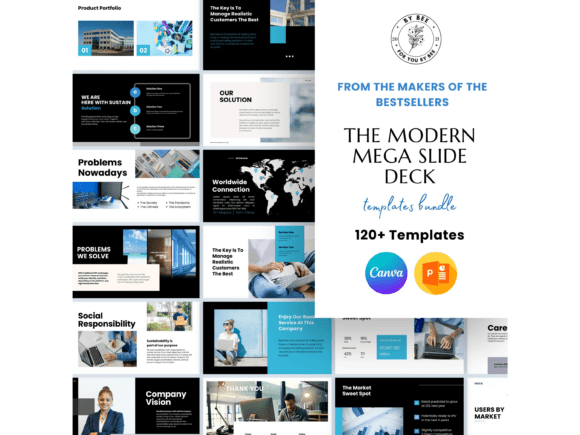
A substantial presentation collection with 120+ slide templates for business presentations, marketing kits and pitch decks. Modular layouts include space for images, charts, quotes and text, with drag-and-drop images and quick color-palette changes.
- Includes 120+ presentation slide templates.
- Designed for business presentations, marketing kits and pitch decks.
- Provides layouts using images, charts, quotes and text.
- Supports image drag-and-drop and one-click color-palette changes.
- The listing states compatibility with Canva and PowerPoint.
Keep in mind: With more than 120 templates, this is better suited to users who want a broad slide library than those looking for a small, tightly focused deck.
2. Tectum Canva Presentation Template — Best for Clean Multipurpose Presentations
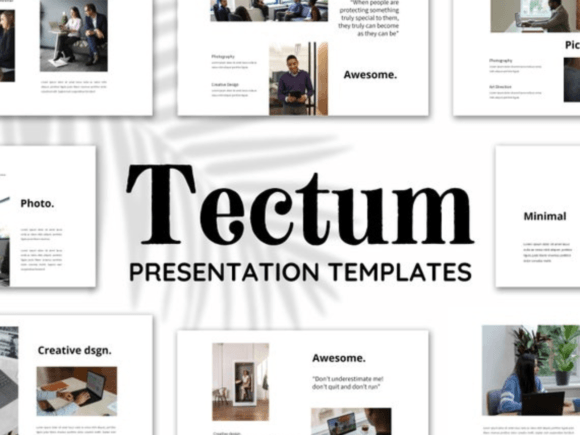
Tectum uses a simple, modern presentation style with creative photo layouts and editable infographics. Its supplied use cases span business reports, projects, school presentations, real estate, pitch decks, interviews and other professional or personal presentations.
- Simple and modern visual direction.
- Includes creative photo layouts.
- Provides editable infographics.
- Fonts and colors can be customized for branding.
- Suitable for several documented professional and personal presentation types.
Keep in mind: Its broad multipurpose positioning makes it particularly relevant when you need flexibility rather than a presentation dedicated to one narrow subject.
3. Aesthetic Brown Presentation Templates — Best for Aesthetic Business Slides
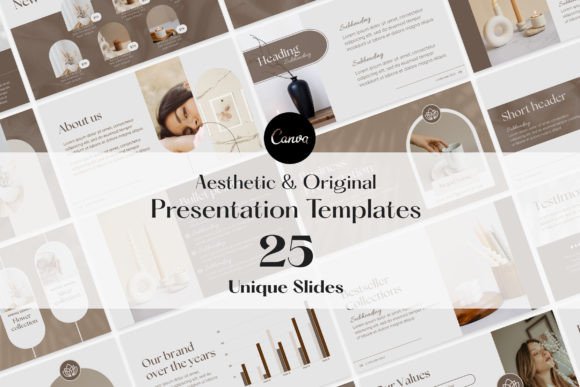
A collection of 25 customizable presentation templates designed for business presentations, marketing kits and product catalogs. The layouts support text, image and color changes and incorporate charts, imagery and other visual elements for presentation storytelling.
- Includes 25 customizable templates.
- Suitable for business presentations, marketing kits and product catalogs.
- Text, images and colors can be modified.
- Includes charts and visual presentation elements.
- Useful for users specifically seeking Canva presentation templates aesthetic in style.
Keep in mind: The brown aesthetic is a defining part of this collection, so consider whether that visual direction suits your subject and brand before choosing it.
4. 70 Page Canva Webinar Slides — Best for Courses, Webinars and Masterclasses
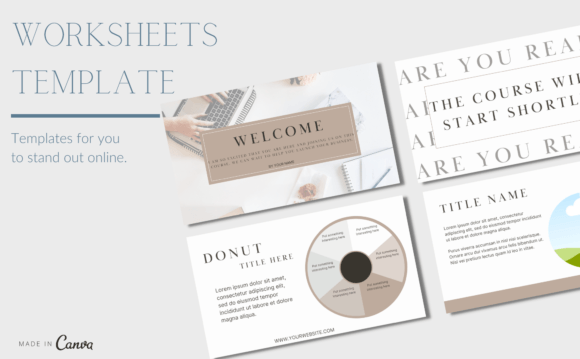
This 70-slide Canva webinar template is designed for course creators, coaches and educators. Its slide types cover introductions, audience engagement, testimonials, infographics, quotes, frameworks, course outlines, pricing, calls to action and next steps.
- Includes 70 webinar slides.
- Designed for courses, webinars, masterclasses and workshops.
- Includes audience-engagement and testimonial slides.
- Provides infographics, frameworks and course-outline layouts.
- The listing says customization is possible with a free Canva account.
Keep in mind: The structure is strongly oriented toward educational and webinar-style presentations rather than a general corporate deck.
5. Modern Webinar Slide Templates — Best for Elegant Webinar Presentations
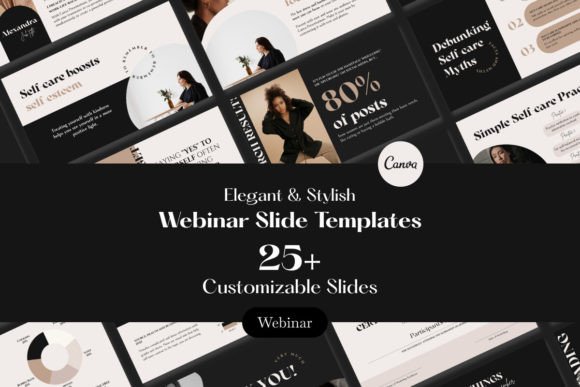
Created specifically for webinars, this presentation collection emphasizes elegant styling through clean lines, coordinated color palettes and typography. The supplied description also highlights Canva’s drag-and-drop editing for adapting the designs to a brand and message.
- Designed specifically for webinar presentations.
- Uses an elegant visual direction.
- Features clean lines and coordinated color palettes.
- Typography is part of the supplied design emphasis.
- Can be customized using Canva’s editing interface.
Keep in mind: This collection is positioned around webinars, so a more general multipurpose deck may be preferable for unrelated presentation formats.
6. Presentation Business Templates Canva — Best for Finance and Corporate Presentations
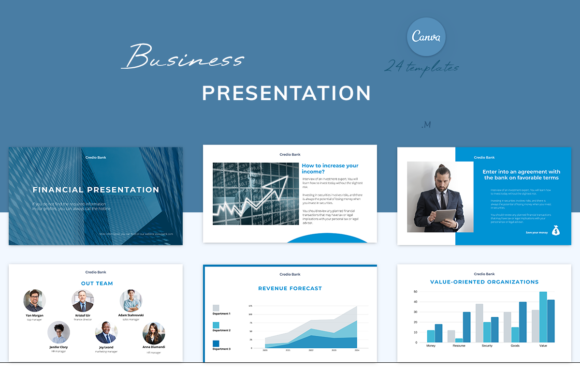
A 25-template presentation set aimed at accountants, bookkeepers, managers, banks, insurers, consultants and other financial businesses. The layouts use a strict minimalist style and include editable diagrams, graphs and photos.
- Includes 25 presentation templates at 1920 × 1080 px.
- Designed around finance and business audiences.
- Includes editable diagrams, graphs and photos.
- Uses a concise, minimalist visual style.
- Colors, text and images can be changed in the free version of Canva.
Keep in mind: Its finance-oriented styling and examples make it particularly relevant to professional business communication rather than playful or highly decorative presentations.
7. Finance Canva Templates Bundle — Best for Multi-Channel Finance Branding
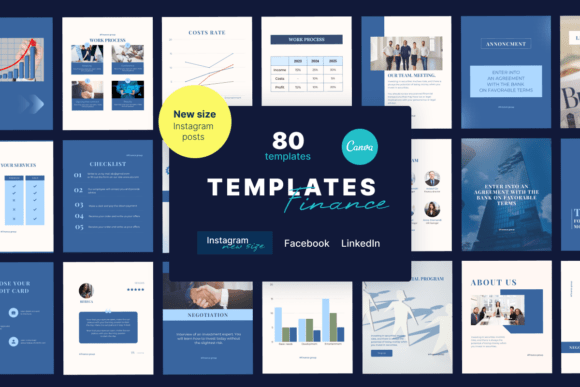
This finance-focused bundle combines presentation templates with Instagram, Facebook and LinkedIn designs. Intended for financial and consulting businesses, its presentation content uses a strict minimalist style with editable diagrams, graphs, photos and brand-customizable elements.
- Includes presentation and social-media templates.
- Targeted to accountants, banks, insurers, managers and consulting businesses.
- Provides editable graphs, diagrams and photos.
- Uses a strict, concise and minimalist style.
- Elements can be edited, moved and deleted in Canva according to the listing.
Keep in mind: This is broader than a presentation-only product because the bundle also includes templates for multiple social platforms.
8. Brand Guidelines Presentation Canva — Best for Fashion Brand Guidelines
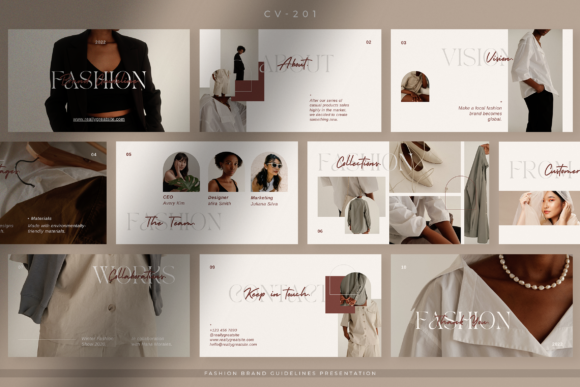
Designed for fashion businesses, this Canva presentation template provides a clean format for communicating brand guidelines. The listing positions it for guideline presentations, marketing kits and business proposals, using simple and neat layouts for key brand information.
- Designed around fashion brand guidelines.
- Suitable for guideline presentations and marketing kits.
- Can also be used for business proposals.
- Uses simple, neat presentation layouts.
- Intended to communicate core brand information to clients, partners and customers.
Keep in mind: Its fashion-brand context is more specialized than a general business or educational presentation template.
9. Broken White Brand Guidelines Presentation Canva — Best for Simple Minimalist Brand Decks
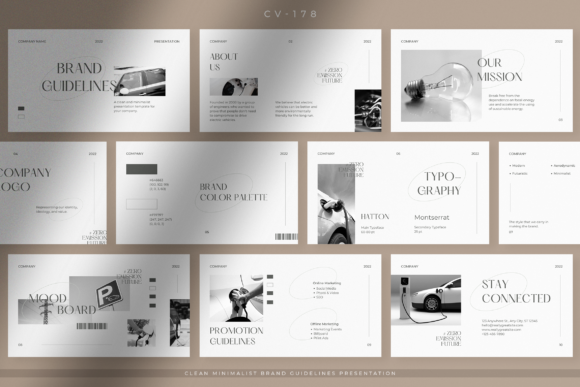
A clean, minimalist brand-guidelines presentation intended for companies, startups, entrepreneurs and professional businesses. Its supplied description emphasizes an organized layout and a restrained broken-white visual direction for presenting brand ideas.
- Focused on brand-guideline presentations.
- Uses a clean and minimalist visual direction.
- Suitable for companies, startups and entrepreneurs.
- Built around an organized presentation layout.
- A relevant option for readers seeking Canva presentation templates simple in appearance.
Keep in mind: Its purpose is specifically brand-guideline communication rather than webinars, teaching decks or general slide collections.
10. 70 Page Marble Effect Editable Slides — Best for Styled Webinar Decks
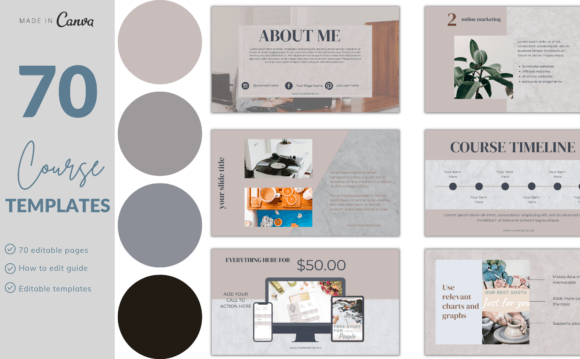
A 70-slide webinar deck with a marble-effect presentation style. Built for course creators, coaches and educators, it includes layouts for introductions, engagement, testimonials, infographics, quotes, frameworks, pricing, calls to action and next steps.
- Includes 70 Canva webinar slides.
- Uses a marble-effect visual style.
- Designed for webinars, courses, masterclasses and workshops.
- Includes engagement, testimonial, infographic and quote slides.
- The listing states that branding can be customized with a free Canva account.
Keep in mind: The marble effect gives the deck a more distinctive visual identity than a neutral multipurpose presentation.
11. 70 Page Webinar & Slide Deck Template — Best for Full Webinar Structures
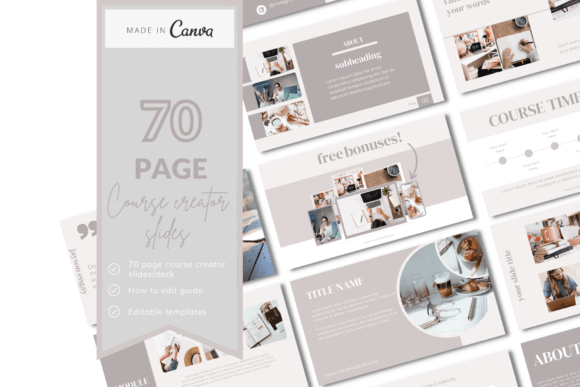
This 70-slide Canva deck is structured for webinars, masterclasses, courses and workshops. It covers the presentation flow from welcome and introduction through engagement, testimonials, frameworks, pricing, calls to action, next steps, contacts and a closing slide.
- Includes 70 webinar slides.
- Designed for course creators, coaches and educators.
- Includes welcome, introduction and engagement layouts.
- Provides testimonial, infographic, quote and framework slides.
- Includes pricing, CTA, next-step, contact and thank-you layouts.
Keep in mind: Its comprehensive webinar sequence is most useful when your presentation follows a similar educational or promotional flow.
12. 70 Page Webinar & Slide Deck Template — Best for Course Presentation Workflows
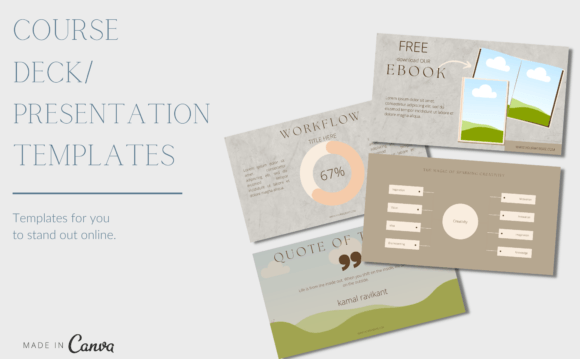
A separate 70-slide webinar listing built around course and masterclass presentations. Its supplied structure includes audience engagement, testimonials, infographics, quotes, frameworks, course outlines, pricing, calls to action and follow-up slides.
- Contains 70 webinar slides.
- Designed for course creators, coaches and educators.
- Suitable for courses, webinars, masterclasses and workshops.
- Includes framework, course-outline and pricing layouts.
- Customization with a free Canva account is stated in the listing.
Keep in mind: Its documented feature set overlaps with other 70-slide webinar products in this collection, so the visual design may be the deciding factor.
13. Webinar & Slide Deck — Best for a 55-Slide Webinar Format
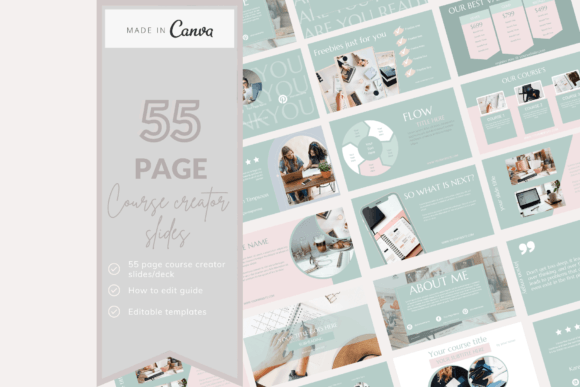
A 55-slide Canva webinar deck for course creators, coaches and educators. It includes layouts for introductions, engagement, testimonials, infographics, quotes, frameworks, course outlines, pricing, calls to action, next steps, contacts and closing content.
- Includes 55 Canva webinar slides.
- Designed for educational and coaching presentations.
- Includes audience-engagement and testimonial layouts.
- Provides frameworks, course outlines and pricing slides.
- The listing states that the deck can be customized with a free Canva account.
Keep in mind: With 55 slides, it is somewhat more compact than the 70-slide webinar collections while serving a similar type of presentation workflow.
14. 21 Page Canva Slide Deck Template — Best for Compact Webinar Presentations
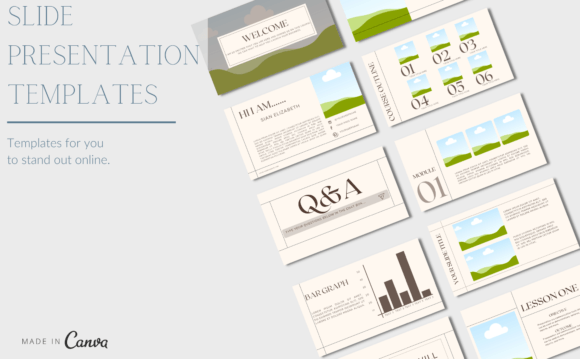
A more compact 21-slide webinar deck covering welcome, introduction, engagement, testimonials, infographics, frameworks, course outlines, pricing, calls to action and a thank-you slide. It is designed for course creators, coaches and educators.
- Includes 21 Canva webinar slides.
- Provides core webinar presentation stages.
- Includes testimonials and infographics.
- Offers framework, course-outline, pricing and CTA layouts.
- The listing states that it can be customized with a free Canva account.
Keep in mind: The smaller slide count makes this a more focused alternative to the 55- and 70-slide webinar collections.
15. 10 Page Canva Webinar Slide Template — Best for Short Webinar Decks
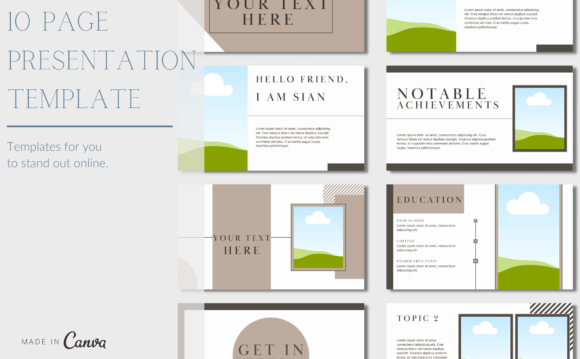
This 10-slide Canva template offers a concise starting point for webinars, masterclasses, course content and workshops. It is intended for course creators, coaches and educators and can be customized to match a brand using a free Canva account.
- Includes 10 webinar slides.
- Designed for webinars, masterclasses, courses and workshops.
- Intended for coaches, educators and course creators.
- Can be customized to match branding.
- The listing says a free Canva account can be used.
Keep in mind: This is the most compact webinar-focused deck in the supplied collection, making it more appropriate for shorter presentation requirements.
16. 11 Pages Presentation Templates — Best for a Simple Canva-Based Social Design
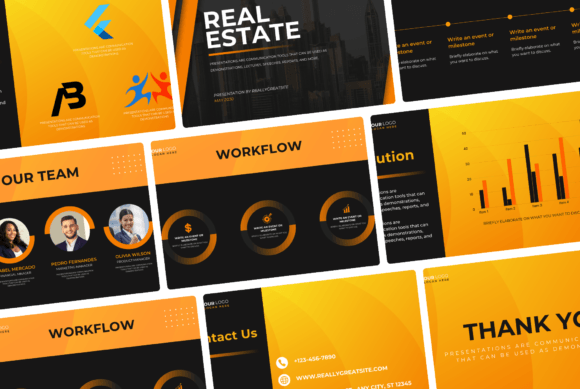
Despite its presentation-oriented title, the supplied description identifies this product as a customizable 1080 × 1080 Instagram post template. It includes a PDF with instructions and a Canva access link, with editable images, fonts, text and colors.
- The title identifies it as “11 Pages Presentation Templates.”
- The supplied description instead states that one Canva template is included.
- The documented size is 1080 × 1080 px for an Instagram post.
- Images, fonts, text and colors are described as editable.
- Includes a PDF with instructions and the Canva template link.
Keep in mind: The supplied title and description conflict. Based on the description, this appears closer to a social-media template than a conventional presentation deck, so verify the intended format before choosing it.
How to Choose Canva Presentation Templates
Start with the job the presentation needs to do. A webinar, investor-style pitch, brand-guideline presentation and financial report require different information structures. The visual design matters, but the available slide types should support your content before you consider decorative details.
Match the Template to the Presentation Type
For webinars and educational content, look for layouts covering introductions, audience engagement, frameworks, testimonials and calls to action. For business presentations, charts, diagrams, image layouts and structured text may be more useful. Brand guideline decks should prioritize layouts that can organize identity information clearly.
Choose an Appropriate Slide Count
More slides do not automatically make a template more useful. The supplied webinar options range from 10 and 21 slides to 55 and 70 slides, while the large modern collection contains 120+ templates. A shorter deck may reduce editing for a concise presentation, while a larger library provides more layout choices for complex projects.
Decide Between Simple and Aesthetic Designs
Readers searching for Canva presentation templates simple often benefit from restrained layouts that keep attention on the content. Minimalist professional presentations remain a major template category, while aesthetic collections use color, typography, imagery and stylistic details more prominently. :contentReference[oaicite:1]{index=1}
Look at Customization Options
If the presentation must match an existing brand, prioritize templates whose supplied descriptions support changes to colors, text, fonts, images or other relevant elements. Several products here explicitly document those customization options, but the exact capabilities differ by listing.
Canva Presentation Templates Ideas for Different Projects
Useful Canva presentation templates ideas begin with the content rather than the decoration. A business deck might combine an introduction, problem statement, charts, supporting imagery and a clear final action. A webinar may need a stronger narrative sequence with audience engagement, teaching frameworks, testimonials and next steps.
For brand presentations, consistent typography, color and image treatment can help the deck communicate one visual system. If you prefer Canva presentation templates aesthetic in style, make sure the visual theme still leaves enough room for readable text and clear information hierarchy.
How to Use Canva Presentation Templates Well
- Outline the presentation first. Define the opening, main points and final action before choosing individual slide layouts.
- Use only the slides you need. A large template library does not require you to include every available layout.
- Keep the visual system consistent. Where the template supports editing, use a controlled palette, type hierarchy and image treatment throughout the deck.
- Avoid overcrowding slides. Break dense information into multiple slides when that makes the message easier to follow.
- Match visuals to the audience. A finance presentation may call for a restrained approach, while a creative or aesthetic deck can support a more expressive design.
- Review the full sequence. Check that titles, charts, images and calls to action form a coherent story from the first slide to the last.
A Practical Presentation Template Decision Workflow
For a broad business or multipurpose deck, the 120+ Modern Presentation Template provides the largest documented slide collection in this roundup, while Tectum emphasizes a clean modern design that spans several professional and personal use cases. The Aesthetic Brown collection is more specifically suited to users who want a defined visual theme.
For webinars, courses and masterclasses, choose according to the required depth. The 10- and 21-slide products provide more compact frameworks, the 55-slide deck expands the available sequence, and the 70-slide collections include a wider range of documented engagement, framework, pricing and call-to-action layouts.
For business niches, the finance templates offer diagrams, graphs and restrained styling, while the two brand-guideline products focus on communicating brand identity. This makes intended use a more useful decision factor than simply choosing whichever template has the greatest number of slides.
Frequently Asked Questions
What should I look for in Canva Presentation Templates?
Look for a slide structure that matches the presentation’s purpose, then consider visual style and documented customization options. A useful template should give you appropriate layouts for your content rather than simply providing a large number of decorative slides.
Are Canva presentation templates free to edit?
Canva offers free presentation templates, but third-party template requirements can vary. Several products in this roundup explicitly state that they can be customized with a free Canva account. Always check the requirements of the specific template you plan to use. Canva’s own template library also includes free customizable presentation designs. :contentReference[oaicite:2]{index=2}
What makes a simple Canva presentation effective?
A simple presentation usually benefits from clear hierarchy, restrained visual elements and enough space for the core message. Canva’s simple presentation category similarly emphasizes clean slide designs that keep the focus on content. :contentReference[oaicite:3]{index=3}
How many slides should a presentation template have?
There is no single ideal number. A short webinar may only require a compact slide set, while a course, pitch deck or reusable business library can benefit from more layouts. Choose based on the content you need to communicate rather than the largest available slide count.
Should I choose an aesthetic or minimalist presentation template?
Choose according to the subject, audience and amount of information. Minimalist templates can keep dense business or educational content visually restrained, while aesthetic templates may be useful when mood, portfolio imagery or creative presentation is a larger part of the communication goal.
Can Canva presentation templates be used for webinars?
Yes. Several products in this roundup are specifically designed for webinars, masterclasses, workshops and course presentations. Their supplied layouts include elements such as introductions, audience engagement, testimonials, frameworks, pricing information, calls to action and next steps.
Final Thoughts
The most useful Canva Presentation Templates are the ones whose slide structure already fits the message you need to communicate. Large multipurpose collections can provide flexibility for business and marketing projects, while specialized webinar, finance and brand-guideline templates can reduce the amount of restructuring needed for a specific presentation.
If visual style is a priority, compare the modern, minimalist, marble-effect and aesthetic brown options with your existing branding. For webinar projects, consider the required presentation length before choosing between the 10-, 21-, 55- and 70-slide collections. The best fit within this selection depends on your audience, content structure and preferred design direction.