17 Best Canva Frame Design Templates for Creative Photo Projects
A good Canva Frame Design can turn ordinary photos and graphics into structured collages, decorative borders, scrapbook pages, tags, cards, and other polished visual projects. The 17 options below were selected for their direct relevance to frame-based Canva design, with an emphasis on useful differences in layout, shape, editing workflow, and intended project type.
The collection ranges from layered photo collages and multi-photo scrapbook pages to scribbles, brushstrokes, scallops, postage borders, bows, tags, and specialized shapes. This makes it easier to compare canva frame design ideas according to what you actually want to create rather than choosing a template solely by appearance.
Why These Canva Frame Designs Are Worth Considering
The strongest options in this selection give the frame a clear practical role. Some organize several photos into a finished layout, while others provide individual shapes that can be filled with JPG or PNG images. There are also specialized designs for scrapbook pages, Valentine’s projects, tarot cards, tags, button pins, and decorative borders.
For bloggers, marketers, small businesses, social media managers, and content creators, the variety provides several approaches to a canva design for photo frame project. The important distinction is whether you need a ready-made composition, an individual decorative frame, or a themed shape that supports a specific type of design.
Best Canva Frame Design Templates
1. Canva Frame Collage 3 — Best for Layered Photo Displays
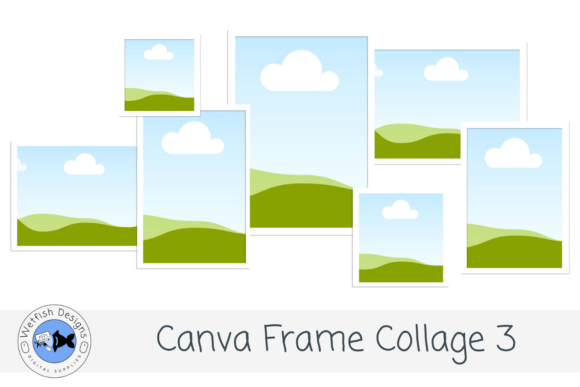
An editable layered photo-frame collage designed for graduation pictures, senior portraits, school memories, family milestones, announcements, and keepsake layouts. Photos can be dropped into the frames while the accompanying text can be customized in Canva.
- Layered modern collage arrangement.
- Drag-and-drop photo frame layout.
- Customizable text.
- Includes a PDF with a clickable Canva template link.
Consider: The supplied preview is graduation themed, although the description also supports family milestones, scrapbook pages, announcements, photo gifts, and other memory-focused uses.
2. Canva Frame Collage 2 — Best for Milestone Photo Collages
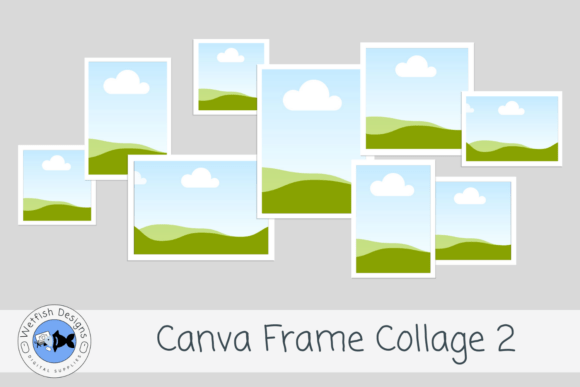
This editable Canva collage uses layered photo frames to build a modern memory-focused layout. It is described for graduation photos, portraits, family milestones, school memories, scrapbook pages, announcements, social graphics, and printed keepsakes.
- Editable Canva frame collage.
- Drag-and-drop photo placement.
- Editable text for personalizing the design.
- Includes both graduation-themed and blank frame previews.
Consider: Its source description closely parallels the other Canva Frame Collage versions, so the visual arrangement shown in the product preview is an important part of choosing between them.
3. Canva Frame Collage 1 — Best for Editable Keepsake Layouts
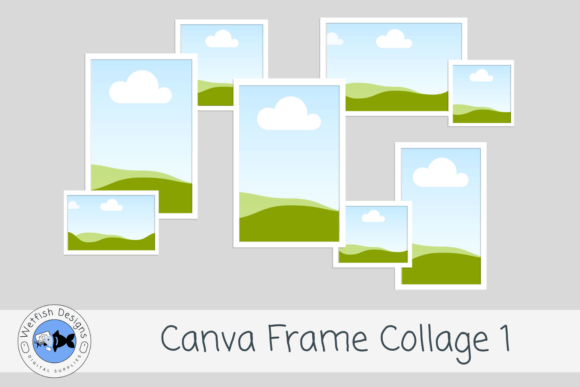
A layered Canva photo collage intended for turning personal pictures into keepsakes, graduation displays, scrapbook pages, announcements, social graphics, and photo gifts. The supplied template lets users add images to the frames and personalize the text.
- Modern layered photo-frame design.
- Supports drag-and-drop photos.
- Text can be customized.
- Access is supplied through a clickable Canva link in a PDF.
Keep in mind: Like the other numbered collage versions, it shares the same broad use cases in the supplied description, so choose according to the specific layout you prefer.
4. Canva Frame Scrapbook Layout 2 — Best for Nine-Photo Scrapbook Pages
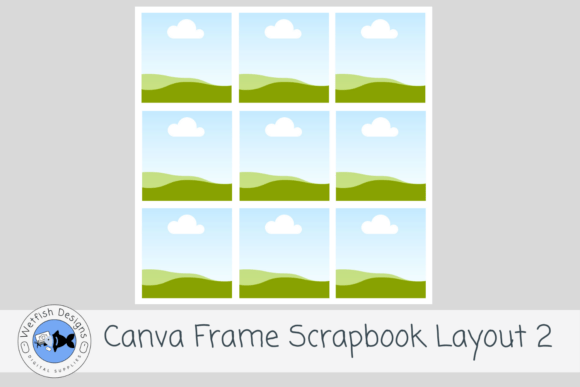
A 12 × 12-inch scrapbook layout with nine individual Canva photo frames arranged in a clean multi-photo grid. It is designed for stories with many images and can be customized with digital papers, backgrounds, embellishments, titles, and journaling.
- Nine individual photo frames.
- 12 × 12-inch scrapbook layout.
- Easy drag-and-drop photo placement.
- Designed for both digital and printable scrapbook projects.
Consider: The grid structure is particularly useful when you have many photos from one event or story rather than a single dominant image.
5. Canva Frame Scrapbook Layout 6 — Best for Five-Photo Storytelling
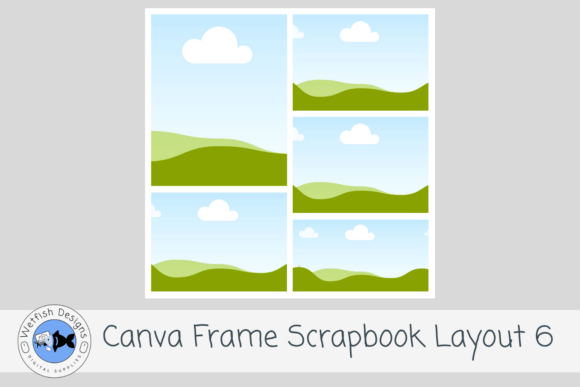
This 12 × 12-inch scrapbook template uses five photo spaces in an asymmetrical two-column composition. Larger feature frames are paired with supporting landscape frames, giving users room for photos plus their own papers, titles, embellishments, and journaling.
- Five individual Canva photo frames.
- Mix of larger and supporting photo spaces.
- Clean asymmetrical two-column layout.
- Reusable across family, travel, holiday, wedding, school, and other memory themes described by the source.
Consider: Compared with the nine-photo scrapbook layout, this design places more emphasis on fewer, larger photo spaces.
6. Scribble Canva Frame Bundle Design — Best for Freeform Photo Shapes
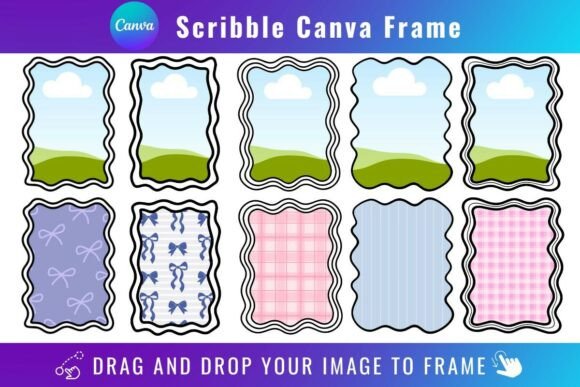
A scribble-style Canva frame collection that lets users drag PNG or JPG background images into the supplied shapes. It provides an informal alternative to rigid geometric photo frames and can be opened and edited with a free Canva account.
- Supports PNG and JPG background images.
- Drag-and-drop filling.
- Free Canva account can open and edit the templates.
- Template access is provided through a PDF link.
Keep in mind: The listing says transparent-background downloads require Canva Pro or higher. It also states that these Canva templates are not SVG files and are not intended for Cricut or Silhouette cutting machines.
7. 8 Brushstroke Canva Frame Template — Best for Distressed Paint Effects
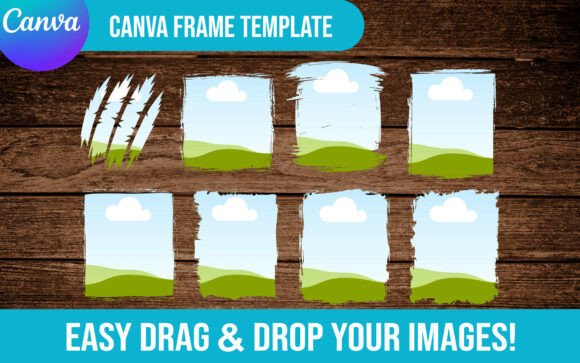
A set of eight editable brushstroke Canva frames centered on grunge, distressed, and paint-stroke styling. Images can be uploaded and placed with drag-and-drop editing, making the set relevant to collage-style designs and projects that need irregular painted shapes.
- Includes eight brushstroke frame templates.
- Fully editable according to the listing.
- Supports image uploads and drag-and-drop placement.
- Access instructions are supplied through a PDF.
Consider: The distressed brushstroke aesthetic is more expressive than a conventional picture frame design in Canva and works best when irregular edges suit the composition.
8. Grunge Brushstroke Canva Frame — Best for Resizable Grunge Frames
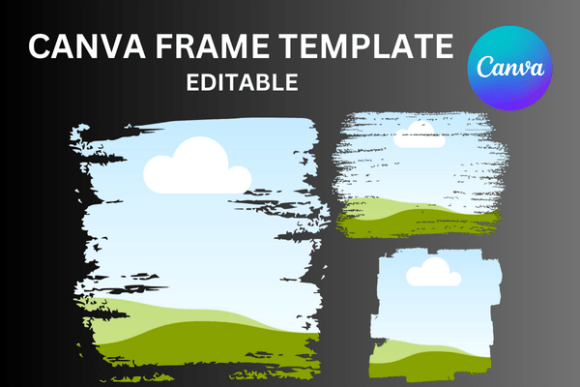
Three custom Canva frames use a grunge brushstroke treatment for less structured photo and graphic placement. The editable templates support drag-and-drop use, can be sized up or down, and are described with a transparent layer for vinyl sublimation projects.
- Includes three custom Canva frame templates.
- Frames can be sized up or down.
- Editable drag-and-drop workflow.
- Supplied as a ZIP containing a PDF for template access.
Keep in mind: The listing specifically states that this is an editable Canva frame template rather than a PNG or SVG product.
9. Scalloped Canva Frame Wavy Scallop Shape — Best for Soft Decorative Borders
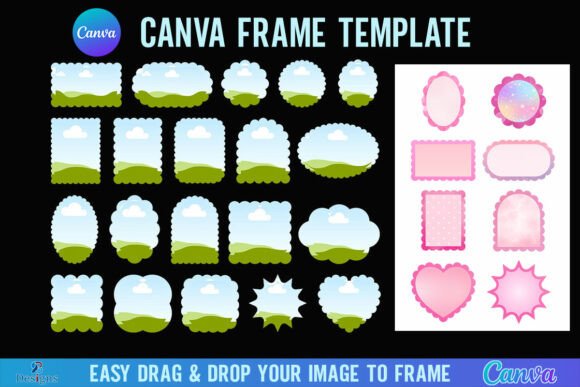
A wavy scallop-shaped Canva frame for creating softer decorative image edges. The template lets users drag PNG or JPG backgrounds into the frame and is supplied at 4000 × 4000 pixels, with access provided through a PDF link inside a ZIP file.
- Distinctive scalloped frame shape.
- 4000 × 4000-pixel format stated by the listing.
- Accepts PNG or JPG background images.
- Can be edited with a free Canva account.
Keep in mind: Transparent-background downloading requires Canva Pro or higher according to the listing. The product is a Canva frame template, not an SVG for Cricut or Silhouette use.
10. Striped Canva Frame Wavy Stripes Canva — Best for Wavy Striped Shapes
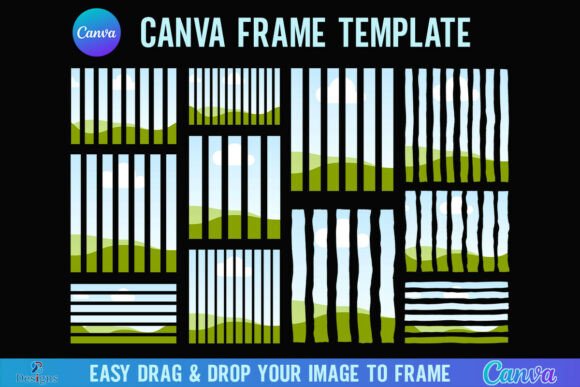
A wavy striped Canva frame that adds a patterned shape to image-based designs. PNG or JPG backgrounds can be dragged into the frame, and the source specifies a 4000 × 4000-pixel format with template access supplied through a PDF inside a ZIP file.
- Wavy striped frame treatment.
- Supports PNG and JPG background images.
- 4000 × 4000-pixel size stated in the source.
- Free Canva account can open and edit the template.
Consider: Canva Pro or higher is required for transparent-background downloads according to the source, and the template is not an SVG or cutting-machine file.
11. Vintage Postage Stamp Canva Frame Border — Best for Stamp-Inspired Photo Frames
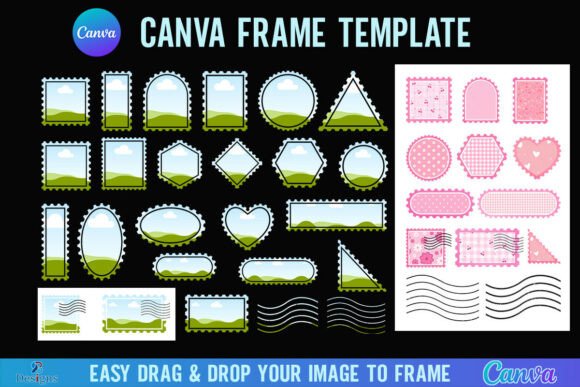
This postage-stamp-inspired Canva frame gives photos or background graphics a distinctive bordered shape. It accepts PNG or JPG images through drag-and-drop placement and is listed at 4000 × 4000 pixels, with the template link supplied in a PDF.
- Vintage postage-stamp border concept.
- PNG or JPG images can be dropped into the frame.
- 4000 × 4000-pixel format.
- Editable with a free Canva account.
Keep in mind: The listing requires Canva Pro or higher for transparent-background downloads and identifies the product as a Canva template rather than an SVG or cutting-machine file.
12. Coquette Bows Canva Frame Bundle — Best for Bow-Themed Photo Frames
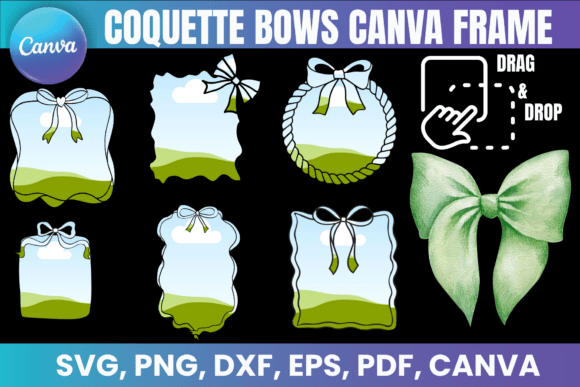
Editable square borders and doodle bow details give this Canva frame bundle a distinctly coquette-inspired appearance. The source suggests photo collages, digital planners, sublimation, and T-shirt designs, with easy drag-and-drop customization in Canva.
- Editable bow and square-border Canva frames.
- Includes PNG files with transparent backgrounds.
- Also includes SVG, DXF, and PDF files.
- Source lists Canva, Cricut Design Space, Silhouette Studio, and Adobe Photoshop compatibility.
Consider: The decorative bow aesthetic is a prominent part of the design, so this option is most relevant when a playful coquette look fits the project.
13. Whimsical Border Canva Frame Template — Best for Playful Decorative Borders
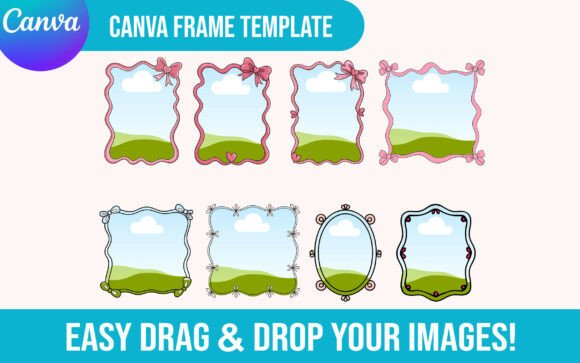
A fully editable Canva frame built around whimsical border styling. Users can upload their own images and use drag-and-drop placement, while the source associates the design with hand-drawn, wavy, bow, preppy, invitation, and coquette-inspired frame concepts.
- Fully editable according to the product description.
- Supports uploaded images.
- Drag-and-drop functionality.
- Template access is supplied through a PDF.
Consider: This is a decorative choice rather than a restrained geometric frame, making style compatibility an important part of the decision.
14. Editable Valentine’s Day Canva Frame — Best for Romantic Photo Collages
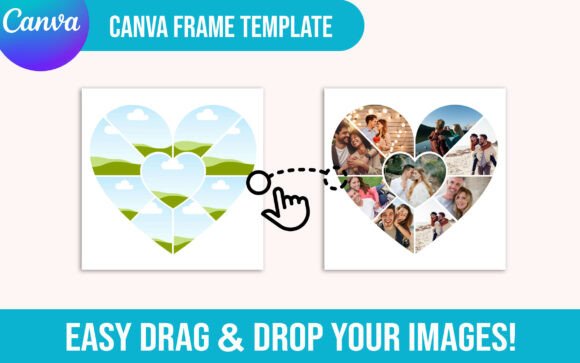
An editable Valentine’s Day Canva frame designed around romantic and heart-themed photo ideas. Users can upload images and use drag-and-drop editing, while the source associates it with photo collages, couple designs, love frames, heart shapes, and Valentine’s projects.
- Fully editable according to the listing.
- Supports uploaded images.
- Drag-and-drop editing.
- Template access is provided through a PDF.
Consider: Its heart and Valentine’s positioning makes it more specialized than a general-purpose canva design photo frame.
15. 75 Customizable Tag Canva Frame Template — Best for Tag-Shaped Designs
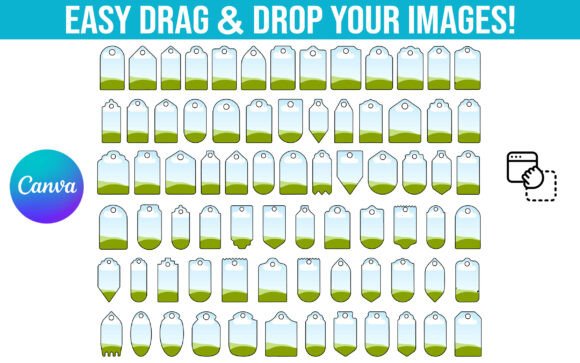
A collection of 75 customizable tag Canva frames for projects that need label, gift-tag, hang-tag, favor-tag, or similar shapes. The listing describes an easy drag-and-drop filling workflow, with access to the Canva frame templates supplied through a PDF link.
- Includes 75 customizable tag frames.
- Easy drag-and-drop filling.
- Access is supplied through a PDF link.
- Source associates the collection with gift tags, labels, hang tags, favor tags, and related projects.
Consider: The large collection is specifically focused on tag-style shapes, so it is most relevant when that format matches the intended design.
16. Editable Tarot Card Canva Frame Template — Best for Tarot Card Designs
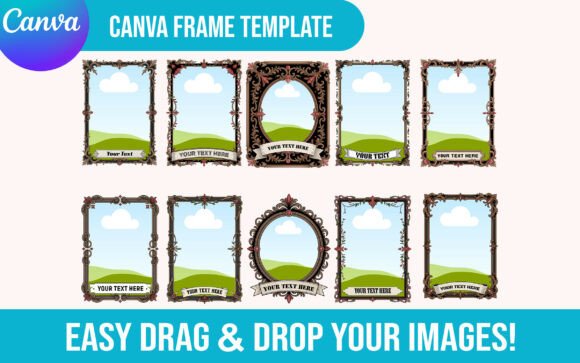
Ten editable tarot card Canva frame templates provide a specialized format for custom tarot-themed graphics. The listing supports uploading images and drag-and-drop editing, with template access supplied through a PDF.
- Includes 10 editable tarot card frame templates.
- Supports image uploads.
- Drag-and-drop functionality.
- Supplied as a digital product with template access instructions in a PDF.
Consider: The tarot-card shape makes this a purpose-specific option rather than a general photo-frame layout.
17. Button Pin Template Bundle, Canva Frame — Best for Button and Badge Designs
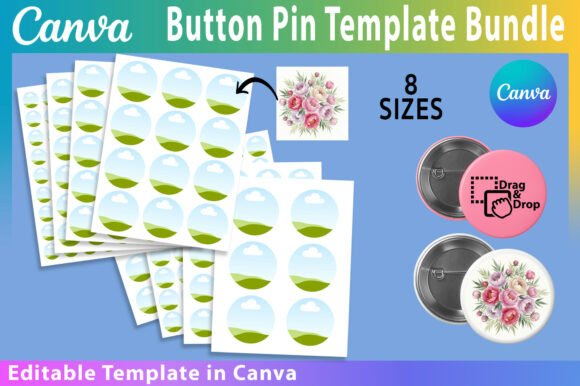
A Canva button-pin template bundle covering eight circular sizes from 1 to 3 inches on an 8.5 × 11-inch sheet. The template can be personalized in Canva, with the listing describing editable colors, fonts, and images plus JPG, PNG, and PDF export options.
- Eight sizes: 1, 1.25, 1.5, 1.75, 2, 2.25, 2.5, and 3 inches.
- 8.5 × 11-inch sheet format.
- Canva template can be personalized with colors, fonts, and images.
- Listing describes JPG, PNG, and PDF export options.
Consider: This is the most specialized format in the selection, focusing on circular button-pin and badge designs rather than general photo layouts.
How to Choose a Canva Frame Design
Start with the finished composition you need rather than the frame style alone. A complete photo collage or scrapbook layout already determines how several images interact on the page. An individual scribble, brushstroke, scallop, or stamp frame gives you more freedom to build the surrounding composition yourself.
Choose the Right Number of Photo Spaces
If the goal is a multi-photo design, consider how many images need to appear together. Canva Frame Scrapbook Layout 2 provides nine individual photo frames, making it suitable for image-heavy stories. Layout 6 uses five frames and combines larger feature areas with supporting landscape spaces. The numbered collage templates provide another approach through layered photo-frame compositions.
Match the Frame Shape to the Visual Style
For informal canva frame design ideas, scribbles and brushstrokes introduce irregular edges. Scalloped frames provide a softer decorative outline, while the vintage postage design creates a recognizable stamp-style border. Coquette bows and whimsical borders put even more emphasis on the decorative frame itself.
Check How Images Are Added
Drag-and-drop editing appears throughout the supplied product data, but the exact workflow varies. Several products specifically describe dropping PNG or JPG backgrounds into the frame, while the collage and scrapbook layouts focus on placing photos into predefined spaces. Use the workflow documented for the individual product rather than assuming every template behaves identically.
Consider Canva Free and Pro Requirements
The Scribble, Striped, Scalloped, and Vintage Postage Stamp listings state that a free Canva account can be used to open and edit their templates. Those same listings say that Canva Pro or higher is required when downloading with a transparent background. Requirements should therefore be checked against the intended export workflow.
Use Specialized Frames When the Shape Matters
Some projects benefit from a highly specific frame. The Valentine’s template targets heart and romantic imagery, the tarot collection provides 10 tarot-card frames, the tag bundle contains 75 tag designs, and the button-pin template supplies eight circular sizes. These options make more sense when the final format already calls for that shape.
How to Use Canva Frame Designs Effectively
- Choose a frame or layout according to the number and type of images you need to display.
- Open the template using the access instructions supplied with the product.
- Upload the photos or supported image files you want to use.
- Place images into the available frames using drag-and-drop where the template supports it.
- Adjust editable text, backgrounds, colors, embellishments, or other elements only where the selected template supports those changes.
- Check the crop and focal point of every photo before completing the design.
For a canva design for photo frame project, the crop deserves particular attention. Decorative shapes can hide more of an image than a conventional rectangle, so important faces, products, text, or other focal details should remain comfortably inside the visible area.
For recurring content, consistency can also be useful. Reusing related frame shapes across a campaign, scrapbook, social series, or collection of graphics can create visual continuity while still allowing the photos and supporting content to change.
Practical Canva Frame Design Decision Workflow
For finished multi-photo compositions, begin with the Canva Frame Collage templates or the two scrapbook layouts. The collages are oriented toward layered photo displays and milestone designs. Scrapbook Layout 2 provides nine photo spaces in a clean grid, while Layout 6 reduces the count to five and uses an asymmetrical arrangement with larger feature frames.
For a more expressive picture frame design Canva workflow, compare Scribble, the two brushstroke options, Scalloped, Striped, Vintage Postage Stamp, Coquette Bows, and Whimsical Border. Scribbles and brushstrokes create irregular edges, scallops and bows lean decorative, and the postage frame gives the image a more recognizable themed outline.
When the project itself determines the shape, move directly to a specialized template. Valentine’s designs can use the romantic frame, tarot projects have a dedicated 10-frame collection, tags have a 75-frame option, and button or badge projects have eight supplied circular sizes. This reduces the need to adapt a general frame to a format it was not designed around.
Frequently Asked Questions
What is a Canva Frame Design?
A Canva frame design provides a defined shape or layout for displaying visual content. Depending on the template, that may be a single decorative shape, several photo spaces arranged as a collage, or a specialized format such as a tag, tarot card, button pin, or scrapbook page.
Which Canva frame designs are useful for photo collages?
The three Canva Frame Collage templates are directly designed around layered photo displays. The two scrapbook layouts are also strong multi-photo choices: Layout 2 provides nine photo spaces, while Layout 6 provides five frames in an asymmetrical composition.
Can I add my own photos to these Canva frames?
Many of the supplied templates explicitly support uploaded images or drag-and-drop photo placement. Some, including the Scribble, Striped, Scalloped, and Vintage Postage Stamp frames, specifically mention PNG or JPG backgrounds. Check the individual template description for its documented workflow.
Do I need Canva Pro to use a Canva frame template?
Not necessarily. Several products in this selection explicitly state that a free Canva account can open and edit the template. However, the Scribble, Striped, Scalloped, and Vintage Postage Stamp listings say that transparent-background downloading requires Canva Pro or higher.
What makes a good Canva design photo frame for social content?
A useful frame should support the image rather than obscure its important details. For social graphics, consider how much visual space the border occupies, whether the shape matches the content style, and whether you need a single-image frame or a complete multi-photo layout.
Should I choose a collage layout or an individual Canva frame?
Choose a collage or scrapbook layout when you want several photos organized into a ready-made composition. Choose an individual frame when you want greater control over where the framed image appears and how it interacts with other elements in your design.
Final Thoughts
Choosing a Canva Frame Design is easier when you begin with the final layout. The Canva Frame Collage templates suit layered photo displays, while the two scrapbook layouts provide clearly defined five- and nine-photo arrangements. Scribble, brushstroke, scalloped, striped, postage, bow, and whimsical designs are better suited to projects where the frame shape itself should contribute to the visual style.
For more specialized projects, the Valentine’s, tarot, tag, and button-pin templates provide purpose-specific formats. Match the number of photo spaces, frame shape, editing workflow, and documented Canva requirements to the project you actually plan to create.