12 Best PLR Canva Templates for Digital Product Sellers
PLR Canva templates can reduce the amount of design work involved in creating planners, printables, cards, notebook covers, and other products. For digital product sellers, Etsy shop owners, coaches, content creators, and entrepreneurs, the important part is finding a design that fits the intended project and comes with usage terms that support that workflow.
The 12 options below cover several types of Canva resources, from a 71-page digital planner and 40-card oracle deck to printable labels and notebook covers. Usage rights
vary between listings, so the product notes distinguish between documented resale permissions and cases where the supplied information does not specify them.

Why These PLR Canva Templates Are Worth Considering
This selection covers different product-building workflows rather than treating every Canva resource as interchangeable. There are templates for digital planning, oracle cards, school labels, and notebook covers, plus a separate educational guide focused on researching Canva product niches.
The distinction between an editable source template and a finished product is especially important. Some listings explicitly allow sales of modified finished products or printed copies, while others do not provide detailed resale terms in the supplied description. Checking those permissions should be part of the selection process.
12 PLR Canva Templates and Resources to Explore
1. PLR Resell Canva Editable Templates — Best for Building a Digital Planner
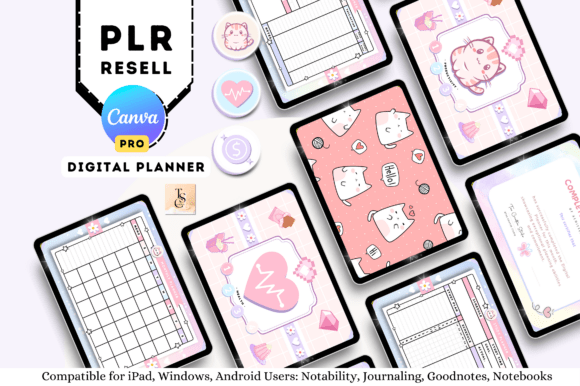
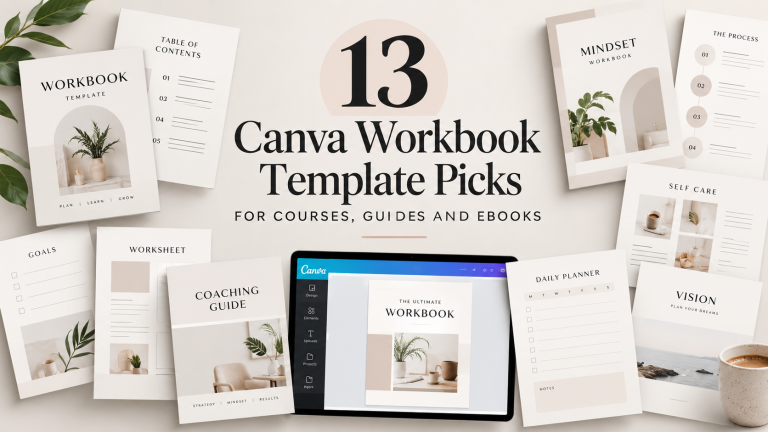
A 71-page undated digital planner with hyperlinked navigation, planning pages, trackers, lists, notes, and finance and health sections. It includes a completed PDF, Canva template access, instructions, and a five-page sticker book. The stated terms permit rebranding and selling a modified finished product.
This is the most comprehensive digital-planning product in the supplied selection. Its sections include daily and weekly planning, meal planning, self-care, vitamins and supplements, study planning, to-do lists, meeting notes, goals, projects, health tracking, debt tracking, savings, budgets, and bills.
- 71-page undated digital planner
- Hyperlinked pages, icons, and tabs
- Completed PDF and Canva template access
- Five-page sticker book included
- Instructions and guides included
- Supports GoodNotes, Notability, Noteshelf, XODO, Samsung Notes, and PDF editing apps
Keep in mind: Canva Pro is required. The stated terms allow customization, rebranding, unlimited sales, and sale as a finished full product, but the template must be modified first and cannot be resold as a PLR or Master Resell Rights product.
2. Self-Love Oracle Cards Canva Templates — Best for an Oracle Card Project
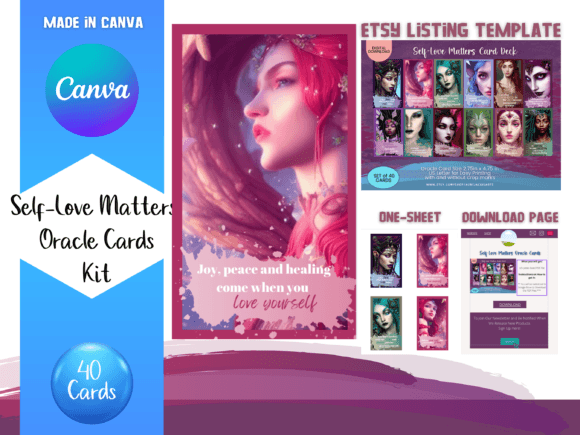
A 40-card tarot-sized oracle deck featuring elf illustrations, self-love affirmations, and reflection prompts. The package also includes a 10-page Etsy listing template, one-page download template, and a 14-page template containing a sheet for printing the cards.
Unlike the planner and notebook-cover options, this set focuses on a specific themed product. The additional listing and download templates may also help organize the presentation of the card project.
- 40 elf-inspired oracle cards
- Self-love affirmations and reflection prompts
- 10-page Etsy listing template
- One-page download template
- 14-page template with a printing sheet
Keep in mind: although the supplied description calls this a Canva PLR Card product, it does not provide detailed commercial resale conditions. Check the applicable license before distributing either editable or finished files commercially.
3. Canva Template – Name Labels18 PLR — Best for Printable School Labels
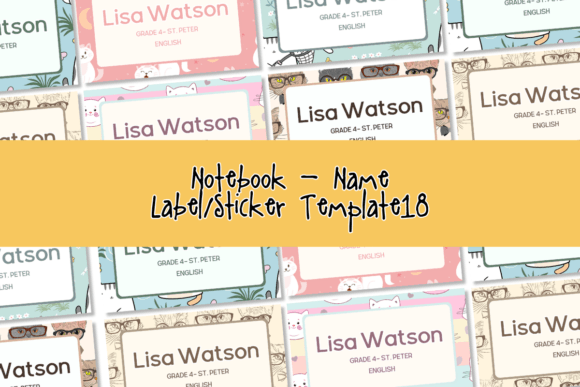
An editable Canva template containing six 5 × 3-inch name-label designs for notebooks and books. The documented terms permit personal printing and sales of edited printed copies. They specifically prohibit selling the template itself, with or without modifications.
This option is designed around a straightforward back-to-school print workflow. You edit the labels in Canva and produce physical printed copies rather than reselling the editable Canva source.
- One template with six designs
- 5 × 3-inch template size
- Editable and printable in Canva
- Edited printed copies may be sold
Keep in mind: the stated commercial permission is limited to printed copies. The template itself cannot be sold with or without edits.
4. Canva Template Notebook Cover PLR — Best for Selling Edited Printed Covers
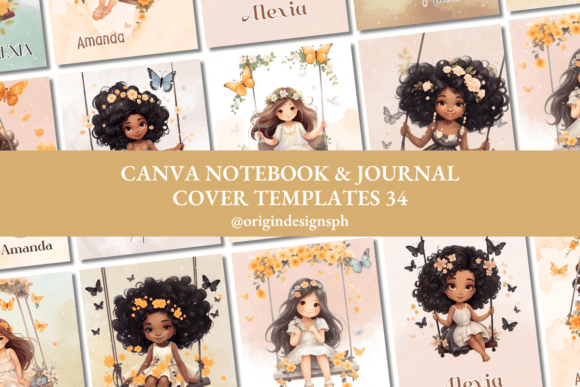
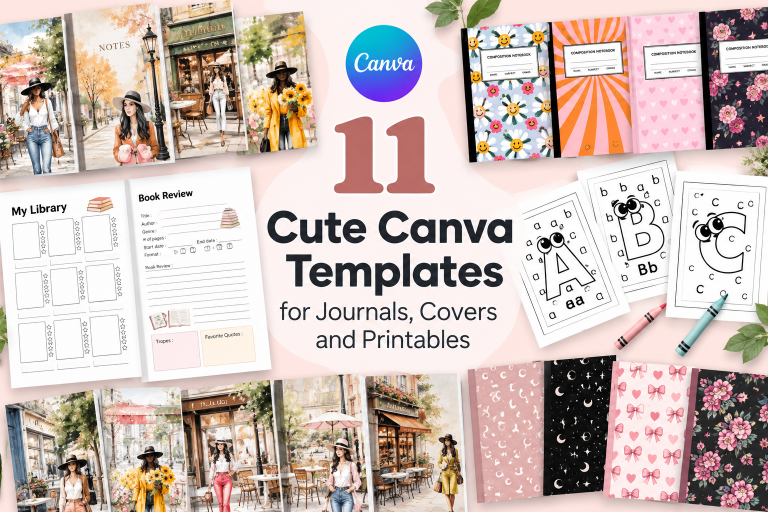
Six customizable 8 × 11-inch notebook and journal front-cover designs supplied with a PDF containing Canva access and editing instructions. The documented terms allow edited printed copies to be sold but prohibit resale of the editable template with or without changes.
The listing positions this collection for beginners, personal projects, and small business owners working with printed products. It also states that most illustrations, design elements, photos, and backgrounds were not taken from Canva’s library.
- Six front-cover designs
- 8 × 11-inch dimensions
- PDF with template link
- Editing instructions included
- Edited printed copies may be sold
Keep in mind: this is a print-oriented option under the supplied terms. The editable Canva template itself is explicitly not for resale.
5. Canva Template Notebook Cover PLR — Best for a Compact Cover Collection
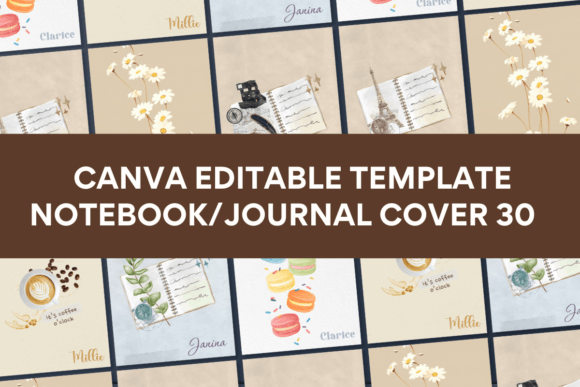
A six-design collection of 8 × 11-inch Canva notebook and journal front covers intended for easy editing and printing. It includes a PDF with template access and editing instructions and is presented for beginners, personal projects, and small businesses working with print products.
The supplied description also states that most illustrations, design elements, photos, and backgrounds were not taken from Canva’s library.
- Six front-cover designs
- 8 × 11-inch format
- Designed for editing and printing
- PDF with template link and instructions
Keep in mind: detailed resale permissions are not provided in the supplied description for this particular set. Do not assume that the editable source can be resold.
6. Canva Template Notebook Cover PLR — Best for Beginner-Friendly Editing
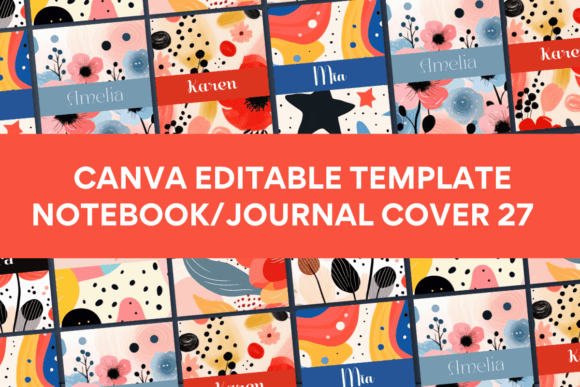
This Canva collection contains six 8 × 11-inch notebook and journal front covers, with template access and editing instructions supplied through a PDF. The listing emphasizes easy editing and printing for beginners, personal projects, and small print businesses.
Most illustrations, design elements, photos, and backgrounds are described as coming from outside Canva’s library, providing another visual set for creators comparing the similar six-cover collections.
- Six notebook and journal front covers
- 8 × 11-inch dimensions
- Editable and printable format
- PDF with template access and instructions
Keep in mind: the supplied product description does not state detailed commercial resale rights for this set. Confirm the applicable permissions before commercial distribution.
7. Canva Template Notebook Cover PLR — Best for Another Printable Cover Style
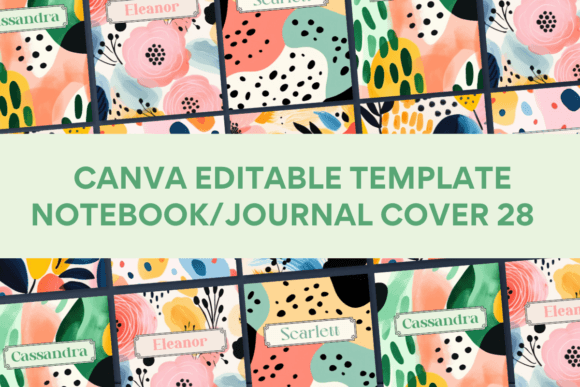
A set of six 8 × 11-inch Canva notebook and journal front-cover designs supplied with a PDF template link and editing instructions. The source presents the collection as easy to edit and print for beginners, personal users, and small business owners involved in print projects.
As with the related notebook-cover sets, most illustrations, design elements, photos, and backgrounds are described as not originating from Canva’s library.
- Six front-cover designs
- 8 × 11-inch size
- Editable Canva format
- PDF access and editing instructions
Keep in mind: specific resale or redistribution terms are not included in the supplied description for this product, so those permissions should be checked before commercial use.
8. Canva Template Notebook Cover PLR — Best for Free Canva Users
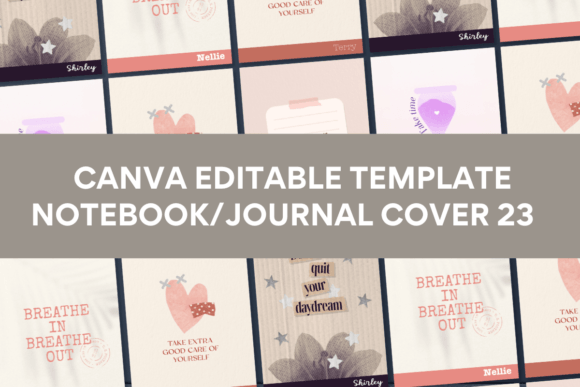
Six 8 × 11-inch Canva notebook and journal front covers that can be edited with a free Canva account. The package includes a PDF containing the template link and instructions, and the supplied description specifically states that the templates can also be edited on a mobile phone.
The lack of a Canva Pro requirement makes this collection relevant to creators who want to work within Canva’s free plan. Mobile editing also provides another option for accessing the templates.
- Six front-cover designs
- 8 × 11-inch dimensions
- Free Canva plan supported
- Mobile editing supported
- PDF with template link and instructions
Keep in mind: free Canva compatibility does not establish resale rights. Detailed commercial permissions are not stated in the supplied description for this set.
9. Canva Template Notebook Cover PLR — Best for Mobile Editing
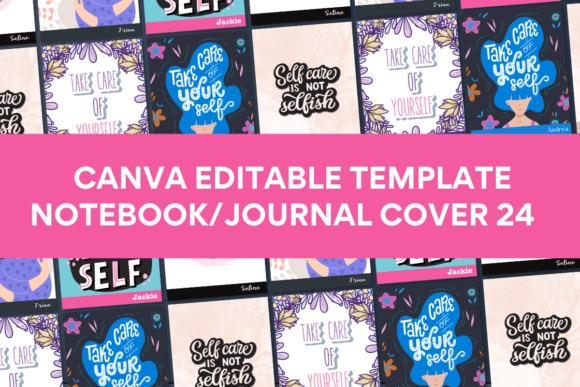
A six-design notebook-cover set in an 8 × 11-inch format, with Canva access and editing instructions delivered through a PDF. Canva Pro is not required according to the supplied description, and the templates can be edited with a free account or on a mobile phone.
This combination makes the editing workflow less dependent on a paid Canva subscription or desktop computer. The listing also describes the set as suitable for beginners and small print businesses.
- Six notebook and journal front covers
- 8 × 11-inch format
- Free Canva plan supported
- Mobile-phone editing supported
- PDF instructions included
Keep in mind: the supplied description does not specify commercial resale rights for this particular collection.
10. Canva Template Notebook Cover PLR — Best for a First Cover Project
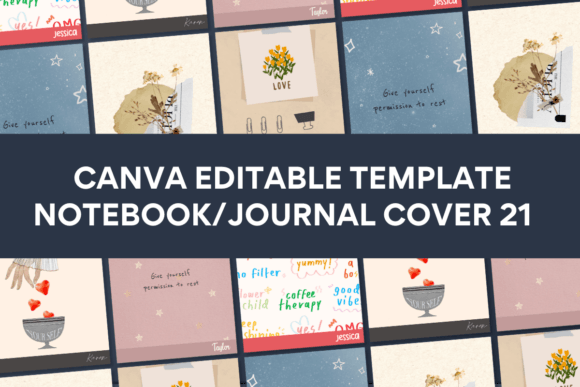
A beginner-oriented collection of six 8 × 11-inch notebook and journal front covers. A PDF supplies the Canva template link and editing instructions. The source confirms that Canva’s free plan can be used and that the templates can also be edited from a mobile phone.
The six-cover format provides a relatively contained project for someone who wants to work on notebook designs without starting with a large multi-page product.
- Six front-cover designs
- 8 × 11-inch dimensions
- Free Canva plan supported
- Mobile editing supported
- PDF with template access and instructions
Keep in mind: detailed resale and redistribution permissions are not included in the supplied description.
11. Canva Template Notebook Cover PLR — Best for Expanding a Cover Collection
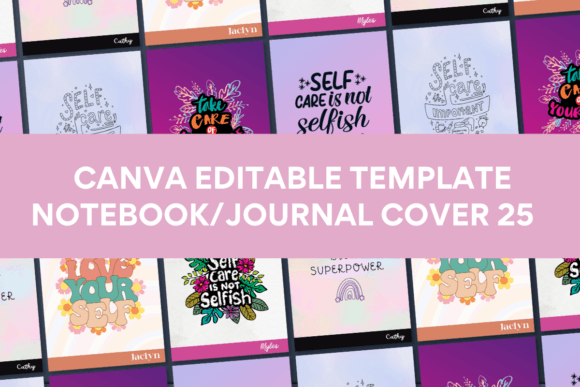
Six 8 × 11-inch notebook and journal front-cover designs with Canva template access and editing instructions supplied in a PDF. The listing says a free Canva account is sufficient and confirms that the templates can also be edited on a mobile phone.
Its documented specifications are similar to several other notebook-cover sets in this roundup, making the visual designs an important consideration when deciding between them.
- Six notebook and journal front covers
- 8 × 11-inch dimensions
- Free Canva plan supported
- Mobile editing supported
- PDF template link and instructions
Keep in mind: detailed resale permissions are not supplied for this collection and should not be inferred solely from the PLR wording in the product title.
12. Canva Templates That Sell: 50 Profitable — Best for Canva Product Research
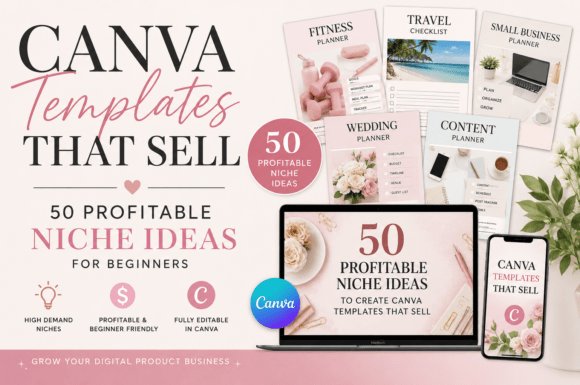
A 22-page PDF and Word guide covering 50 Canva template niche ideas across nine categories. It includes target-buyer guidance, PLR and MRR explanations, a design workflow, AI prompts, pricing and platform guidance, marketing ideas, batch production, and a 30-day plan. It is licensed for personal use only.
This is an educational resource rather than an editable PLR Canva template for rebranding. Its focus is helping beginners understand product ideas and the workflow around researching, designing, pricing, and marketing Canva templates.
- 50 Canva template niche ideas
- Nine categories
- Personal Use, PLR, and MRR concepts
- Step-by-step design workflow
- ChatGPT and Claude prompts
- Pricing and platform comparison
- Pinterest, Instagram, and Threads marketing strategies
- Batch-production workflow
- 30-day action plan
- PDF and Word formats, 22 pages
Keep in mind: the guide is explicitly for personal use only. The supplied terms state that it may not be resold, redistributed, or shared as-is.
How to Choose PLR Canva Templates
Start With the Usage Rights
Do not rely on the letters PLR in a product title alone. Determine what the supplied terms actually allow you to do with the source template and the finished product.
The differences in this roundup illustrate why. The 71-page planner explicitly allows customization, rebranding, and sales of the modified finished product. The name-label template and one notebook-cover collection instead specify that edited printed copies can be sold while the editable template itself cannot.
Decide What Your Customer Will Receive
A finished digital planner, physical notebook cover, printed name label, oracle card deck, and editable Canva template are different deliverables. Define the customer-facing product first, then check whether the documented terms support that use.
Check Whether Canva Pro Is Required
The account requirements vary. The 71-page digital planner explicitly requires Canva Pro, while four notebook-cover sets state that a free Canva account can be used. Those same four collections also support editing on a mobile phone according to their supplied descriptions.
Compare What Is Included
Look beyond the listing title. The planner contains 71 pages and a five-page sticker book. The oracle-card package includes 40 cards plus Etsy listing, download, and printing templates. The notebook-cover collections each contain six front-cover designs.
Match the Template to Your Workflow
A complex hyperlinked planner makes sense for a different workflow than a six-design notebook-cover set. Consider how much customization, organization, and production your intended product requires before choosing the source material.
How to Use PLR Canva Templates Well
Customize the Product Where the Terms Allow It
When modification is permitted, use the supplied design as a starting point rather than assuming it should be published unchanged. Adapt the editable elements to your intended audience while staying within the documented usage terms.
Build Around a Defined Customer Need
A clear customer use case can make a Canva project easier to organize. A planner can focus on a specific planning workflow, an oracle deck can retain a focused theme, and a notebook-cover project can be built around a defined print audience.
Review the Finished Deliverable
Check the product in the form the customer will receive. For a digital planner, that means reviewing the completed PDF and navigation. For notebook covers and labels, review the intended printed result. For a card project, check the complete deck and related files together.
Keep the Terms With Each Project
When working with several PLR Canva templates, keep the applicable permissions associated with the correct product. This reduces the chance of confusing finished-product resale rights with print-only permissions or assuming rights that were not stated.
A Practical PLR Canva Template Decision Workflow
- Define the product. Decide whether you want to create a planner, printable, card deck, notebook cover, label, or another Canva-based item.
- Define the deliverable. Establish whether customers will receive a digital finished file, a physical printed item, or an editable source.
- Check the documented terms. Exclude options whose stated permissions do not fit your intended distribution method.
- Check Canva requirements. Determine whether the product requires Canva Pro or explicitly supports the free plan.
- Review the included materials. Compare page counts, design quantities, supporting templates, instructions, and other documented files.
- Consider the editing workload. Think about how much customization is required before the source becomes your intended finished product.
- Compare similar products visually. Several notebook-cover sets have nearly identical documented specifications, making their actual designs an important point of distinction.
- Choose for workflow fit. Select the product whose documented characteristics and permissions align with what you intend to create.
Frequently Asked Questions About PLR Canva Templates
What Are PLR Canva Templates?
PLR stands for Private Label Rights. For Canva products, the term can be associated with permissions to customize, rebrand, or commercially use a design, but the exact rights depend on the terms attached to the individual product.
Can I Resell PLR Canva Templates?
Only when the applicable terms permit the type of resale you intend. Permission to sell a modified finished product or an edited printed copy does not automatically mean you can resell the editable Canva source template.
Can I Sell Products Made With These Canva Templates?
It depends on the individual listing. The digital planner explicitly permits sales as a modified finished product. The name-label template and one notebook-cover collection explicitly permit edited printed copies while prohibiting resale of the editable template. Several other products in the supplied data do not state detailed resale rights.
Do PLR Canva Templates Require Canva Pro?
Not always. The 71-page digital planner in this selection explicitly requires Canva Pro. Several notebook-cover sets specifically state that Canva’s free plan can be used and also support editing from a mobile phone.
Where Can I Find Free PLR Canva Templates?
Free PLR Canva templates may be offered by template creators and marketplaces, but a zero-cost download does not automatically grant resale or redistribution rights. Check the terms supplied with each resource before using it for a commercial project.
What Is the Difference Between PLR and MRR?
PLR means Private Label Rights, while MRR means Master Resell Rights. The practical permissions can vary by product. For example, the digital planner in this roundup allows customization and sales of a modified finished product but explicitly says the source must not be resold as a PLR or Master Resell Rights product.
What Should I Check Before Using PLR Canva Templates for Etsy?
Start with the usage terms and define what customers will receive. Then check the included files, Canva account requirements, customization workflow, and whether the documented permissions support the type of digital or printed product you intend to offer.
Final Thoughts on PLR Canva Templates
Choosing PLR Canva templates starts with the product you want to create and the rights attached to the source material. The 71-page planner offers documented customization, rebranding, and modified finished-product resale permissions, while the name-label template and one notebook-cover set clearly support an edited-print-copy workflow.
The self-love oracle cards offer a more specialized project, while the six-design notebook-cover collections provide simpler print-focused options, including several that explicitly work with free Canva accounts and mobile editing. The final resource serves a different purpose as a personal-use educational guide to researching Canva product ideas.
Compare the intended deliverable, documented usage rights, Canva requirements, and included materials before selecting a template. Those details provide a clearer basis for choosing than the PLR label alone.