18 Best Canva Budget Template Designs for Budget Planning
A useful Canva Budget Template can turn financial planning into a more organized visual workflow, whether you need a simple monthly worksheet or a larger planner covering income, expenses, savings, bills, and financial goals. The 18 options below were selected from the supplied collection for their direct relevance to budgeting and money management.
This roundup includes monthly budget sheets, paycheck planners, savings trackers, KDP interiors, business budgeting pages, and specialized templates for wedding and renovation expenses. It should help you compare a budget template Canva users can adapt to different financial planning needs.
Why These Canva Budget Templates Are Worth Considering
Budgeting templates vary considerably in scope. Some products here concentrate on a single monthly budget page, while others combine budgeting with income tracking, expense logs, savings goals, debt planning, bills, subscriptions, and annual financial organization.
The selection also covers different workflows. There are templates for personal budgeting, financial goals, paycheck planning, business finances, wedding expenses, renovation budgeting, and KDP planner projects. That range makes it easier to choose according to what you actually need to track instead of simply choosing the template with the most pages.
Best Canva Budget Template Options
1. Budget Planner Canva Template — Best for Comprehensive Budget Tracking
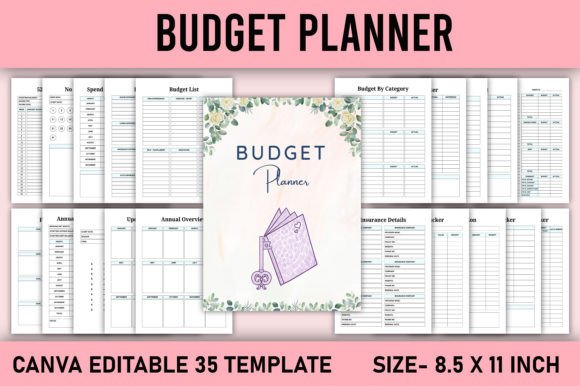
A 35-page editable budget planner covering weekly, monthly, and annual budgets alongside income, expenses, savings, bills, subscriptions, financial goals, and other money-management pages. It comes in an 8.5 × 11-inch format.
- Includes weekly, monthly, and annual budgeting pages.
- Covers income, expenses, bills, savings, and financial goals.
- Includes an editable Canva link.
- 35 pages in 8.5 × 11-inch size.
Keep in mind: Its broad set of pages is better suited to users wanting a full planner than those looking for one simple budget worksheet.
2. 2026 Budget Planner Canva Template — Best for Detailed 2026 Financial Planning
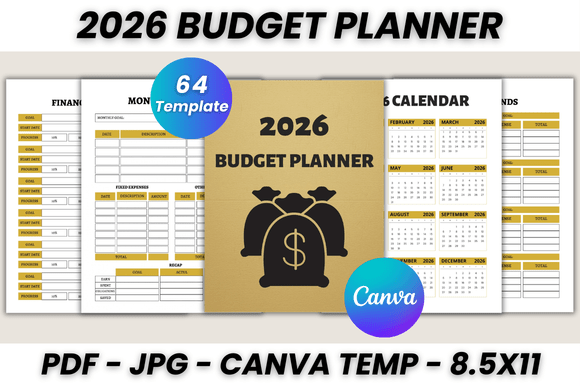
This 64-page 2026 planner combines calendars and monthly planning with budget, spending, paycheck, income, bills, savings, emergency funds, sinking funds, financial summaries, and other finance-focused pages.
- 64 printable pages.
- Includes monthly budget and paycheck budget pages.
- Covers savings, bills, expenses, and financial tracking.
- Editable Canva template in US Letter size.
Keep in mind: This planner is specifically organized around 2026, so a reusable undated design may be more appropriate if you do not need calendar-specific pages.
3. Editable 2026-2027 Financial Planner — Best for Two-Year Financial Organization
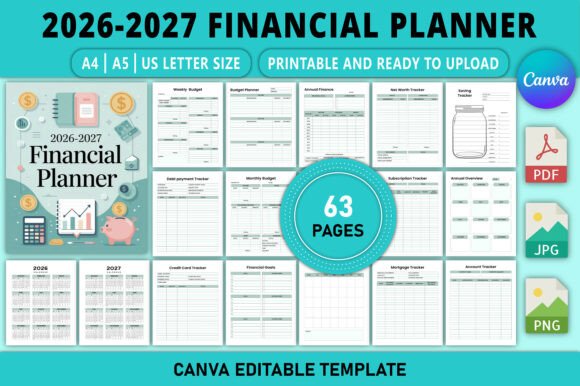
A 2026–2027 financial planner designed to organize income, expenses, savings, bills, debt, and financial goals. Its Canva template allows changes to text, fonts, colors, layouts, and elements and is supplied in A4, A5, and US Letter sizes.
- Covers both 2026 and 2027.
- Includes budgeting, debt, savings, income, and expense tracking.
- Editable text, fonts, colors, layouts, and elements.
- A4, A5, and US Letter sizes are listed.
Keep in mind: Choose it when dated planning is useful; an undated template may offer more flexibility for repeated use across different years.
4. CANVA Budget Planner KDP Template — Best for KDP Budget Planner Projects
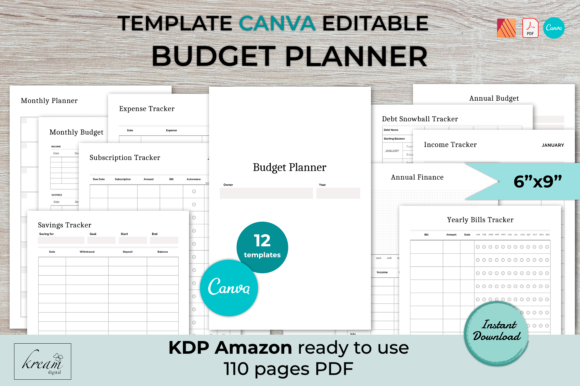
A 6 × 9-inch budget planner template with 12 different page designs, including monthly and annual budgets, income and expense trackers, subscriptions, savings, debt snowball planning, bills, and finance pages.
- 12 different planner page designs.
- Includes monthly and annual budget planning.
- Includes income, expenses, subscriptions, debt, and savings tracking.
- 6 × 9-inch Canva template and KDP-oriented files are described.
Keep in mind: Its 6 × 9-inch format and KDP orientation make it particularly relevant to planner-publishing projects.
5. Monthly Budget Canva Template — Best for Multi-Size Monthly Budget Pages
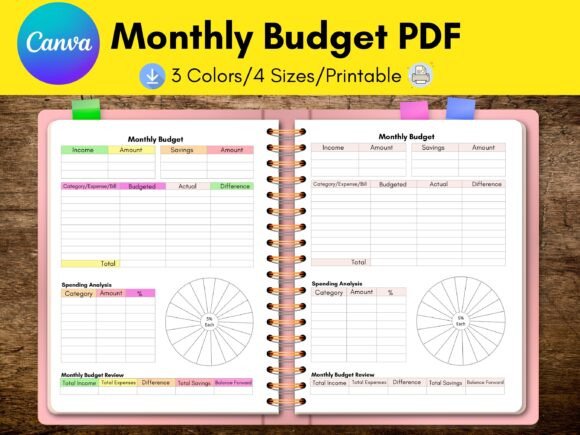
A monthly budget Canva template supplied in Letter, A4, A5, and Happy Planner Classic formats. The source describes four monthly budget pages and Canva customization for colors, fonts, branding, icons, and page arrangement.
- Four monthly budget pages are listed.
- Letter, A4, A5, and Happy Planner Classic formats.
- Colors, fonts, branding, and other elements can be changed.
- Pages can be rearranged, duplicated, or deleted.
Keep in mind: This is more narrowly focused on monthly budgeting than the larger multi-section financial planners.
6. Monthly Budget Planner Canva Template V2 — Best for Printable Monthly Budget Worksheets
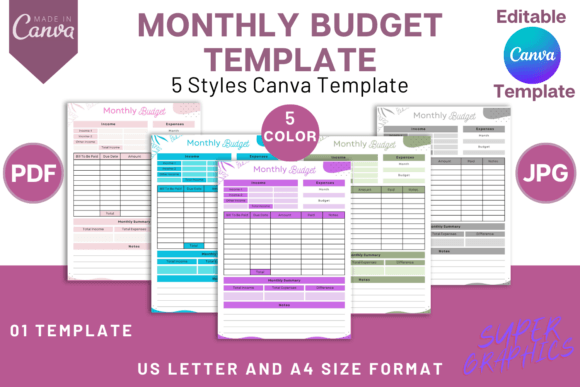
A printable monthly budget worksheet for organizing income, expenses, investments, bills, and financial plans. The editable template is offered in five color variations and includes A4 and US Letter versions.
- Designed around monthly budgeting.
- Tracks income, expenses, investments, and bills.
- Five color variations are described.
- A4 and US Letter formats are included.
Keep in mind: This option centers on a compact monthly worksheet rather than a large financial-planner system.
7. FREE Monthly Budget Sheet Printable — Best for a Minimalist Monthly Budget
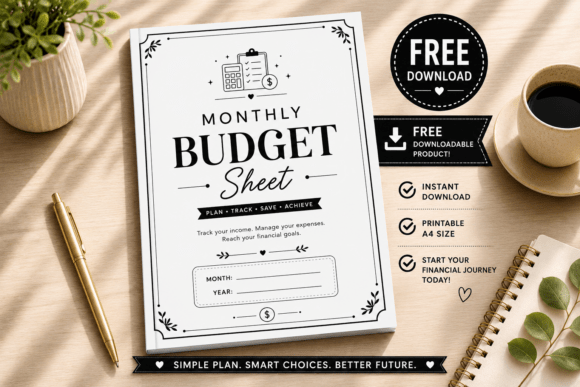
A clean monthly budget sheet built around income, expenses, bills, savings goals, financial progress, and reflection. It is described as fully editable in Canva and supplied in both A4 and US Letter sizes.
- Monthly budget overview.
- Income, expense, and bill tracking.
- Includes savings goals and monthly reflection.
- A4 and US Letter sizes are listed.
Keep in mind: Its streamlined monthly format is a better match for focused tracking than for someone seeking dozens of specialized financial pages.
8. Finance Planner | Budget Canva Template — Best for Core Personal Finance Tracking
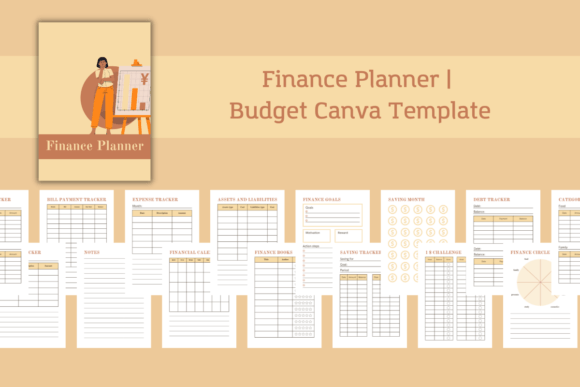
An 18-page A4 finance planner covering bill payments, assets and liabilities, financial goals, savings, debt, income, and expenses. The package includes a Canva template link along with PDF, PNG, and JPG files.
- 18 A4 pages.
- Includes income and expense trackers.
- Includes savings, debt, and bill-payment pages.
- Covers financial goals and assets and liabilities.
Keep in mind: Its emphasis is broader personal finance organization rather than only a monthly budget worksheet.
9. Budget Planner Canva Template — Best for a Compact Seven-Page Planner
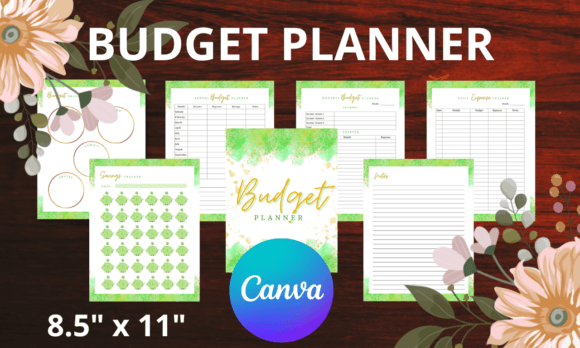
A compact seven-page planner in 8.5 × 11-inch format with budget goals, annual and monthly budget pages, savings tracking, daily expense tracking, a cover, and notes. The Canva source can be customized with graphics, fonts, and colors.
- Seven pages in total.
- Monthly and annual budget planning.
- Savings and daily expense tracking.
- 8.5 × 11-inch format.
Keep in mind: Its smaller page count makes it more concise than the comprehensive planners higher in this roundup.
10. Monthly Budget Canva Planner Template — Best for Simple US Letter Planner Design
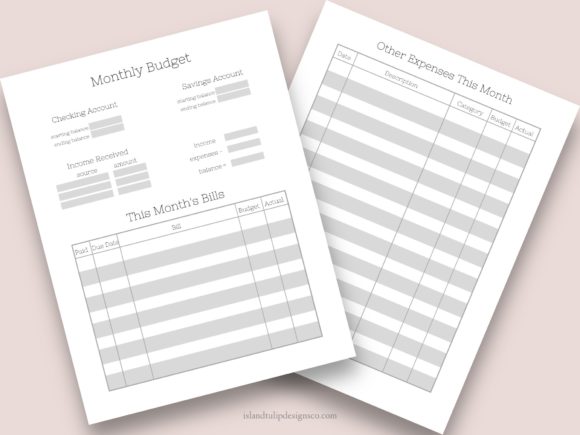
A minimalist monthly budget planner template in US Letter size. The source positions it as an editable starting point that can be adapted by changing colors, renaming the planner, and modifying the visual style.
- Minimalist monthly budget format.
- US Letter size.
- Colors and styling can be changed.
- Delivered through a PDF containing the Canva template link.
Keep in mind: The supplied description provides fewer specialized budgeting components than the larger planner collections.
11. Custom Paycheck Budget Canva Template 2 — Best for Paycheck-Based Budgeting
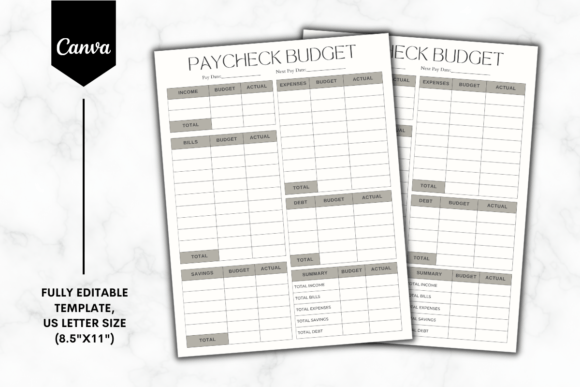
A paycheck-focused Canva template designed to organize budgeting and expense tracking. It is supplied in US Letter size and accessed through a PDF containing the template link and Canva editing instructions.
- Focused on paycheck budgeting.
- Includes expense-tracking use.
- US Letter 8.5 × 11-inch size.
- Designed specifically for Canva editing.
Keep in mind: This template is a more targeted choice for paycheck planning than for broad annual financial organization.
12. Custom Paycheck Budget Canva Template 1 — Best for an Alternative Paycheck Layout
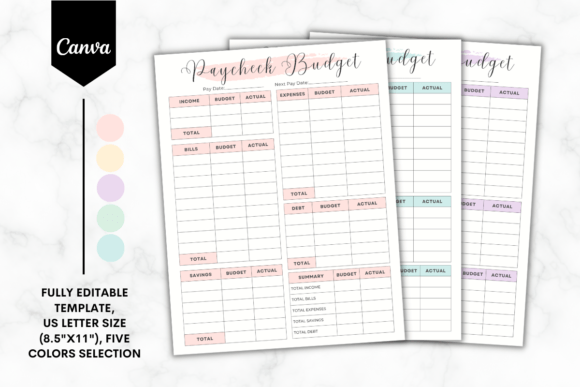
Another paycheck budgeting design focused on organizing finances and tracking expenses. This Canva-only template comes in US Letter size and is provided through a PDF containing access and editing instructions.
- Designed for paycheck budgeting.
- Supports expense organization.
- 8.5 × 11-inch US Letter format.
- Requires Canva for editing according to the listing.
Keep in mind: Its source description closely resembles Template 2, so the visible layout is an important factor when choosing between the two.
13. Monthly Undated Savings Goal Tracker — Best for Savings Progress
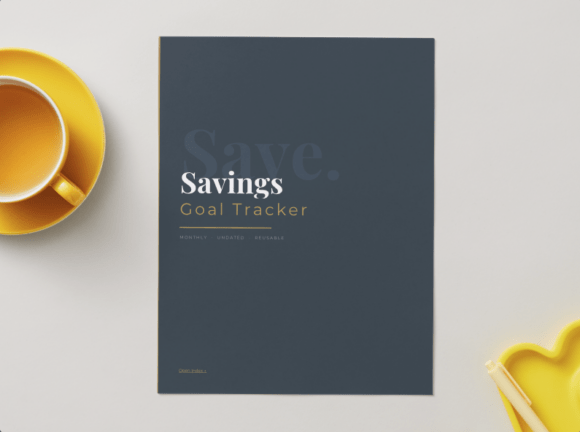
An undated 8.5 × 11-inch savings tracker with a cover, index, and 12 monthly tracking pages. It records targets, amounts saved, remaining amounts, status, and weekly progress for personal finance goals.
- 12 monthly tracking pages.
- Tracks target, saved, remaining, status, and weekly progress.
- Undated for repeated yearly use.
- 8.5 × 11-inch Canva format.
Keep in mind: This is primarily a savings-goal tracker rather than a complete monthly budget system.
14. Financial Goals Planner A4 & US Letter — Best for Goal-Based Financial Planning
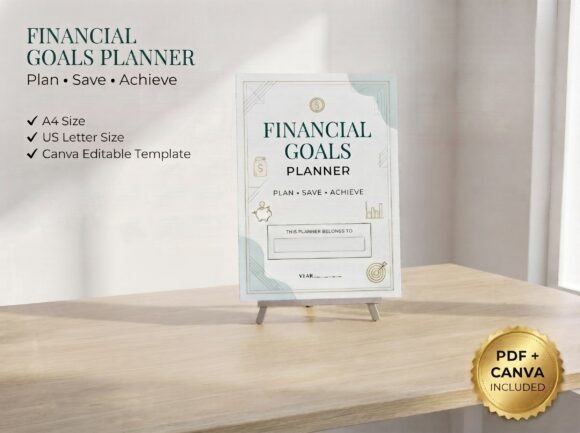
A goal-oriented finance planner combining financial vision and goal worksheets with savings, debt payoff, emergency funds, income growth, expense reduction, monthly goals, reviews, milestones, and other planning tools.
- Includes financial vision and annual goal planning.
- Savings and debt payoff trackers are listed.
- Includes income-growth and expense-reduction planning.
- A4 and US Letter formats are identified.
Keep in mind: Its strongest focus is financial goal setting and progress rather than day-to-day budget entry alone.
15. Monthly Budget KDP Template Canva — Best for a One-Page KDP Budget Design
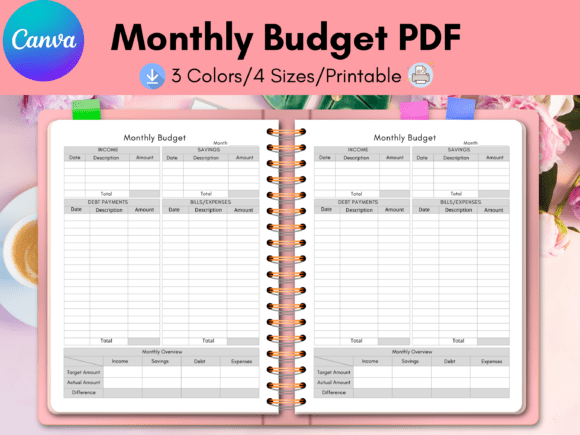
A one-page monthly budget template positioned for Canva customization and KDP-related projects. The source describes editing branding, names, element sizes, colors, fonts, icons, and other visual details using Canva.
- Single-page monthly budget format.
- Designed for Canva customization.
- Branding, fonts, colors, and icons can be changed.
- KDP use is referenced in the supplied description.
Keep in mind: It offers a focused one-page approach rather than the extensive tracking found in multi-page budget planners.
16. Business & Budget Planner Canva Template — Best for Business Budget Organization
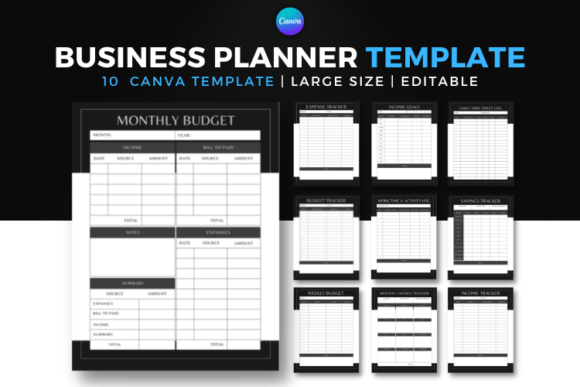
A 10-page business and budget planner combining work logs with income, expenses, income goals, monthly and weekly budgets, budget tracking, and savings pages. The package includes a Canva link plus PDF and PNG files.
- 10 business and budget pages.
- Includes income and expense tracking.
- Monthly and weekly budget pages.
- Includes savings and business activity tracking.
Keep in mind: Its combination of business activity and budgeting makes it more specialized than a household-focused budget planner.
17. Wedding Expense Tracker | Editable — Best for Wedding Budget Planning
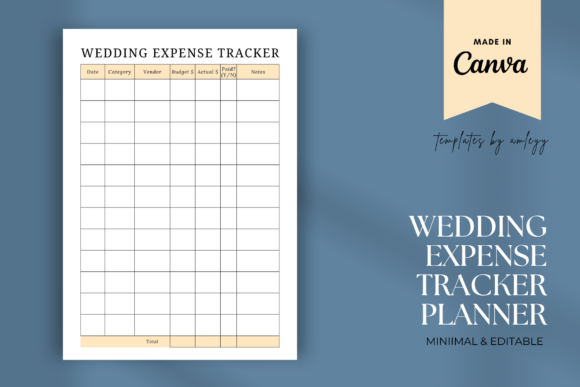
A specialized Canva expense tracker for wedding budgets, covering spending such as venue deposits, catering, attire, and décor. The template can be customized with fonts, colors, and layout and used digitally or printed.
- Specifically designed for wedding expenses.
- Relevant to couples and wedding planners.
- Fonts, colors, and layout can be edited.
- Can be used digitally or printed.
Keep in mind: This is a purpose-specific expense tracker, so it makes the most sense when the budget itself is for wedding planning.
18. Renovation Budget Canva (KDP) — Best for Renovation Budget Projects
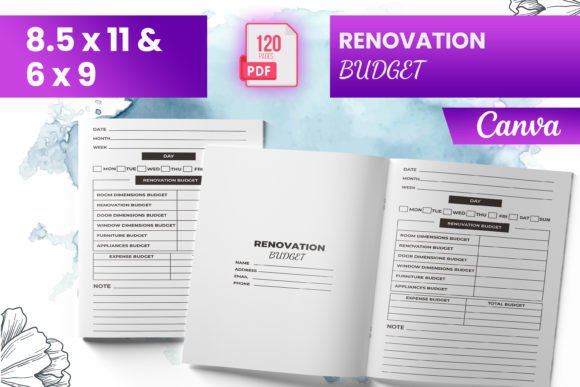
A renovation-specific budget interior supplied in 6 × 9 and 8.5 × 11-inch sizes. The listing describes 120 total pages, a renovation budget section, an intro page, and ready-to-upload PDF files for KDP.
- Focused specifically on renovation budgeting.
- 6 × 9 and 8.5 × 11-inch sizes are listed.
- 120 total pages are stated.
- KDP-oriented PDF files are included according to the source.
Keep in mind: Its renovation-specific purpose is considerably narrower than a general household or personal-finance budget template.
How to Choose a Canva Budget Planner Template
The best Canva budget planner template for your project depends less on the number of included pages and more on what you actually need to organize. Start by identifying your budgeting workflow, then compare the templates according to scope, time period, format, and intended use.
Monthly Budgeting vs. Full Financial Planning
If your main goal is recording monthly income and spending, a focused monthly budget template Canva design may be easier to maintain. The monthly templates in this roundup avoid the extra sections found in larger financial planners.
For broader financial organization, look for planners that combine monthly budgeting with savings, bills, debt, subscriptions, financial goals, annual summaries, or other tracking pages relevant to your routine.
Decide What You Need to Track
A budget tracker template Canva user chooses should reflect the financial information that matters most. Paycheck planners are useful when budgeting revolves around individual pay periods, while savings trackers emphasize goals and progress. Business, wedding, and renovation templates are designed around more specific spending situations.
Check the Page Size
The supplied products include US Letter, A4, A5, 6 × 9-inch, and other formats. Some provide more than one size. If you plan to print the pages or use them for a publishing project, compare the stated dimensions before investing time in customization.
Dated vs. Undated Planning
Dated planners can combine budgeting with calendar-based organization, as seen in the 2026 and 2026–2027 options. An undated design may be preferable when you want a template that can be reused without depending on a particular calendar year.
Simple Worksheet vs. Multi-Page Planner
More pages do not automatically make a budget template more useful. A single monthly worksheet can be practical for straightforward income-and-expense tracking, while a 35- or 64-page planner makes more sense when you want separate sections for several aspects of your finances.
How to Use Canva Templates for Budget Planning
A template works best when you adapt the structure to a clear budgeting routine rather than filling every available page simply because it is included. Start with the information you need to review regularly and build outward from there.
- Choose the budgeting period. Decide whether you want to plan by paycheck, week, month, year, or a combination of periods.
- Select the essential trackers. Income, expenses, bills, and savings are common starting points, but your exact setup should reflect your financial workflow.
- Customize supported elements. Where the individual product allows it, adapt text, colors, fonts, layouts, or other editable elements to make the planner easier to use.
- Remove unnecessary complexity. If a large planner contains pages you do not need, focus your workflow on the sections that serve a clear purpose.
- Review consistently. A monthly budget or savings tracker becomes more useful when the same categories and goals are reviewed on a regular schedule.
A Practical Way to Compare Canva Budget Templates
For a comprehensive planner, start with the 35-page Budget Planner Canva Template, the 64-page 2026 Budget Planner Canva Template, or the Editable 2026-2027 Financial Planner. These options extend beyond basic monthly budgeting into multiple areas of financial organization.
If your priority is a simpler monthly workflow, compare Monthly Budget Canva Template, Monthly Budget Planner Canva Template V2, FREE Monthly Budget Sheet Printable, and Monthly Budget Canva Planner Template. Their scope is more concentrated than the larger planner systems.
For a specific financial task, narrow the choice further. The two Custom Paycheck Budget templates focus on paycheck-based planning, the Monthly Undated Savings Goal Tracker emphasizes savings progress, and the Financial Goals Planner concentrates on goal setting, debt payoff, and longer-term progress.
Finally, consider the purpose-specific options only when they match your project. The Business & Budget Planner combines business organization with budgeting, while the wedding and renovation templates address those particular expense categories.
Frequently Asked Questions
What should a Canva budget template include?
That depends on your budgeting method. For a basic monthly budget, income and expense sections may be enough. More comprehensive planners can add bills, savings, debt, subscriptions, financial goals, annual planning, and other trackers. Choose based on the information you will actually use.
Can I make a monthly budget template in Canva?
Yes. Several products in this selection are specifically supplied as editable monthly budget Canva templates. Depending on the individual product, supported customization may include text, fonts, colors, branding, layout, icons, or other design elements.
Is a budget planner different from a budget tracker?
A budget tracker generally emphasizes recording and monitoring financial activity, while a broader planner may combine tracking with goals, calendars, savings plans, debt management, bills, and other planning pages. Individual template designs can include elements of both.
Which Canva budget template is better for paycheck budgeting?
The two Custom Paycheck Budget Canva Templates are specifically described around paycheck budgeting and expense tracking. The 2026 Budget Planner also includes a paycheck budget page if you want paycheck planning inside a larger financial planner.
Which budget template is useful for savings goals?
The Monthly Undated Savings Goal Tracker focuses directly on savings targets and progress, while the Financial Goals Planner adds savings planning alongside debt payoff, emergency funds, income goals, and broader financial milestones.
Should I choose a one-page budget sheet or a full planner?
Choose a one-page design when you mainly need a concise recurring overview. A multi-page planner is more appropriate when you want separate trackers for different parts of your finances. The better choice is the one you can maintain consistently without unnecessary sections.
Final Thoughts
The right Canva Budget Template depends on how detailed your financial system needs to be. A compact monthly worksheet can keep routine budgeting straightforward, while larger planners provide dedicated space for savings, bills, debt, goals, annual planning, and other financial categories.
For comprehensive planning, the larger Budget Planner and dated financial-planner templates provide broader coverage. For monthly budgeting, the focused monthly sheets keep the workflow simpler. Paycheck, savings, business, wedding, and renovation templates are more useful when one specific financial task is the priority.