13 Best Canva Page Design Templates for Creators and Brands
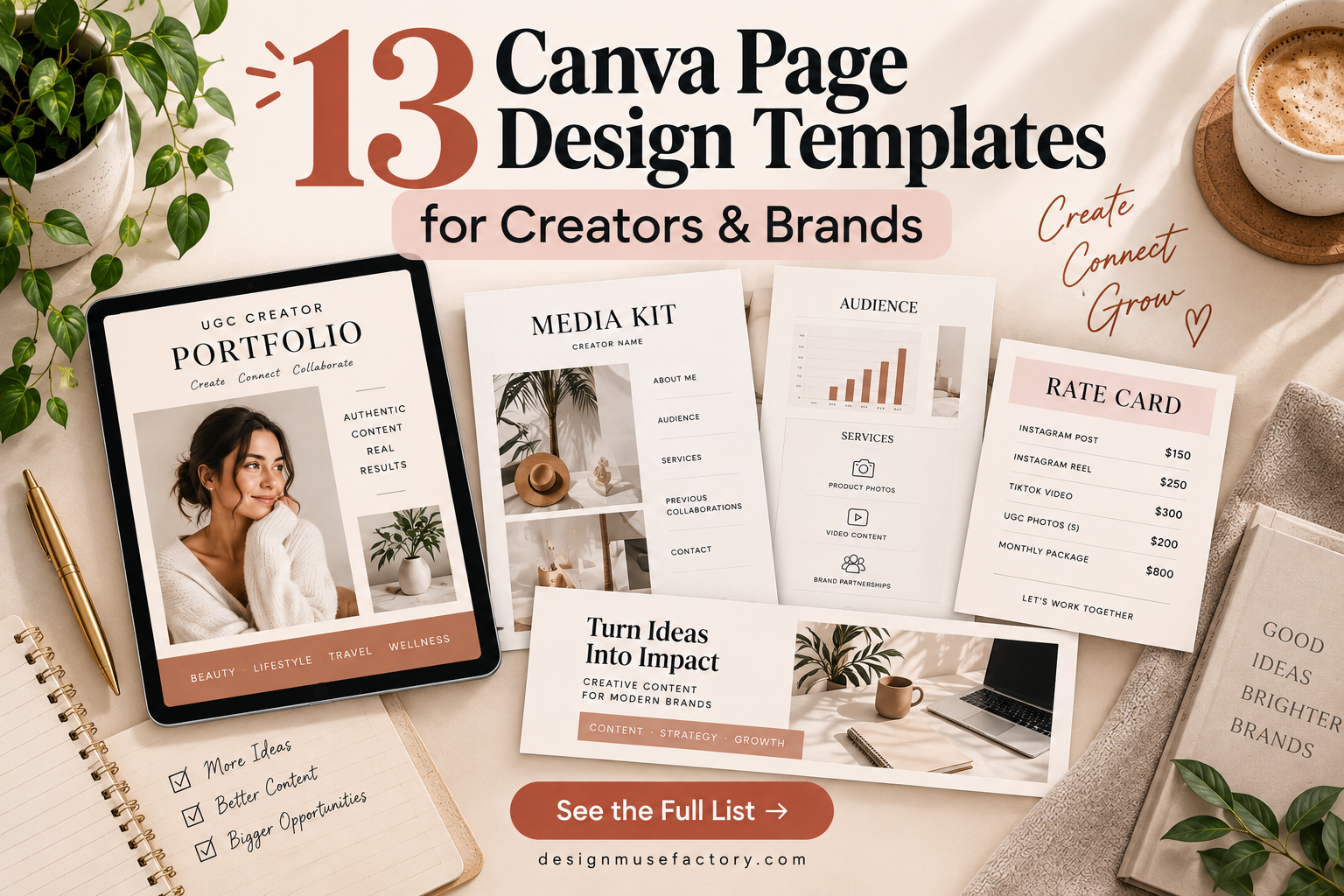
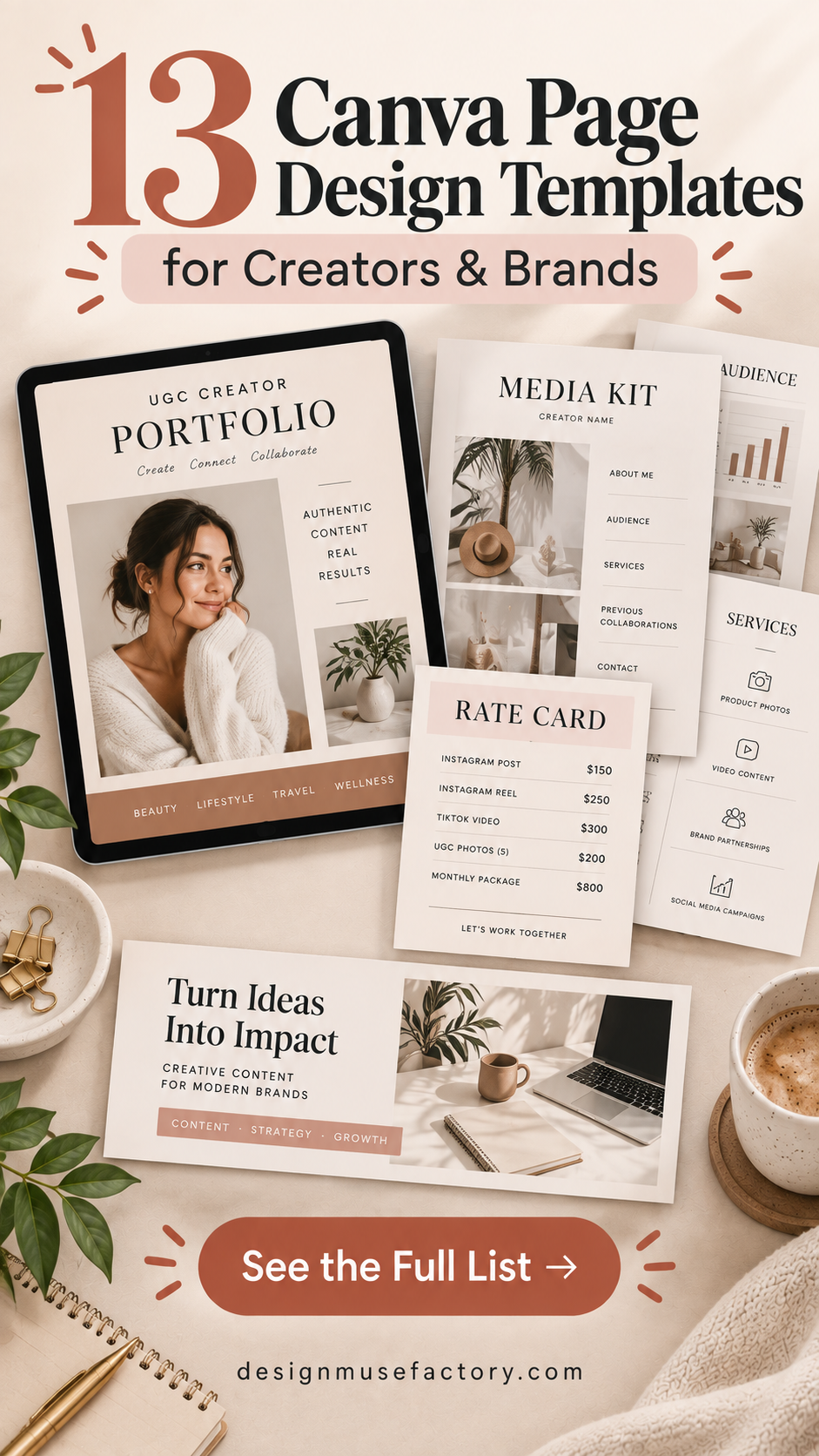
A well-planned Canva Page Design can make it much faster to build polished marketing materials without starting every layout from scratch. The templates in this roundup cover media kits, creator portfolios, rate cards, LinkedIn banners, and other pages designed for bloggers, influencers, small businesses, and digital content creators.
The selections were evaluated primarily for their relevance to practical page design and the audiences they are intended to serve. Because the collection includes both single-page and multi-page layouts, you can choose according to the amount of information you need to present and the type of professional presence you want to create.
Why These Canva Page Designs Are Worth Considering
These templates focus on practical business and creator-facing pages rather than decorative graphics alone. Several are designed to help influencers and bloggers present their work to potential partners, while others concentrate on pricing information, portfolios, or professional social-media branding.
A recurring advantage across the supplied designs is editability in Canva. Depending on the individual template, the source descriptions support customization of elements such as text, colors, photos, images, and logos. Always check the individual product details below because page counts, intended uses, and included components differ.
13 Canva Page Design Templates to Explore
1. UGC Creator Portfolio Template — Best for Building a Creator Portfolio
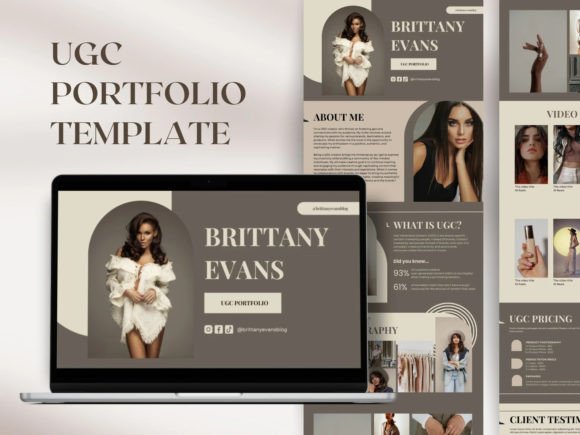
A 10-page customizable Canva portfolio created for UGC content creators. It can be presented as a responsive landing-page website or as a PDF media kit, giving creators a structured way to introduce themselves and display work samples to potential clients.
- Includes a 10-page design.
- Can be used as a landing-page website or PDF media kit.
- Text, photos, colors, images, and videos can be customized.
- The website version is described as responsive across PCs, mobile devices, and tablets.
Keep in mind: The supplied product description states that the digital product must not be redistributed, resold, shared, or copied and that purchase does not transfer copyright.
2. Modern Media Kit Canva Template — Best for Multi-Page Creator Presentations
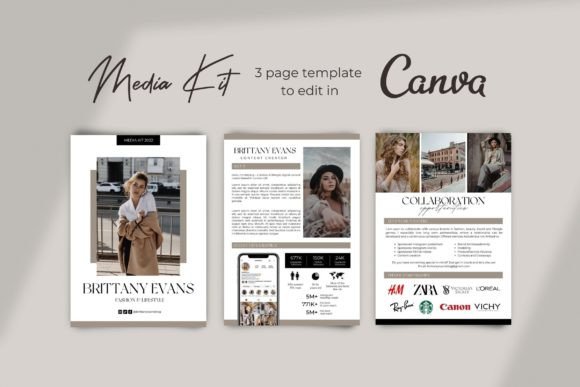
This three-page media kit uses a modern minimalist neutral-toned layout for Instagram and TikTok influencers or digital content creators. Its editable structure provides more room than a single-page rate card for presenting content to prospective sponsors and brand partners.
- Three-page completed Canva template.
- Designed for influencers and digital content creators.
- Photos, text, and colors can be edited.
- Supports adding your own images and logos.
Keep in mind: This is a media-kit-focused layout, making it most relevant when you need to present creator or social-media information rather than build a general-purpose business page.
3. Media Kit with Rate Card Template — Best for Combining a Media Kit and Pricing
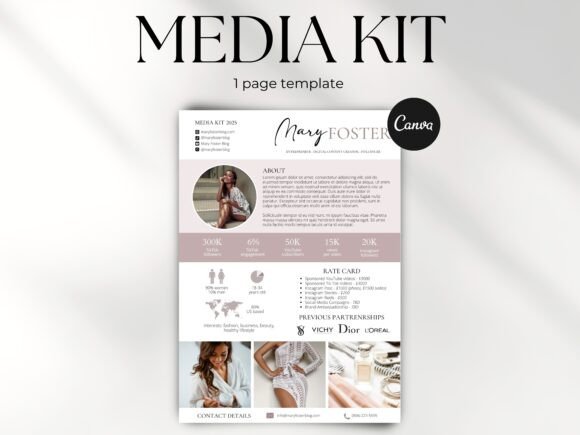
A one-page pink Canva media kit that incorporates a rate card into the same design. Intended for Instagram and TikTok influencers or YouTube bloggers, it provides a compact option for presenting creator information and rates to potential sponsors.
- One-page layout.
- Rate card is included.
- Colors, images, and text can be customized.
- Designed for Instagram, TikTok, and YouTube creators.
Keep in mind: The single-page format is particularly suited to concise presentations rather than extensive portfolios.
4. Brown and Tan Tones Media Kit Template — Best for Neutral-Toned Branding
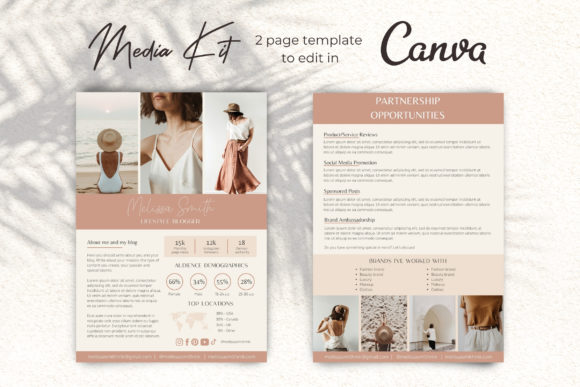
A two-page beige and brown media kit designed for fashion, beauty and lifestyle bloggers or Instagram influencers. The neutral palette provides a cohesive starting point for creators who want an understated presentation for approaching sponsors and partners.
- Two-page Canva design.
- Editable photos, text, and colors.
- Allows users to upload their own logos and images.
- Geared toward fashion, beauty, lifestyle, and influencer use.
Keep in mind: The images shown in the listing are stated to be excluded, so you will need to add your own visual content.
5. Fitness Influencer Media Kit Template — Best for Fitness Creators
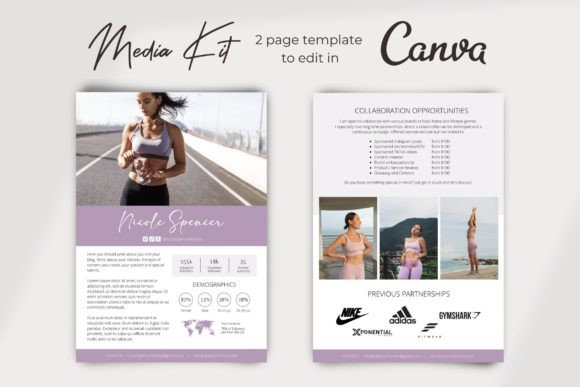
A two-page media kit tailored to fitness-oriented creators, including Instagram and TikTok influencers, fitness bloggers and brands, plus yoga and Pilates instructors. The editable Canva layout is designed for presenting a fitness-focused online presence to prospective sponsors.
- Two-page design.
- Fitness-specific intended audience.
- Editable colors, text, and photos.
- Supports adding personal images and logos.
Keep in mind: Its niche positioning makes it particularly relevant to fitness-related brands and creators rather than creators seeking a category-neutral media kit.
6. Influencer Media Kit with Rate Card — Best for a Compact Beige Media Kit
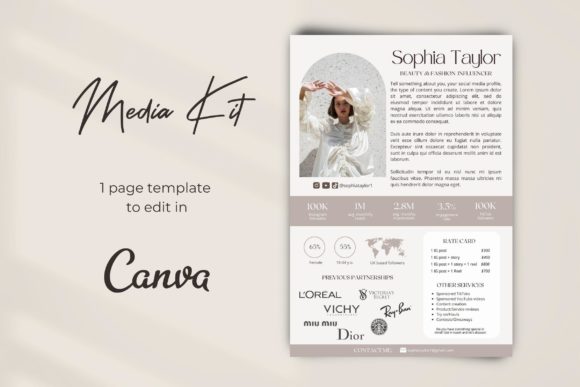
This one-page modern beige media kit is intended for content creators, Instagram influencers, bloggers and brand ambassadors. It combines a compact presentation format with editable photos, text and colors, plus space to incorporate your own imagery and branding.
- One-page EPK template.
- Completed Canva template file.
- Editable colors, images, and text.
- The description suggests adding a screenshot of your Instagram profile to the design.
Keep in mind: Its one-page structure prioritizes a concise overview rather than the extended storytelling possible with a multi-page kit.
7. Blogger Media Kit Template for Canva — Best for Bloggers and Brand Ambassadors
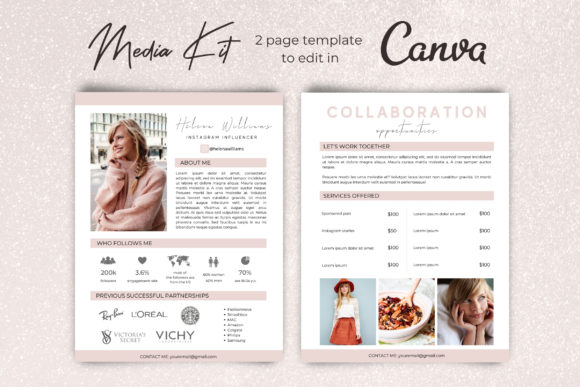
A two-page minimal media kit for bloggers, Instagram influencers and brand ambassadors. It is structured as an editable Canva press kit where creators can replace the supplied layout content with their own photos, branding, text and colors.
- Two-page media kit.
- Created for bloggers, influencers, and brand ambassadors.
- Customizable colors, images, and text.
- Supports uploading your own logos.
Keep in mind: This template is centered on creator and blog promotion, so its page structure is most useful when that matches your communication goal.
8. LinkedIn Cover Page Design | Canva File — Best for Professional LinkedIn Branding
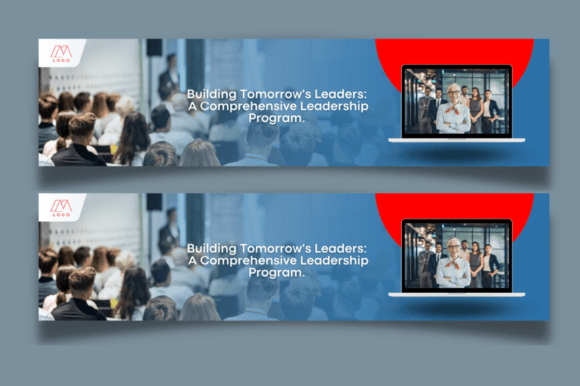
A professional corporate LinkedIn banner template built specifically for Canva. The 1584×396 px layout can be customized with your own text, fonts, colors, backgrounds and images, making it a focused option for creating a branded LinkedIn cover.
- 1584×396 px banner size.
- Includes a LinkedIn banner Canva template.
- Includes a getting-started Canva tutorial PDF.
- Supports editing text, fonts, colors, backgrounds, and images.
Keep in mind: The template can only be edited in Canva, and the listing states that display images and photos are not included.
9. Rate Card Instagram & TikTok Template — Best for Social Media Service Rates
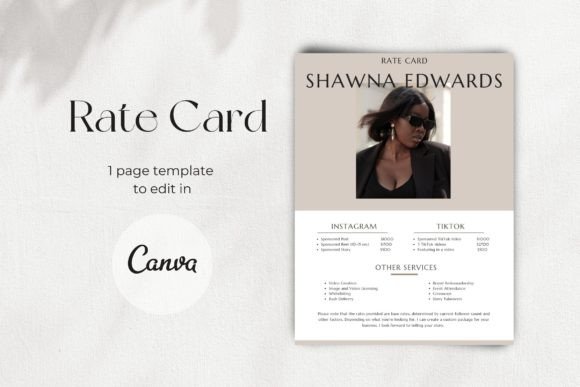
A one-page Canva rate card created for Instagram and TikTok influencers, content creators, bloggers and brand ambassadors. Its focused format is designed for presenting rate information to prospective brand partners and sponsors without requiring a larger media kit.
- One-page rate-card design.
- Editable photos, text, and colors.
- Designed for influencers, creators, bloggers, and ambassadors.
- Completed Canva template included.
Keep in mind: This design concentrates specifically on a rate sheet rather than providing the broader portfolio-style content of a multi-page media kit.
10. Media Kit | Canva Template — Best for Minimal Influencer Presentations
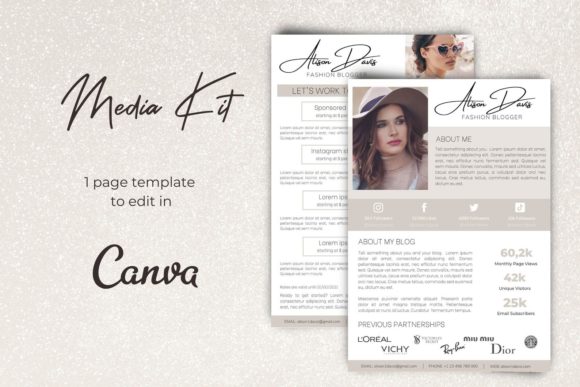
This two-page minimal Canva media kit targets Instagram influencers, fashion bloggers and brand ambassadors. It provides an editable press-kit framework for showcasing a blog, Instagram presence or business when contacting brands about potential collaborations.
- Two-page design.
- Minimal press-kit approach.
- Editable photos, text, and colors.
- Supports personal images and logos.
Keep in mind: The intended use centers on influencer, blogger, and brand-ambassador presentations.
11. Media Kit | Canva Media Kit Template — Best for Pink Beauty-Focused Branding
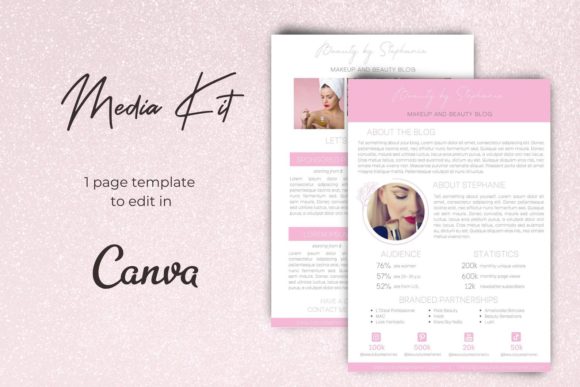
A pink two-page Canva media kit aimed at Instagram influencers, beauty bloggers and brand ambassadors. Its editable press-kit format offers a more style-specific choice for creators whose existing branding works naturally with a pink visual direction.
- Two-page Canva layout.
- Pink visual theme.
- Designed with beauty bloggers and influencers in mind.
- Colors, images, text, photos, and logos can be customized.
Keep in mind: Consider whether the pink aesthetic fits your existing brand before choosing it over one of the more neutral media-kit designs.
12. One Page Pink Media Kit Template — Best for a Concise Pink Creator Kit
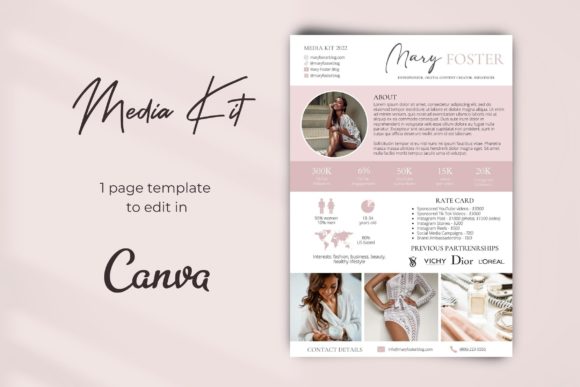
This one-page pink media kit combines creator presentation content with a rate card. Designed for Instagram and TikTok influencers or YouTube bloggers, it offers a compact alternative to multi-page kits while retaining editable colors, images and text.
- One-page design.
- Includes a rate card.
- Intended for Instagram, TikTok, and YouTube creators.
- Supports custom colors, images, text, and logos.
Keep in mind: This option emphasizes a concise one-page presentation, so creators needing a larger portfolio may prefer one of the multi-page designs.
13. Black Rate Card for Influencer — Best for a Minimalist Rate Sheet
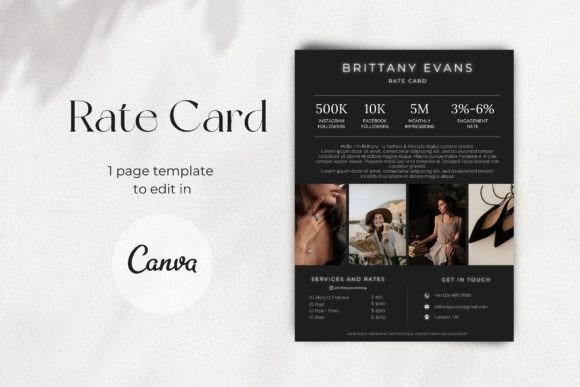
A one-page modern minimalist Canva rate card for digital content creators, bloggers and brand ambassadors. Its purpose is straightforward: provide an editable price-sheet layout that can be personalized before being sent to prospective brand partners and sponsors.
- One-page price-sheet design.
- Modern minimalist presentation.
- Editable photos, colors, and text.
- Designed for creators, bloggers, and brand ambassadors.
Keep in mind: Choose this type of template when pricing is the primary information you need to communicate rather than a complete creator portfolio.
How to Choose a Canva Page Design
The right template depends less on decorative style alone and more on what the finished page needs to communicate. Start by deciding whether you need a portfolio, media kit, rate card, social-media banner, or a combination of these functions.
Choose the Page Type First
A UGC portfolio serves a different purpose from a LinkedIn cover or influencer rate card. If you need to display multiple work samples, a larger portfolio structure gives you more room. If the goal is simply to communicate rates, a focused one-page rate card can be more direct.
Consider One Page vs. Multiple Pages
The supplied collection ranges from one-page rate cards and media kits to two- and three-page presentations and a 10-page UGC portfolio. A shorter design can keep the message concise, while a multi-page format provides more room for separate content areas.
Match the Visual Direction to Your Brand
Neutral beige and brown templates can suit understated branding, while pink designs provide a more specific visual direction. Starting with a template close to your intended look can reduce the amount of customization needed to create a cohesive page.
Check What You Can Customize
For each template, review the supplied description before editing. Many products in this roundup specifically support changes to photos, text, colors, images, or logos, but the exact features should always be checked on a product-by-product basis.
How to Use Canva Page Design Templates Well
A template gives you the layout, but the finished page still needs to reflect your own identity and purpose. Replace placeholder content with relevant information rather than treating the original design as a finished page.
- Use consistent branding: Keep colors, typography, imagery, and logos aligned with the rest of your online presence.
- Prioritize important information: Put the details a potential client, sponsor, or visitor needs most where they are easy to find.
- Use your own imagery: Several templates are specifically designed so you can replace example visuals with your own photos or content.
- Keep text concise: A visually polished page can become difficult to scan if every available space is filled with copy.
- Review usage terms: Editing a template for your own project and redistributing the source template are different activities. Follow the terms associated with the individual product.
A Practical Canva Page Design Comparison Workflow
A simple decision process can narrow the choices quickly. First, identify the finished asset you need. For professional social-media branding, the LinkedIn cover template has a clearly defined purpose. For creator pricing, compare the dedicated rate cards and one-page media kits with rate cards. For sponsorship outreach, consider the multi-page media kits.
Next, decide how much content must fit into the design. The one-page options emphasize compact communication, while the two- and three-page media kits provide additional room. The 10-page UGC portfolio is the most extensive supplied page set and is specifically positioned around showcasing creator work.
Finally, compare the visual direction with your existing brand. A neutral template may require fewer changes for a restrained identity, while the pink media kits can make more sense when that palette already complements your content.
Frequently Asked Questions About Canva Page Design
What is a Canva page design template?
In this roundup, it refers to a pre-designed page or set of pages intended to be customized in Canva. Examples include media kits, portfolios, rate cards, and a LinkedIn cover banner.
Do I need design experience to edit these Canva templates?
Many of the supplied product descriptions state that professional design skills are not required and describe editing through Canva’s drag-and-drop workflow. Check the individual listing for the exact editing requirements of the template you choose.
Should I choose a one-page or multi-page Canva design?
Choose according to how much information you need to present. A one-page rate card can be useful for concise pricing information, while multi-page media kits and portfolios give you more space to organize different types of content.
Can I change the colors and text in these templates?
The descriptions for the templates selected here generally specify editable text and colors, with many also supporting replacement photos, images, and logos. The exact supported customization should be confirmed in the individual product description.
What Canva page design is useful for influencers?
Media kits and rate cards are prominent choices in the supplied collection. They are specifically described for audiences such as Instagram and TikTok influencers, bloggers, brand ambassadors, and other digital content creators.
What is the difference between a media kit and a rate card?
Within this product collection, media kits are designed to present a creator, blog, social presence, or business to prospective partners, while dedicated rate cards focus more narrowly on pricing information. Some one-page templates combine both purposes.
Can I resell an edited Canva template?
Do not assume that Canva editability gives you resale rights. Licensing and redistribution terms must be checked for the specific product. For example, the supplied description of the UGC Creator Portfolio explicitly states that it must not be redistributed, resold, shared, or copied.
Final Thoughts
The most useful Canva Page Design depends on the job the finished page needs to perform. The UGC Creator Portfolio provides the most extensive page set in this collection for showcasing creator work, while the media-kit templates focus on sponsorship and brand presentations. Dedicated rate cards offer a more compact approach when communicating pricing is the priority.
Choose the page type first, then compare the number of pages, intended audience, visual direction, and supported customization. That approach makes it easier to start with a template that already fits your purpose instead of relying on extensive redesign after selection.