18 Best Canva Frame Templates for Creative Designs and Collages
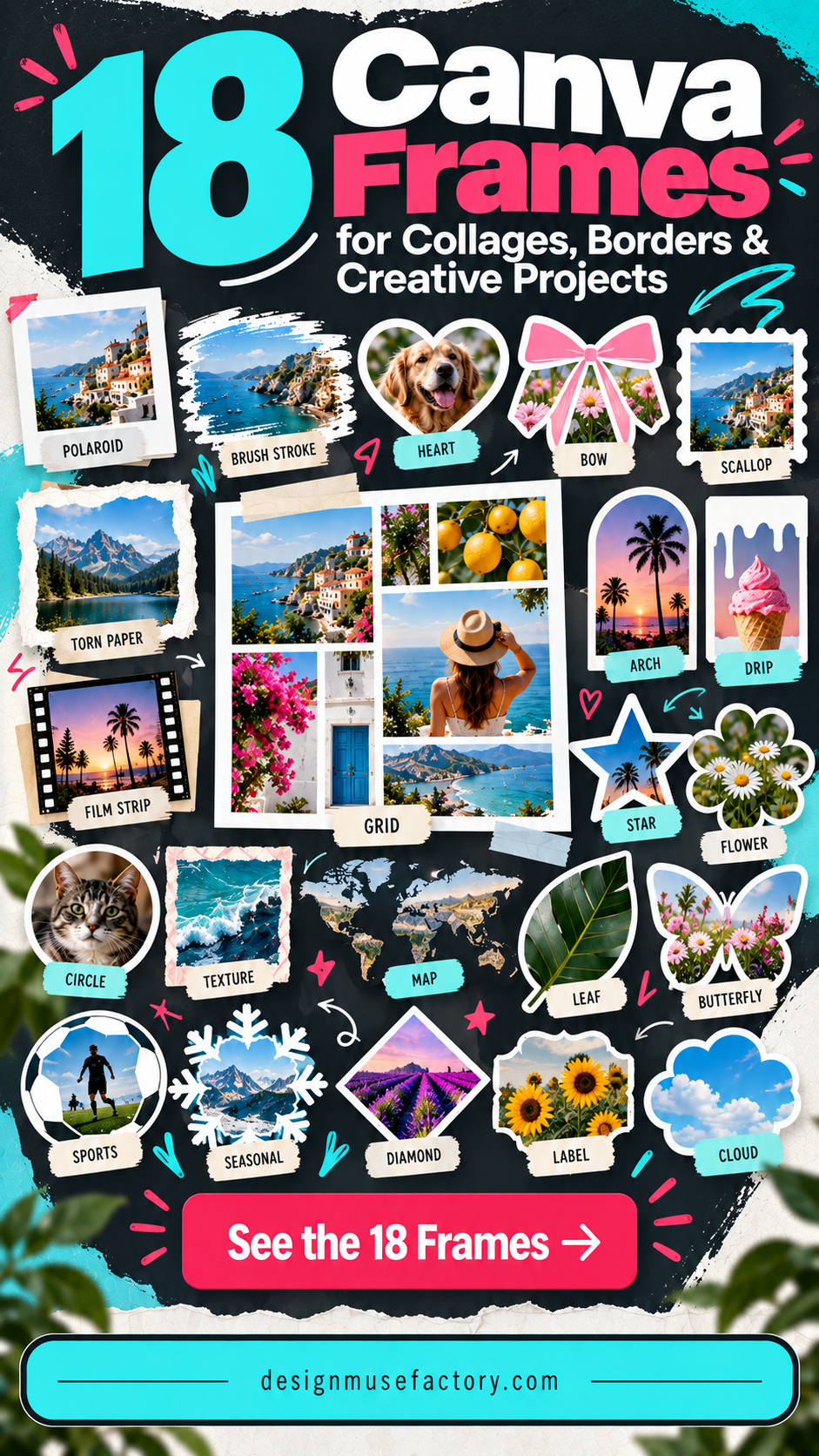
A Canva Frame gives you a defined shape or border that can be filled with photos, patterns, or other visual content, making it useful for everything from social graphics and photo collages to seasonal designs and printable projects. The 18 options below cover flexible grids, brushstrokes, decorative borders, maps, sports, holidays, and other specialized styles.
The selection prioritizes direct relevance to Canva frame design and practical differences between the supplied products. That means you can compare general-purpose canva frames templates with more specialized canva frames elements instead of choosing solely by appearance.
Why These Canva Frames Are Worth Considering
The supplied collection offers useful variety in both format and purpose. Some frames are intended for drag-and-drop photo layouts, while others create brushstroke, scribble, bow, dripping, speech-bubble, map, sports, school, or seasonal shapes. Several listings also explicitly support resizing or other Canva editing options.
For bloggers, marketers, small business owners, social media managers, and content creators, that range makes it easier to match the frame to the project. A grid-based photo post, for example, benefits from a different Canva frame design than a holiday graphic, educational map, sublimation design, or comic-inspired page.
Best Canva Frame Templates
1. Square Grid Canva Frame Template — Best for Photo Collages
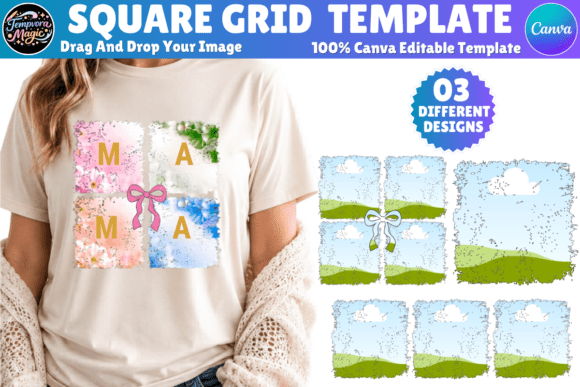
An editable grid-style Canva frame made for stylish photo collages. The source highlights four-square and three-square layouts, brushstroke styling, and drag-and-drop editing for social media posts, prints, and digital projects.
- Includes square-grid and brushstroke frame concepts.
- Designed for editable photo collages.
- Supports drag-and-drop Canva editing.
- Suitable for social posts, prints, and digital projects.
Keep in mind: The listing states that some template elements come from Canva Pro, although free-plan users can replace them with free graphics or their own designs.
2. Paint Brush Stroke Canva Frame Bundle — Best for Versatile Brushstroke Designs
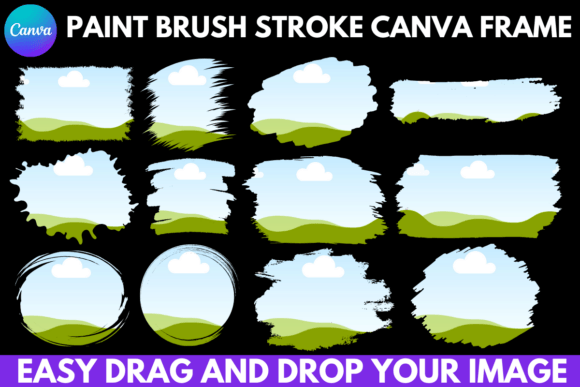
This 13-frame brushstroke bundle combines expressive shapes with an editable drag-and-drop Canva workflow. The source suggests uses ranging from social media and website art to digital covers, stickers, sublimation designs, apparel, accessories, and printed decorations.
- Includes 13 paint brush stroke Canva frames.
- Uses an easy drag-and-drop editable template.
- Can be used with a free Canva account.
- Covers both digital and physical design ideas in the source description.
Consider: The brushstroke aesthetic is intentionally expressive, making it more suitable for textured compositions than highly restrained layouts.
3. Brush Strokes Canva Frame Bundle — Best for Digital and Print Projects
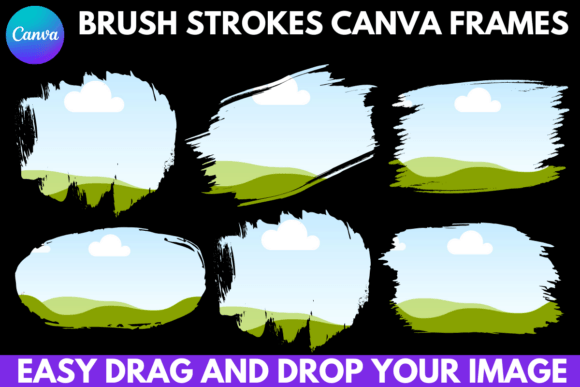
Ten brush-stroke Canva frames provide a compact collection for digital and physical design projects. The editable drag-and-drop format can be applied to social posts, newsletters, website art, covers, stickers, apparel, accessories, and other projects described by the listing.
- Includes 10 brush-stroke frames.
- Easy drag-and-drop Canva editing.
- Works with a free Canva account according to the listing.
- Template access is supplied through a link in a PDF inside the ZIP.
Keep in mind: This collection is specifically centered on brush-stroke shapes rather than conventional rectangular or grid frames.
4. Scribble Canva Frame Bundle Design — Best for Freeform Photo Frames
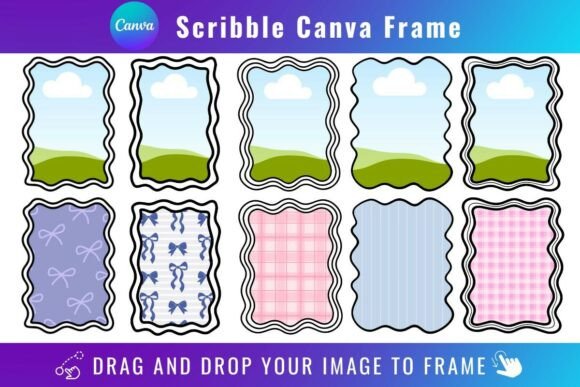
A scribble-style frame bundle for dropping PNG or JPG background images into editable Canva templates. It offers a more informal visual direction than geometric frames and can be opened and edited with a free Canva account.
- Accepts PNG or JPG background images.
- Uses drag-and-drop image placement.
- Free Canva account can open and edit the templates.
- Template access comes through a PDF link.
Keep in mind: The source says transparent-background downloads require Canva Pro or higher, and these templates are exclusively for Canva rather than SVG or cutting-machine use.
5. Coquette Bows Canva Frame Bundle — Best for Bow Border Designs
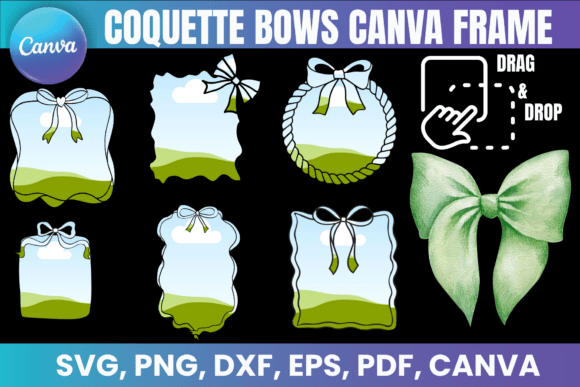
Editable square borders with doodle bow details give this bundle a playful coquette look. The frames suit photo collages, digital planners, sublimation, and T-shirt designs, with drag-and-drop Canva customization plus several supplied file formats.
- Editable coquette bow and square-border styling.
- Includes a Canva frame link.
- Also includes PNG, SVG, DXF, and PDF files.
- Source suggests photo collages, planners, sublimation, and apparel designs.
Consider: The whimsical bow treatment is a distinct aesthetic, so it works best when that decorative style complements the project.
6. Dripping Borders Canva Frame Bundle — Best for Bold Drip Effects
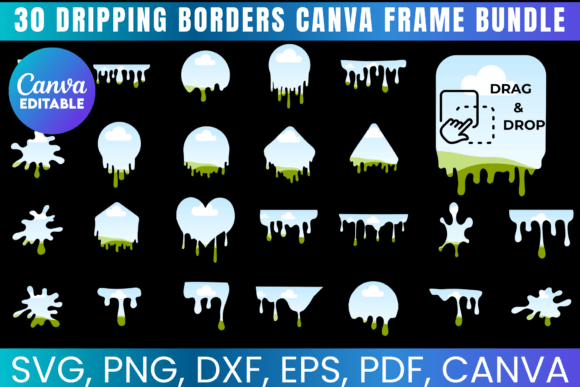
Dripping paint, slime-like borders, and splatter styling give this bundle a bold visual identity. The frames are formatted around an 8.5 × 11-inch sheet and can be filled through the supplied Canva link for digital designs, crafts, sublimation, and custom projects.
- Distinct dripping border and paint-splatter concept.
- Formatted for a standard 8.5 × 11-inch sheet.
- Includes SVG, PNG, DXF, and PDF files.
- Provides a Canva link for drag-and-drop editing.
Consider: The dramatic drip effect is more specialized than a neutral border and will naturally become a prominent part of the composition.
7. Whimsical Frames Canva Frame Bundle — Best for Playful Multipurpose Designs
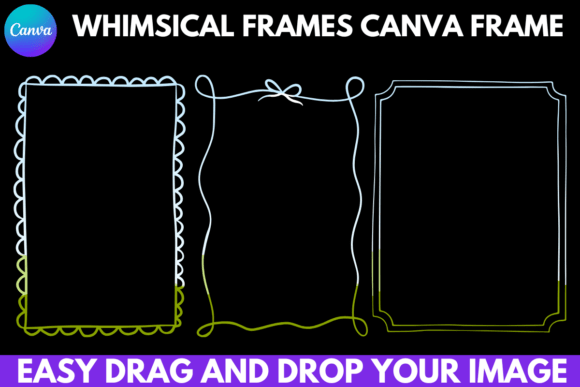
Five whimsical Canva frames provide playful shapes for a broad mix of creative projects. The editable drag-and-drop template can be applied to digital stickers, social media, website art, covers, printed decorations, apparel, accessories, and sublimation designs.
- Includes five whimsical frames.
- Uses drag-and-drop Canva editing.
- Free Canva account is supported according to the source.
- Listing suggests both digital and physical project ideas.
Keep in mind: With five frames, this is a more compact set than some of the larger themed bundles in the roundup.
8. Comic Speech Bubble Canva Frame Bundle — Best for Comics and Social Graphics
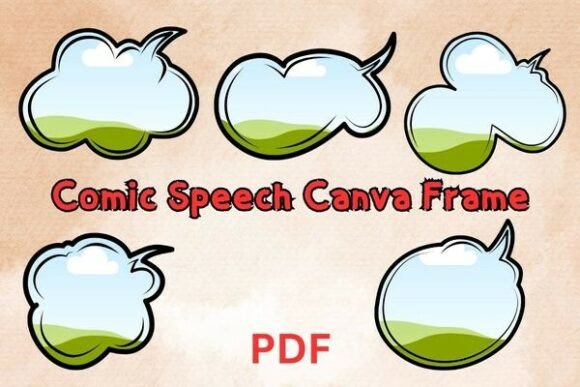
Five cartoon-style speech-bubble frames bring a comic-inspired structure to stickers, digital scrapbooking, social media posts, and comic book art. The templates are editable in Canva, with the source also describing high-resolution PDF files for printing.
- Includes five unique comic speech-bubble frames.
- Cartoon-style speech-cloud aesthetic.
- Canva-compatible templates for digital editing.
- Source also mentions high-resolution PDF files for printing.
Consider: The speech-bubble concept is particularly suited to designs where comic or conversational styling is intentional.
9. World Country Map CANVA Frame Bundle — Best for Map-Based Designs
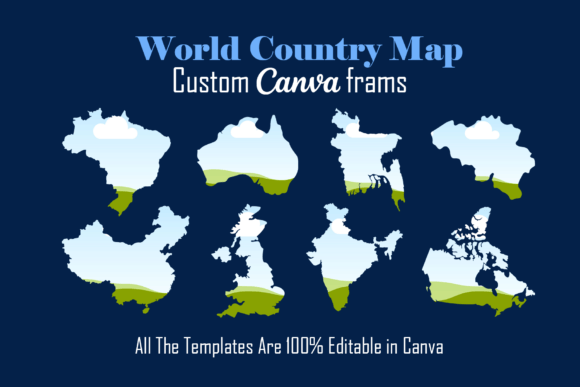
A large map-focused collection containing Canva frames for 216 countries. Users can drag JPG or PNG designs into the shapes, resize them as needed, and edit a separate drop shadow. The frames are listed at 10 × 10 inches.
- Contains map frames for 216 countries.
- Editable with a free Canva account.
- Supports JPG or PNG drag-and-drop filling.
- Includes a separately editable drop shadow and 10 × 10-inch sizing.
Keep in mind: The listing states that the template works only with Canva and prohibits sharing or reselling the template itself.
10. 50 USA States Canva Frame Bundle — Best for U.S. State Graphics
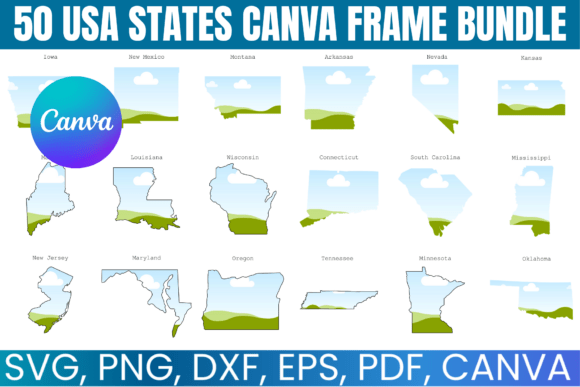
This editable bundle provides Canva frames for all 50 U.S. states, making it useful for geographic graphics, educational materials, social content, personal projects, and small-business designs. A Canva link supports easy drag-and-drop editing.
- Covers all 50 U.S. states.
- Provides a Canva link for drag-and-drop editing.
- Includes SVG, PNG, DXF, and PDF files.
- Source lists educational, social, personal, and small-business uses.
Keep in mind: The source specifies personal use and says the files cannot be shared, sold, or transferred.
11. American Football Canva Frame Bundle — Best for Football-Themed Projects
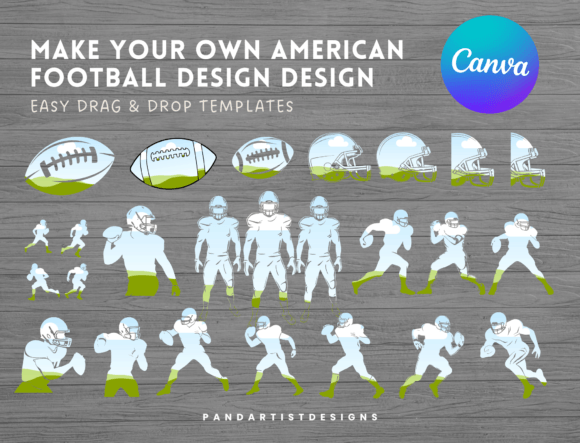
Twenty-three American football Canva frames provide a sizable themed collection for sports-focused graphics. The frames can be resized and filled by uploading images or patterns, then using drag-and-drop placement in Canva.
- Includes 23 American football frames.
- Frames are resizable.
- Supports uploaded images or patterns and drag-and-drop filling.
- Free Canva accounts are supported and a tutorial is included.
Consider: This bundle is specifically sports themed, so its strongest fit is content that calls for American football imagery.
12. Back to School Canva Frame Bundle — Best for School-Themed Designs
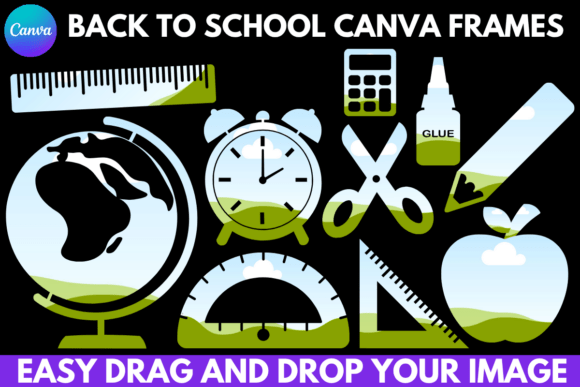
Twelve back-to-school Canva frames provide editable shapes for education-themed creative work. Their sizes can be scaled up or down, while the drag-and-drop workflow makes it straightforward to place visual content into the frames.
- Includes 12 back-to-school Canva frames.
- Adjustable frame sizes can be scaled up or down.
- Uses drag-and-drop Canva editing.
- Works with a free Canva account according to the listing.
Consider: Its school theme makes this a more focused option than multipurpose frame collections.
13. 30 Retro Christmas Canva Frame Bundle — Best for Retro Holiday Graphics
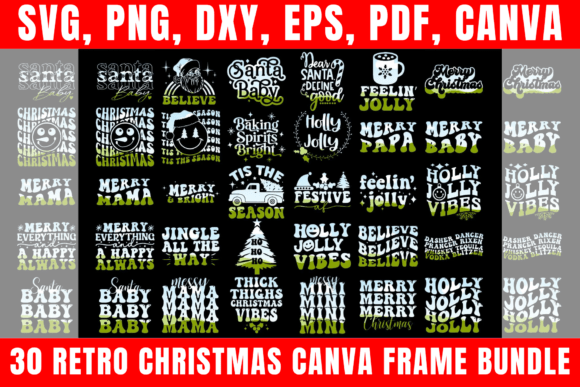
Thirty retro Christmas frame designs create a substantial seasonal collection for cards, invitations, digital scrapbooking, social posts, banners, printable art, decor, gifts, and crafts. The Canva templates are described as editable and customizable.
- Includes 30 unique retro Christmas frame designs.
- Editable Canva templates.
- Source lists SVG, PNG, PDF, and DXF compatibility.
- Intended for a broad range of holiday projects.
Keep in mind: The retro Christmas styling makes this primarily a seasonal collection rather than an all-year frame set.
14. 12 Christmas Balls Canva Frame Bundle — Best for Ornament Designs
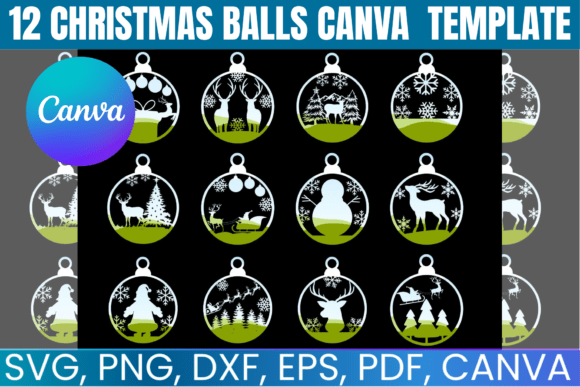
Twelve Christmas-ball frames combine holiday scenes with ornament-oriented design elements. The collection includes a Canva link for drag-and-drop editing alongside files intended for holiday crafts, decorations, printing, and laser-cutting projects.
- Includes 12 Christmas ball frame designs.
- Canva link supports drag-and-drop editing.
- Includes SVG, PNG, DXF, and PDF files.
- Source highlights holiday crafts, ornaments, and decor.
Consider: The ornament and Christmas-scene focus makes this bundle most relevant to festive projects.
15. Cute Pumpkins Canva Frame Bundle — Best for Cute Autumn Designs
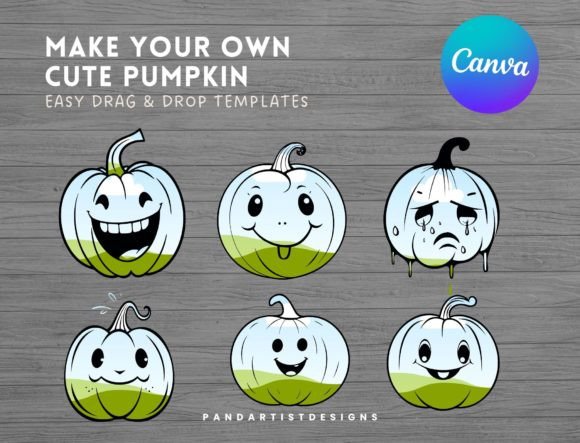
Six cute pumpkin Canva frames offer a seasonal way to fill pumpkin shapes with uploaded images or patterns. Each frame can be resized, and the supplied Canva template supports simple drag-and-drop placement.
- Includes six cute pumpkin frames.
- Frames can be resized to suit the project.
- Supports uploaded images or patterns.
- Free Canva accounts are supported and a tutorial is included.
Consider: The cute pumpkin theme is most useful when a seasonal or autumn-oriented shape fits the design.
16. Magical Pumpkins Canva Frame Bundle — Best for Whimsical Pumpkin Graphics
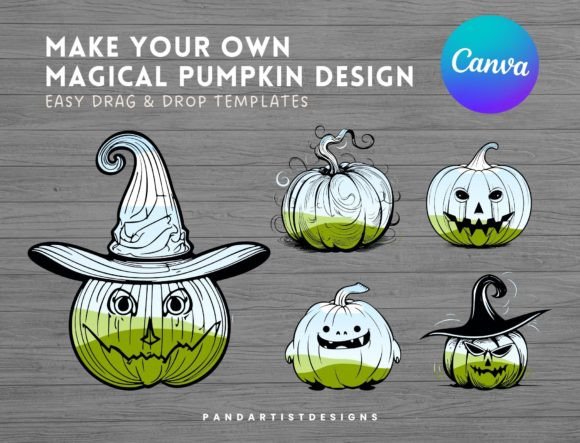
Five magical pumpkin Canva frames provide another seasonal option with resizable shapes. Users can upload images or patterns and fill the frames through drag-and-drop editing, with template access supplied through a PDF link.
- Includes five magical pumpkin frames.
- Resizable to fit different design needs.
- Supports image and pattern uploads.
- Free Canva account can be used and a tutorial is included.
Keep in mind: This set contains five frames and is specifically built around pumpkin imagery.
17. Brushstrokes Canva Frame Template — Best for Simple Drag-and-Drop Brushstrokes
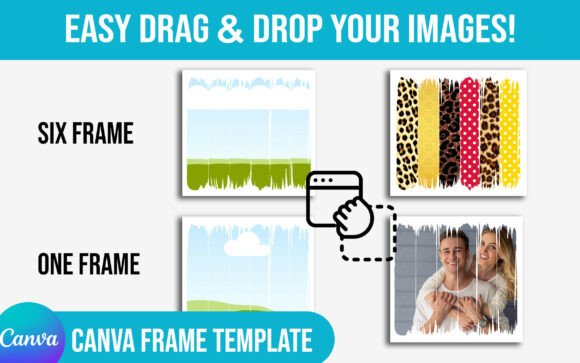
A straightforward brushstroke Canva frame template centered on easy drag-and-drop filling. The source associates it with brushstrokes, cracked and torn-paper effects, scrapbook texture, doodles, and other decorative frame concepts.
- Easy drag-and-drop filling.
- Canva template access is provided through a PDF link.
- Source associates the design with brushstroke and textured frame concepts.
- Designed as a digital template rather than a physical frame.
Consider: The source provides less structured feature information for this listing than for several of the larger frame bundles.
18. Coquette Bows Canva Frame Bundle — Best for Coquette-Inspired Creative Projects
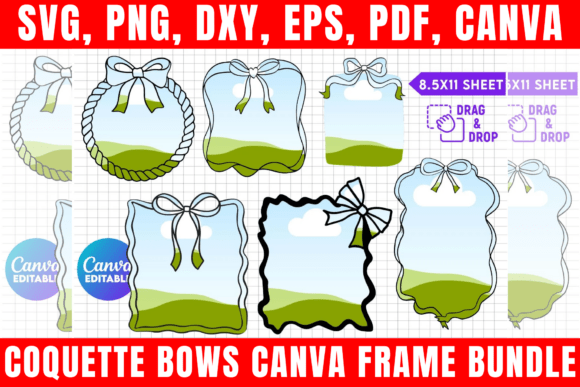
This separate coquette bow listing combines editable square borders with doodle bow styling for photo collages, digital planners, sublimation, and T-shirt projects. It supports drag-and-drop Canva customization and includes several additional digital file formats.
- Editable bow-border Canva frames.
- Supports drag-and-drop customization.
- Includes PNG, SVG, DXF, and PDF files.
- Source identifies cute, girly, and coquette-inspired project uses.
Keep in mind: Although its title closely matches another listing in this dataset, it has its own product URL and image; both listings share a very similar source description and coquette-bow concept.
How to Choose a Canva Frame
Start by deciding what role the frame needs to play. A photo collage usually benefits from structured grid frames, while brushstrokes and scribbles make the frame itself a stronger design element. Map, football, school, pumpkin, and Christmas frames are more specialized and make sense when their shape directly supports the subject.
Choose Between General and Themed Frames
General Canva frames elements such as grids, brushstrokes, scribbles, and whimsical shapes can work across multiple projects. Themed bundles are more efficient when you already know the subject: football frames for sports content, state or country shapes for geographic graphics, and Christmas or pumpkin frames for seasonal work.
Consider How You Want to Fill the Frame
Many products in this selection explicitly support drag-and-drop editing. Some descriptions specifically mention JPG or PNG images, while others refer more generally to images, patterns, or designs. Follow the workflow documented for the individual template rather than assuming every frame handles source files identically.
Check Canva Free and Pro Requirements
Several listings explicitly state that a free Canva account is sufficient for editing. There are exceptions worth noting: the Scribble bundle says transparent-background downloads require Canva Pro or higher, while the Square Grid template says some included elements are from Canva Pro but can be replaced with free alternatives or your own designs.
Look at the Number and Variety of Frames
Quantity matters most when you need variation. The World Country Map collection covers 216 countries, while the U.S. bundle covers 50 states. The football set has 23 frames, the Retro Christmas bundle has 30, and several smaller themed collections contain five or six. A compact set may be sufficient when its shapes precisely match your project.
How to Use Canva Frames Well
- Choose a frame shape that supports the content rather than distracting from it.
- Open the supplied Canva template using the access instructions included with the product.
- Upload the image, pattern, or supported visual you want to place inside the frame.
- Use drag-and-drop placement where the selected template supports it.
- Resize or adjust editable elements only where those capabilities are documented for the template.
- Check important photo details, text, and focal points before completing the design.
If you are using a Canva frame maker workflow for recurring content, visual consistency can be more useful than constantly changing frame styles. Reusing a compatible family of frames across related posts, pages, or campaign graphics can create a recognizable structure while allowing the images themselves to change.
Practical Canva Frame Decision Workflow
For photo collages and social layouts, start with the Square Grid Canva Frame Template because its source directly emphasizes editable collage layouts and multiple square configurations. If you want a less geometric appearance, the Paint Brush Stroke, Brush Strokes, Scribble, and Brushstrokes templates shift the design toward irregular and expressive shapes.
For decorative content, compare the Coquette Bows, Whimsical Frames, Dripping Borders, and Comic Speech Bubble bundles according to the visual language you need. Bows create a playful coquette treatment, dripping borders add a bold paint or slime effect, and speech bubbles are specifically suited to comic-inspired layouts.
When the subject already defines the shape, choose the specialized set rather than forcing a general frame to fit. The country and U.S. state bundles serve geographic projects, the football bundle addresses sports designs, Back to School covers education-themed work, and the Christmas and pumpkin sets provide seasonal options.
Frequently Asked Questions
What is a Canva Frame?
A Canva frame is a design element or template that provides a defined shape or area for visual content. In the products above, many frames are designed so users can place images, patterns, JPGs, or PNGs into decorative or themed shapes through drag-and-drop editing.
Can Canva frames be used for photo collages?
Yes. The Square Grid Canva Frame Template is explicitly intended for stylish photo collages, while the Coquette Bows description also lists photo collages among its possible uses. Brushstroke and other decorative frames can provide alternative layouts when a less geometric look is preferred.
Do these Canva frames work with a free Canva account?
Several listings explicitly support free Canva accounts, including the American Football, Paint Brush Stroke, Whimsical, World Country Map, Back to School, Cute Pumpkins, and Magical Pumpkins bundles. Requirements vary by product, so check the individual listing details before choosing.
What should I look for in Canva frames templates?
Focus on the shape, theme, number of frames, supported editing workflow, and how closely the template matches the final project. Also check documented Canva account requirements and any additional file formats if those matter to your workflow.
Can I resize Canva frames?
Some products explicitly support resizing. The American Football, Back to School, Cute Pumpkins, and Magical Pumpkins listings all describe frames that can be resized or scaled. Do not assume identical resizing behavior for a product unless its description supports it.
Are themed frames better than general Canva frame designs?
They serve different purposes. Themed frames can quickly establish context for sports, school, holidays, maps, or seasonal graphics. General grids, brushstrokes, scribbles, and whimsical shapes are easier to reuse when your content covers multiple subjects.
Final Thoughts
The right Canva Frame depends mainly on what you want the shape to contribute to the finished design. The Square Grid template is closely aligned with photo-collage work, while brushstroke and scribble options provide more expressive alternatives. Decorative bows, drips, whimsical frames, and speech bubbles give the frame itself a stronger visual role.
For topic-specific projects, the map, state, football, school, Christmas, and pumpkin collections narrow the choice further. Matching the frame’s documented editing workflow and visual style to your actual project is more useful than choosing the largest bundle by default.