17 Best Canva Planner Template Designs for Printable and Digital Planning
A Canva Planner Template gives you a ready-made structure for organizing schedules, tasks, goals, business activities, meals, budgets, events, and other planning needs. The options in this roundup range from compact daily and weekly layouts to larger printable collections and specialized planners for business, KDP, weddings, meals, assignments, and holidays.
These 17 products were selected for their direct relevance to planner creation and the different planning workflows represented in the supplied collection. The guide will help you compare page types, sizes, customization options, printable formats, and intended uses without assuming that the largest bundle is automatically the right choice.

Why These Canva Planner Templates Are Worth Considering
Planner projects can be very different. Some people need a simple daily page with priorities and notes, while others want a complete yearly system or a niche planner with dedicated trackers and worksheets. A useful planner Canva template should therefore match the way the finished planner will actually be used.
This selection includes general-purpose layouts as well as more focused options for budgeting, business, assignments, meal planning, weddings, holidays, recipes, and publishing projects. Several also provide common printable sizes such as US Letter, A4, or A5, while others are designed around specific page dimensions or digital workflows.
Best Canva Planner Template Options
1. Printable Canva Planner Template — Best for Everyday Printable Planning
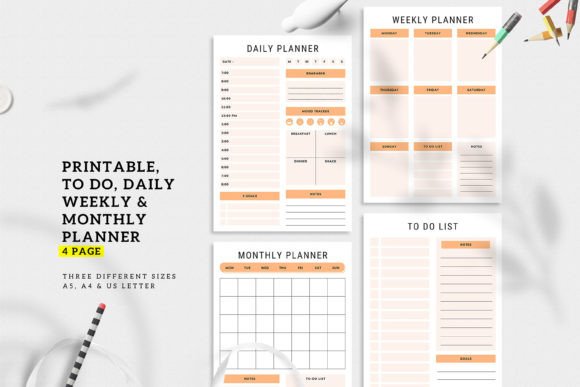
A compact four-page planner covering daily, weekly and monthly planning plus a to-do list. It comes in A4, A5 and US Letter sizes and supports changes to colors, fonts, layouts, images and backgrounds in Canva.
- Four planner pages: daily, weekly, monthly and to-do list.
- Includes A4, A5 and US Letter sizes.
- Editable Canva template link is included.
- PDF and JPEG files are listed in the package.
- Fonts, colors and other design elements can be customized.
Keep in mind: With four core page types, this is a focused option rather than an extensive multi-page planner system.
2. Pastel Canva Planner Template Set — Best for Year-to-Day Planning
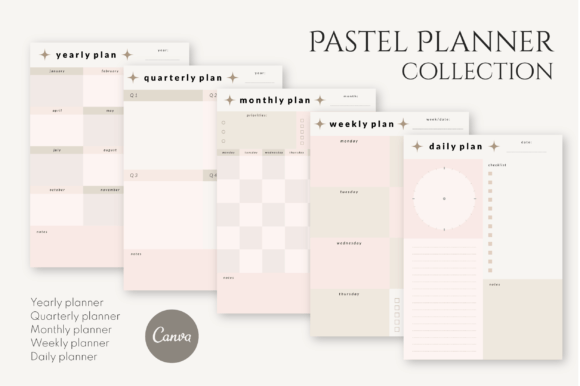
Five pastel planner templates create a simple planning sequence from yearly and quarterly views down to monthly, weekly and daily pages. The templates are described as fully customizable and come with PDF instructions for accessing them in Canva.
- Includes five digital planner templates.
- Yearly and quarterly layouts support longer-range planning.
- Monthly, weekly and daily pages cover shorter planning cycles.
- Templates are described as fully customizable.
- A PDF with Canva template instructions is included.
Keep in mind: The supplied description emphasizes five core scheduling layouts rather than specialized trackers or niche planning pages.
3. Canva Planner Template Bundle Printable — Best for Minimal Pastel Planner Projects
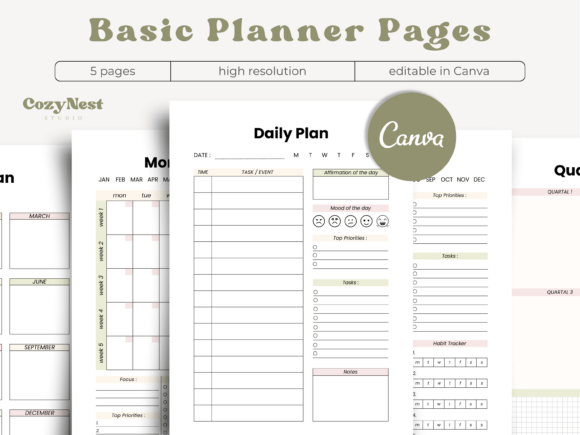
This five-page pastel bundle uses a clean, minimalist approach and includes yearly, quarterly, monthly, weekly and daily planner pages. The listing provides an editable Canva template and a printable PDF for personal planning or planner-building projects.
- Five planning pages with matching pastel styling.
- Covers yearly through daily planning.
- Includes an editable Canva template.
- Includes a five-page printable PDF.
- The listing describes uses including routines, goals, work, school and home organization.
Keep in mind: This bundle focuses on the main planning intervals rather than providing a large collection of supplementary trackers and lists.
4. PLR Canva Planner Template for Resell — Best for Hyperlinked Digital Planner Projects
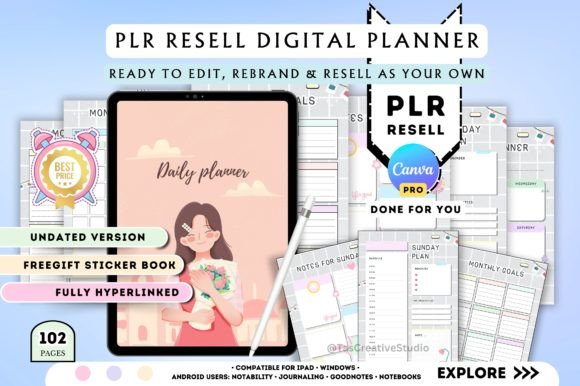
An undated digital planner with 102 pages and hyperlinked daily, weekly and monthly sections. The package also includes trackers, lists, notes, icons and tabs, giving digital-product creators a substantially larger framework to customize.
- Includes 102 planner pages.
- Daily, weekly and monthly pages are hyperlinked for navigation.
- Includes trackers, lists, notes, icons and tabs.
- The planner is undated for reusable scheduling.
- The listing specifies PLR resale rights.
Keep in mind: The supplied description explicitly states that a Canva Pro account is needed to access this template.
5. Printable Canva Planner Template Bundles — Best for Large Printable Planner Collections
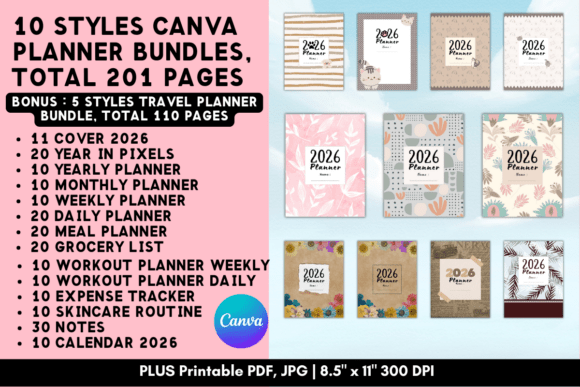
A broad printable collection covering yearly, monthly, weekly and daily planning alongside meals, groceries, workouts, skincare, expenses, notes and calendars. The templates use 8.5 × 11-inch pages and include Canva access plus printable JPG and PDF files.
- Includes multiple sets of yearly, monthly, weekly and daily planner pages.
- Adds meal, grocery, workout, skincare and expense-planning pages.
- Includes notes and calendar layouts.
- Pages are listed at 8.5 × 11 inches, 2550 × 3300 px and 300 DPI.
- Printable JPG and PDF files are included.
Keep in mind: This is a much broader collection than a simple schedule planner, so it is most relevant when you expect to use several different planning categories.
6. Editable Canva Daily Planner Template — Best for Daily Productivity Pages
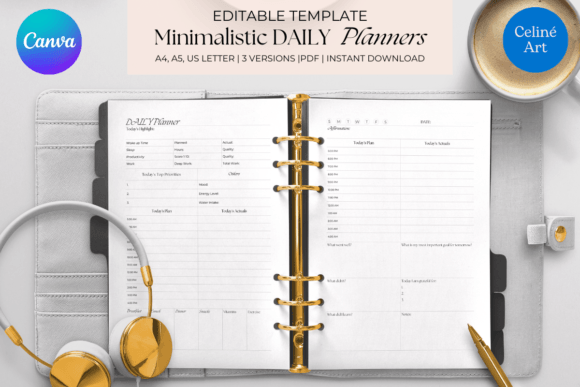
A daily productivity planner offered in four designs and three common page sizes. Colors, fonts and other design elements can be adapted for personal or business branding, making it a focused choice for users who primarily need daily organization.
- Four different planner designs are included.
- Available in US Letter, A4 and A5 sizes.
- Built around daily productivity planning.
- Colors and fonts can be customized.
- Design elements can be adapted to personal or business branding.
Keep in mind: The supplied description centers on daily productivity rather than a complete yearly or multi-category planner system.
7. Weekly Planner Editable Canva Template — Best for Weekly Tasks and Habit Tracking
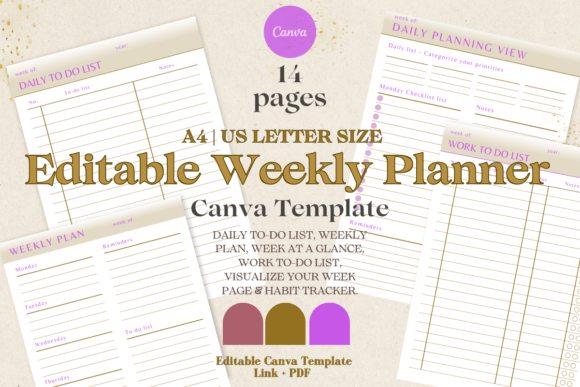
This weekly planner combines daily to-do lists, a weekly plan, week-at-a-glance view, work tasks, a visual week page and habit tracking. Its colors and styling can be changed in Canva, with US Letter and A4 print dimensions listed.
- Includes daily and work to-do list layouts.
- Provides weekly planning and week-at-a-glance pages.
- Includes a habit tracker.
- Colors and planner styling can be changed.
- US Letter and A4 print dimensions are specified.
Keep in mind: Its page set is specifically oriented toward weekly organization rather than long-range annual planning.
8. Canva Planner Template — Best for Simple Daily Scheduling
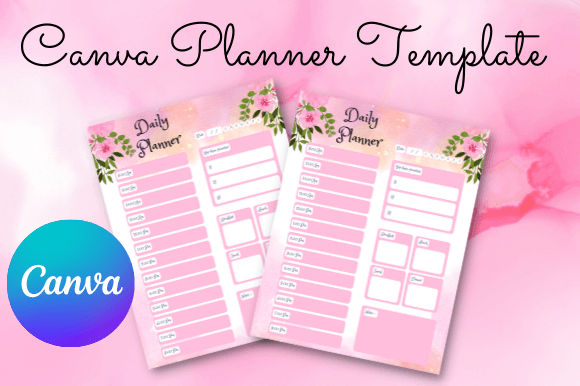
A straightforward planner layout with spaces for the date, weekdays, scheduled events, three priorities, meal planning and notes. The package includes JPEG and PDF files plus a PDF containing the Canva template and instructions.
- Provides date and weekday areas.
- Includes event scheduling and top-three priority sections.
- Adds meal-planning and notes areas.
- Includes one JPEG and one PDF file.
- A PDF with the Canva template and instructions is supplied.
Keep in mind: Choose this for a concise daily-style planning page rather than a large bundle with multiple specialized planner sections.
9. Printable Canva Business Planner Template — Best for Small Business Planning
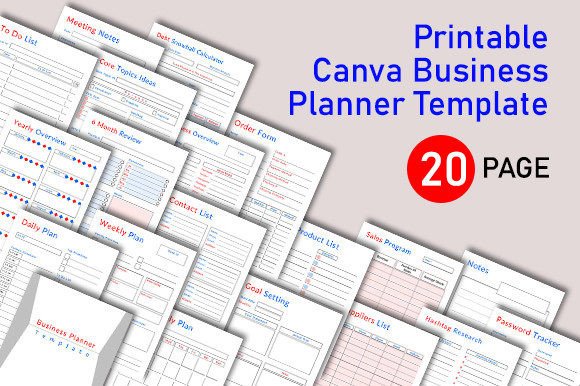
A 20-page A4 business planner covering daily through yearly planning alongside goals, meetings, contacts, products, suppliers, sales, hashtag research and other business records. It provides a more specialized structure than a general personal planner.
- Includes 20 page designs.
- Daily, weekly, monthly and yearly planning pages are included.
- Provides business overview, meeting notes and goal-setting pages.
- Includes product, supplier, order and sales-related layouts.
- The supplied page size is A4.
Keep in mind: Its page selection is geared toward business organization, so users seeking a purely personal lifestyle planner may not need many of its specialized layouts.
10. CANVA Budget Planner KDP Template — Best for Budget Planner Interiors
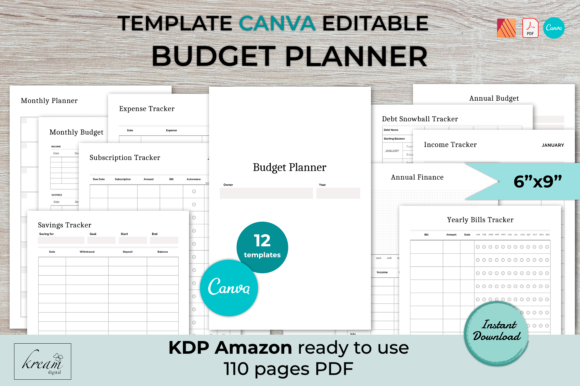
A finance-focused 6 × 9-inch planner with 12 editable page designs covering monthly budgets, income, expenses, subscriptions, debt, savings, annual bills and finance tracking. The package also includes a 110-page PDF described as ready for KDP upload.
- Contains 12 different editable planner page designs.
- Includes monthly and annual budgeting layouts.
- Provides income, expense, subscription, debt and savings trackers.
- Uses a 6 × 9-inch page dimension.
- A 110-page PDF for KDP and Affinity Publisher source files are listed.
Keep in mind: This template is centered on budgeting and KDP-style interiors rather than general daily productivity planning.
11. Editable 2027 Planner Canva Template KDP — Best for Dated KDP Planner Projects
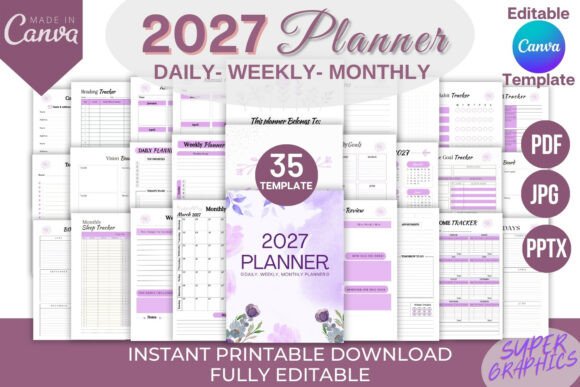
A dated 2027 planner with 170 pages and an editable Canva link. Its page set spans monthly, weekly and daily planning plus goals, reviews, income, habits, sleep, reading, contacts, passwords, birthdays, a vision board and notes.
- Includes a 2027 calendar and 170-page PDF.
- Monthly, weekly and daily planner sections are listed.
- Includes monthly goals and review pages.
- Adds income, habit, sleep, reading and goal trackers.
- The listing describes the files as ready for Amazon KDP upload.
Keep in mind: Unlike undated planner options, this product is specifically built around the 2027 calendar year.
12. Assignment Planner Canva Template — Best for Assignment Organization
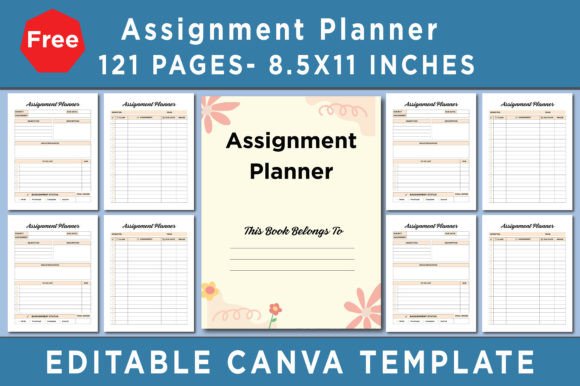
A focused assignment planner supplied as 121 Canva templates in 8.5 × 11-inch format. The listing includes an editable Canva link together with high-quality PDF, JPEG and PNG files, providing both editable and ready-to-use page formats.
- Includes 121 Canva templates.
- Built around assignment planning.
- Includes PDF, JPEG and PNG files.
- Uses 8.5 × 11-inch print dimensions.
- The listing specifies CMYK, 300 DPI and no bleed.
Keep in mind: The supplied checklist is narrowly focused on assignment planning, so it is a more specialized choice than a general daily or yearly planner.
13. Editable Meal Planner Canva Template — Best for Meal and Recipe Planning
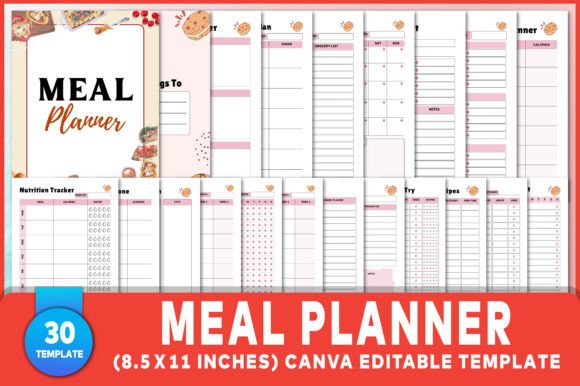
A 30-template meal-planning collection with weekly and daily meal pages, grocery lists, recipes, nutrition and food tracking, inventories, tasks and related layouts. The 8.5 × 11-inch package includes an editable Canva link plus PDF, JPG and PNG files.
- Includes 30 Canva templates.
- Provides daily and weekly meal-planning pages.
- Includes grocery lists, recipes and recipe cards.
- Adds nutrition, food, inventory and task trackers.
- Uses 8.5 × 11-inch pages and includes PDF, JPG and PNG files.
Keep in mind: Its content is highly focused on food and meal organization, making it less suitable when you need a general appointment or business planner.
14. Wedding Planner Canva Template — Best for Detailed Wedding Organization
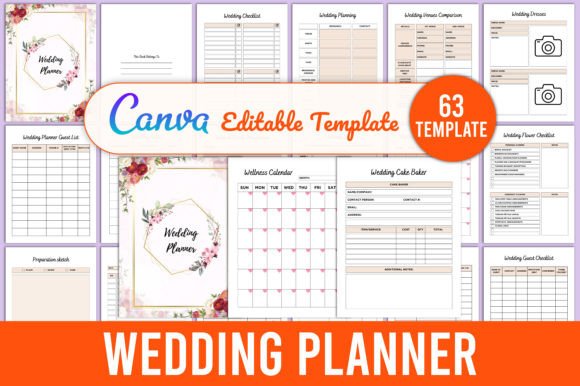
A detailed wedding-planning template covering venues, dresses, checklists, roles, guests, budgets, suppliers, payments, seating, colors, appointments and other event-planning tasks. The listing says it can be edited using a free Canva account.
- Includes venue and supplier planning pages.
- Provides wedding checklists, timelines and to-do layouts.
- Includes guest lists, seating charts and table layouts.
- Budget, expense and supplier-payment pages are listed.
- High-quality PDF, JPEG and PNG files are included according to the description.
Keep in mind: The extensive page set is specifically structured around wedding preparation rather than everyday personal planning.
15. Christmas Planner Canva Template — Best for Holiday Planning
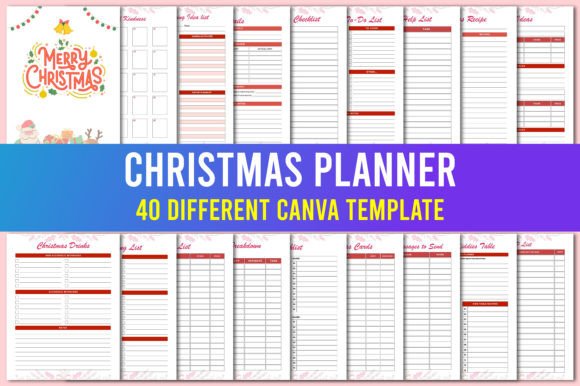
An editable seasonal planner built specifically around Christmas organization. The supplied description lists a free Canva account as sufficient for editing and includes high-quality print-ready PDF files together with editable Canva access.
- Designed specifically for Christmas planning.
- Editable through a Canva template link.
- The listing states that a free Canva account can be used.
- High-quality print-ready PDF files are included.
- The supplied instructions recommend making a copy in your own Canva account before editing.
Keep in mind: Its seasonal focus makes it a targeted choice for Christmas projects rather than an all-year general planner.
16. Animal Lover Canva Planner Template — Best for Pet-Themed Planner Designs
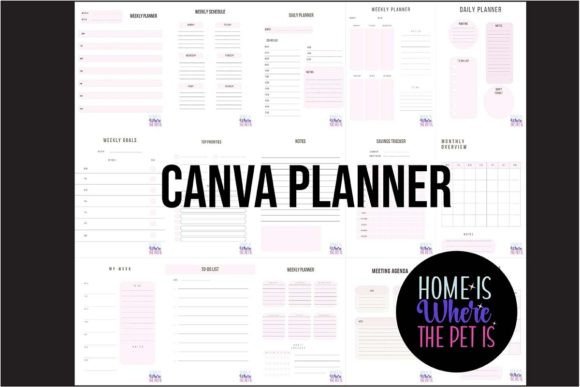
The “Home is Where the Pet is” planning kit includes 15 customizable Canva templates for animal lovers. Users can adapt the color palette, fonts and branding, while ready-to-print assets are supplied as 15 JPEG files and a 15-page PDF.
- Includes 15 Canva templates.
- Designed around an animal-lover theme.
- Color palette and fonts can be customized.
- Includes 15 JPEG files and a 15-page PDF.
- The description says both free and Pro versions of Canva can be used.
Keep in mind: The pet-centered theme is the main distinction, so it makes the most sense when that visual direction matches the intended planner audience.
17. Recipe Card Planner Canva Template — Best for Printable Recipe Organization
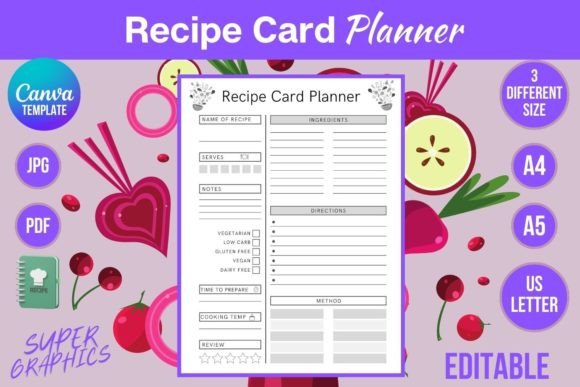
A customizable recipe card planner offered in US Letter, A4 and A5 sizes. The package includes printable PDF and JPG files in three sizes plus an editable Canva template that the description says works with both free and Pro Canva accounts.
- Available in US Letter, A4 and A5 sizes.
- Designed specifically for recipe-card planning.
- Includes printable PDF files.
- JPG files are supplied in three sizes.
- The Canva template is described as compatible with free and Pro accounts.
Keep in mind: This is the most narrowly focused option in the roundup, intended for recipe organization rather than broader scheduling or productivity planning.
How to Choose a Canva Planner Template
The best starting point is the planner’s intended job. A daily productivity page, a hyperlinked digital planner, a printable business organizer and a KDP budget interior solve different problems even though all of them fall under the broader Canva planner category.
Choose the Planning Time Frame
Decide whether you need daily detail, weekly organization, monthly scheduling or a full yearly structure. The Pastel Canva Planner Template Set and Canva Planner Template Bundle Printable cover yearly through daily planning, while the Editable Daily Planner and Weekly Planner concentrate more heavily on shorter planning cycles.
Match the Page Size to the Final Format
For a Canva planner template printable project, check dimensions before you start customizing. Several options provide US Letter, A4 or A5 formats, while the budget KDP template uses 6 × 9-inch pages. Choosing the appropriate format early can reduce the amount of resizing required later.
Decide Between a General and Niche Planner
General templates work well when you mainly need calendars, schedules and task pages. Specialized templates can save setup time when the project already has a clear purpose. This collection includes dedicated options for business, budgeting, assignments, meals, weddings, Christmas planning, pets and recipes.
Compare Compact Sets With Larger Systems
A four- or five-page planner may be sufficient when you only need essential planning views. Larger products can make more sense for projects requiring trackers, notes, reviews and specialist pages. The important question is not simply how many pages are included, but how many are relevant to the workflow you want to create.
Check Canva Account Requirements
Do not assume every third-party template has identical Canva requirements. Several listings in this roundup explicitly mention use with a free Canva account, while the PLR Canva Planner Template for Resell specifically states that Canva Pro is required. Check the supplied product requirements before choosing.
Canva Planner Template Ideas for Different Projects
Useful Canva planner template ideas start with a repeated planning problem. A productivity planner might focus on priorities, tasks and schedules. A small-business planner could organize goals, meetings, suppliers and sales activities. Meal planners need space for menus, groceries and recipes, while event planners may require budgets, guest lists and timelines.
You can also build around the frequency of use. Daily pages work well for detailed scheduling, weekly pages provide a broader view of commitments, and monthly or yearly layouts help with longer-term planning. Combining these levels can create a more complete planner, but a focused one-page or five-page product can be equally practical when the use case is narrow.
How to Use a Canva Planner Template Well
Begin by deciding which pages are actually needed. Removing unnecessary layouts can make a planner easier to navigate and keep the design focused. Then customize only the elements supported by your chosen template, such as fonts, colors, text, backgrounds or page elements.
- Define the planner’s purpose. Decide whether it is primarily for schedules, productivity, budgeting, business, meals, events or another specific activity.
- Choose the necessary page types. Identify the daily, weekly, monthly, tracking or specialist pages that support that purpose.
- Confirm dimensions. Check whether the final project requires US Letter, A4, A5, 6 × 9 inches or another supplied format.
- Customize consistently. Where supported, use a consistent font system, color palette and layout treatment across related pages.
- Keep writing areas practical. Avoid filling task boxes, schedules and notes areas with unnecessary decoration.
- Review the finished pages. Check that page order, labels and recurring elements remain consistent before exporting or printing.
A Practical Planner Template Decision Workflow
For straightforward personal organization, the Printable Canva Planner Template, Pastel Canva Planner Template Set and simple Canva Planner Template provide relatively focused page structures. The Weekly Planner adds habit tracking and multiple weekly views, while the Editable Daily Planner concentrates on daily productivity in several print sizes.
For larger projects, the Printable Canva Planner Template Bundles covers many categories, while the PLR planner supplies 102 pages with hyperlinks, tabs and additional planner elements. The 2027 KDP template is another extensive option, but its dated structure makes it specifically relevant to 2027 projects.
If the project has a defined niche, start there instead of adapting a generic planner unnecessarily. The Business Planner focuses on company organization, the Budget Planner on finances, the Assignment Planner on assignment management, and the Meal Planner on food and recipe planning. Wedding, Christmas, animal-lover and recipe-card templates provide still more specific directions.
Frequently Asked Questions
What is a Canva Planner Template?
A Canva Planner Template is a pre-designed planner layout that can be customized in Canva according to the editing options provided with that specific product. Templates may include daily, weekly, monthly or yearly pages as well as trackers, lists, worksheets and niche-specific planning sections.
Can I find a Canva planner template free to edit?
Canva itself offers planner templates that can be customized in its editor, including free options. For third-party products, however, account requirements vary. In this roundup, some supplied descriptions explicitly support free Canva accounts, while the PLR Canva Planner Template for Resell states that Canva Pro is required.
Which Canva planner template printable size should I choose?
Choose the size according to the intended output. US Letter is especially relevant for many United States printing workflows, while A4 and A5 are also common planner formats. Publishing projects may use other dimensions, such as the 6 × 9-inch format supplied with the budget KDP template.
Should I choose a dated or undated planner template?
A dated template makes sense when your project is tied to a particular calendar year, while an undated structure can be reused without changing dates. The supplied collection includes both approaches, including an explicitly undated PLR planner and a dated 2027 KDP planner.
What pages are useful in a general Canva planner?
Common core pages include yearly, monthly, weekly and daily planning views, along with to-do lists and notes. Depending on the intended audience, trackers, goals, reviews, meal plans, budgets or business pages can be added when they support the planner’s main purpose.
Is a larger Canva planner bundle always better?
No. A large bundle is useful when you genuinely need its range of page types, but a smaller set can provide a clearer workflow for a focused project. Compare the included layouts with your intended planner structure rather than choosing solely by page count.
Final Thoughts
Choosing a Canva Planner Template is easier when you start with the planner’s intended workflow. For everyday scheduling, a compact daily, weekly or multi-period template may provide everything needed. Larger bundles make more sense when the project requires numerous trackers, notes and supplementary planning pages.
For specialized projects, the business, budget, assignment, meal, wedding, Christmas and recipe options can reduce the amount of restructuring required. Compare the documented page types, dimensions, Canva requirements and customization options with the final use case, then choose the template whose existing structure most closely matches the planner you want to create.