16 Best Canva Course Template Options for Workbooks, Slides and Sales Pages
A Canva Course Template can simplify the visual side of building an online course, from creating student workbooks and lesson materials to preparing sales pages, presentation slides, proposals, and promotional mockups. The options below cover several parts of that workflow, giving course creators different starting points depending on what they need to design.
These 16 products were selected primarily for their relevance to course creation and related content. The roundup prioritizes dedicated course workbooks and course-creator templates, followed by supporting designs for sales, presentations, promotion, training proposals, and specialized course content.

Why These Canva Course Templates Are Worth Considering
Course creation involves more than one type of page. A student-facing workbook may need lesson introductions, exercises, checklists, assessments, and resources, while the business side of a course may require a sales page, promotional graphics, presentation slides, or a training proposal.
The products in this selection reflect those different needs. Some function as a comprehensive course creator workbook Canva template, while others focus on individual parts of the course-development and promotion process. That variety makes it easier to compare templates by their actual intended role rather than visual appearance alone.
Best Canva Course Template Options
1. Course WorkBook Template — Best for Comprehensive Course Workbooks
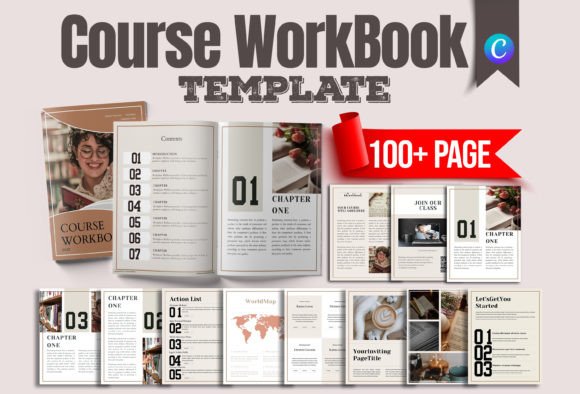
A multi-purpose Canva course workbook built for online courses, workshops, webinars, resource libraries and lead magnets. Its extensive page selection covers everything from introductions and chapters to assessments, checklists, resources, testimonials and action-oriented layouts.
- Designed specifically as a Canva Course Workbook Template.
- Includes cover, welcome, contents, onboarding and chapter pages.
- Provides text, image, quote, testimonial and success-story layouts.
- Includes assessments, checklists, action lists, guides and resource pages.
- Basic Canva knowledge is recommended in the product description.
Keep in mind: The large variety of page types makes this particularly suited to creators who want a broad workbook framework rather than a narrowly focused document.
2. ECourse Ebook & Workbook for Canva — Best for Structured 60-Page Course Materials
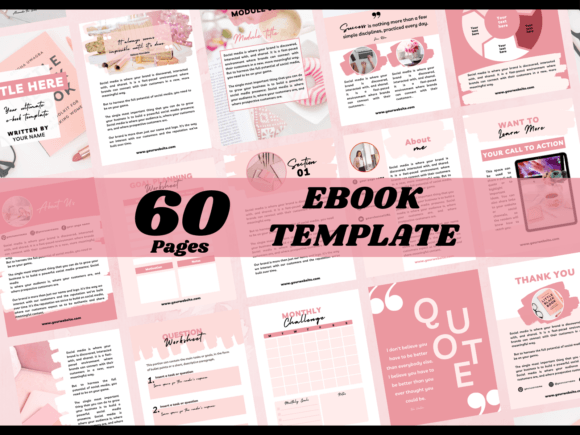
This 60-page eCourse workbook gives coaches, course creators and influencers a structured mix of covers, introductions, modules, lessons, worksheets, charts, resources and CTA pages. The mix-and-match format allows creators to assemble materials around their own course content.
- Includes 60 mix-and-match pages.
- Provides four cover variations and multiple introductory layouts.
- Includes module, section and lesson introduction pages.
- Contains 12 worksheets plus content and chart pages.
- The source lists a Canva link with 60 pages sized 8.5 × 11 inches, PDF instructions and 60 PNG files.
Keep in mind: Its 60-page structure is geared toward workbook and ebook content rather than course presentation slides or a standalone sales page.
3. Course Template, Course Creator, Beige — Best for Branded Coaching Workbooks
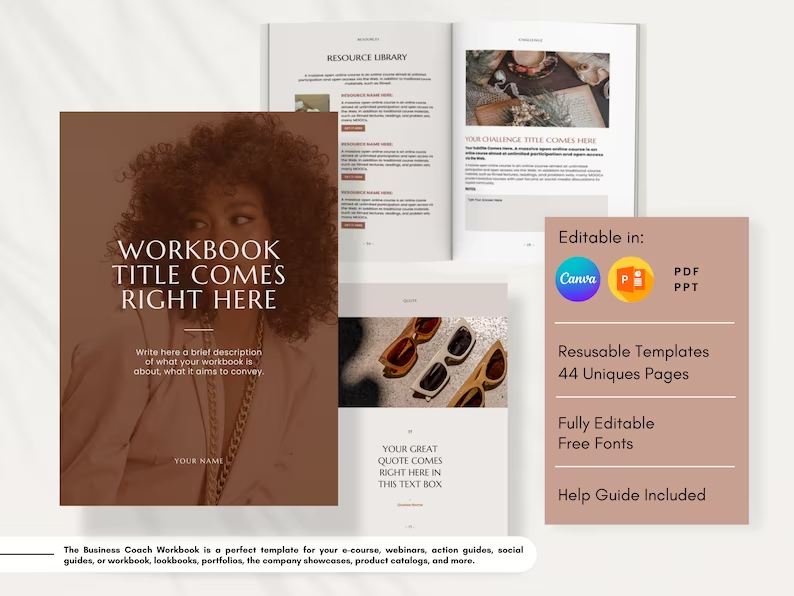
A beige modern Business Coach Workbook intended for e-courses, webinars, action guides and other professional materials. Customizable branding, typography, charts and graphs make it especially relevant to creators developing visually consistent coaching content.
- Suitable for e-courses, webinars and action guides.
- Also described for workbooks, lookbooks, portfolios and company showcases.
- Includes built-in charts and graphs.
- Typography and other design elements can be customized.
- The listing specifies Canva and PowerPoint compatibility.
Keep in mind: Its beige modern presentation gives it a more defined starting aesthetic than a purely neutral framework.
4. Canva Online Course Workbook Template — Best for Simple Brand Customization
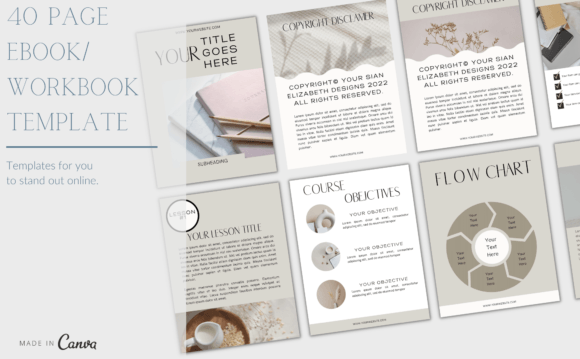
A fully editable online course workbook designed for business, marketing, branding and related content. It can be customized on a computer or mobile device to match existing brand styling, making it a straightforward option for creators who already know what content they want to add.
- Fully editable templates are specified.
- Designed for business, marketing and branding applications.
- Can be customized from a computer or mobile device.
- Delivered through a PDF containing instructions and Canva access links.
Keep in mind: The supplied description does not specify a page count or detailed inventory of page layouts.
5. Canva Online EBook Editable Templates — Best for 40-Page Coaching Content
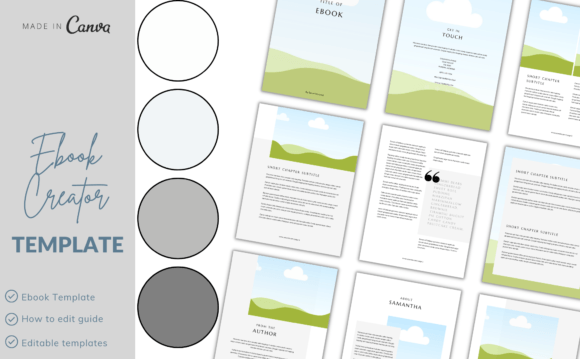
A 40-page editable Canva collection positioned for online course workbooks, coaching worksheets and coaching tools. Creators can add logos, change fonts and insert pictures, giving the set a practical foundation for adapting course materials to an existing visual identity.
- Includes 40 customizable ebook pages.
- Described for online course workbooks and coaching worksheets.
- Logos, fonts and pictures can be customized.
- Editing is supported from computer or mobile devices.
- The file includes PDF instructions and links for Canva access.
Keep in mind: This option is centered on ebook and workbook pages rather than the broader launch assets included elsewhere in the roundup.
6. Canva Ebook/Workbook Template — Best for Flexible Coaching Workbooks
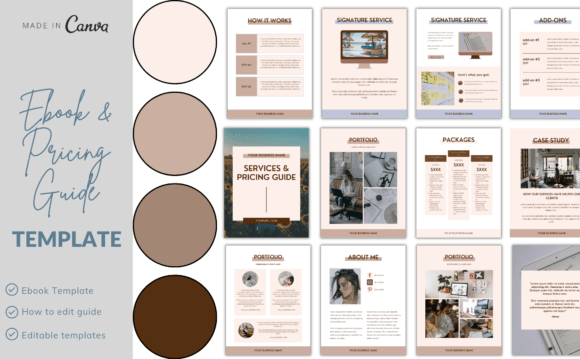
An editable Canva workbook aimed at online courses, coaching worksheets and branded business content. Its description emphasizes flexible editing across devices and an intuitive drag-and-drop workflow, making it relevant to creators who want to personalize an existing workbook structure.
- Positioned as an online course workbook and coaching worksheet template.
- Fully editable for business, marketing and branding use.
- Can be accessed on phone, computer or tablet according to the source.
- Uses Canva’s drag-and-drop editing approach.
- PDF instructions and Canva template links are included.
Keep in mind: The source does not provide a specific page count, so creators looking for a defined number of layouts may prefer an option with more detailed page information.
7. Course Sales Page Template Canva — Best for Canva-Hosted Course Sales Pages
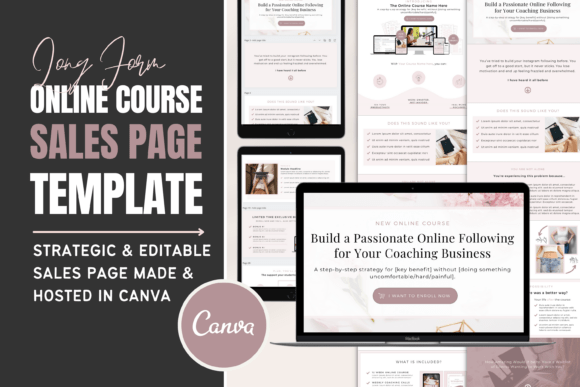
A dedicated course sales-page template that can be customized and hosted in Canva. Its layout includes sections for a headline, story, benefits, offer, bonuses, testimonials, instructor information, FAQs and pricing details, providing a focused asset for the launch side of course creation.
- Designed specifically as a course sales page.
- Customizable with brand colors, fonts and content.
- The source states that the page can be hosted in Canva.
- Includes offer, bonus, testimonial, instructor bio and FAQ sections.
- Uses drag-and-drop editing.
Keep in mind: This template is for promoting and presenting a course offer rather than creating lesson or workbook content.
8. Website Template, Course Sales Page — Best for Service-Based Course Offers
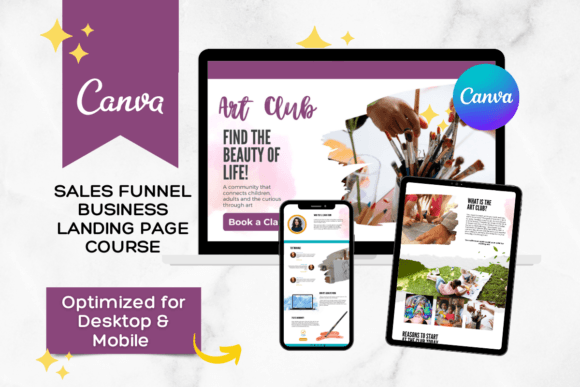
A single sales-page website template intended for online courses, digital products and service-business offers. It is editable with Canva’s free version and can be hosted directly on Canva, giving coaches and course creators a focused alternative to building the page on a separate website platform.
- Includes one sales-page website template.
- Intended for course creators, coaches and service providers.
- Fully editable in Canva’s free version according to the source.
- Can be hosted directly on Canva.
- Access is supplied through a PDF with a template link and instructions.
Keep in mind: This is a sales-page asset rather than a student workbook, course ebook or lesson template.
9. Pitch Deck Template, Course Slide Deck — Best for Course Presentations
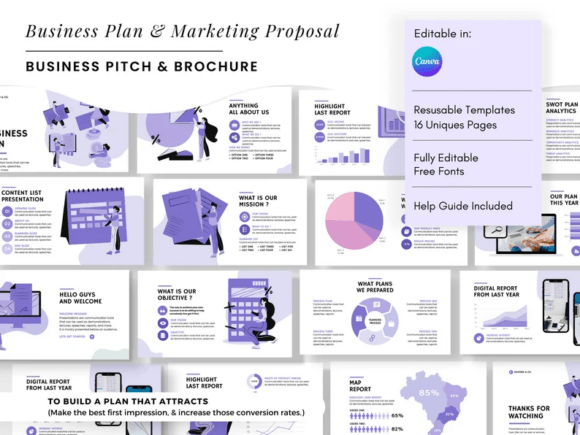
A modern pitch and course slide deck intended for project plans, business webinars and presentation-based course material. Its Canva slide-deck format and PowerPoint integration make it the most presentation-focused option in this selection.
- Designed as both a pitch deck and course slide deck.
- Suitable for project plans and business webinars.
- Includes a Canva Slide Deck format.
- The description specifies PowerPoint integration.
- Uses a modern presentation style.
Keep in mind: Its primary role is presentation delivery, so it serves a different part of the course workflow than workbook-oriented templates.
10. Digital Product Mockup Listing Canva Template — Best for Promoting a Course Visually
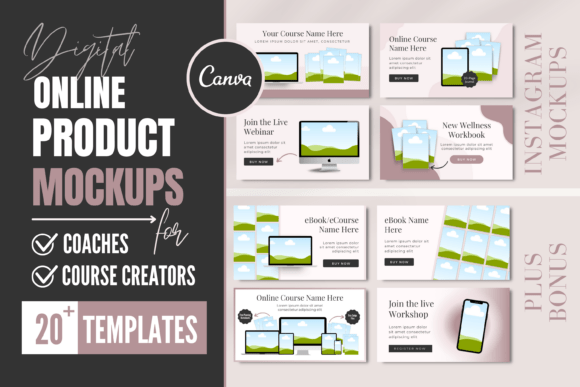
A course mockup template for presenting an online course on websites, blogs, sales pages or Instagram. The bundle combines 20 Canva mockup pages with 20 matching Instagram mockups and starts with a blush-pink design that can be adapted to different brand colors and fonts.
- Includes 20 Canva template mockups.
- Includes 20 matching Instagram mockups.
- Brand colors, fonts and content can be customized.
- Uses drag-and-drop editing.
- A PDF guide and tutorial are listed.
Keep in mind: This is a promotional mockup set, not a template for building the educational content of a course.
11. Training Course Proposal Template Canva — Best for Professional Training Proposals
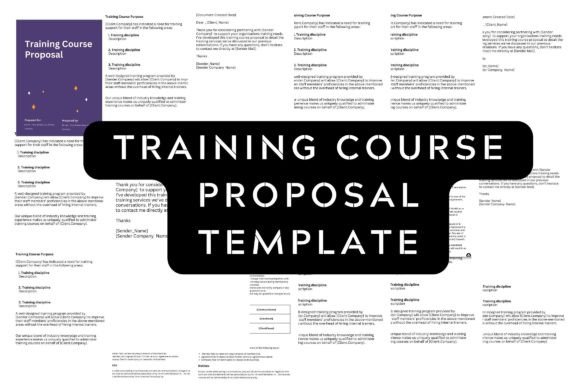
A five-page Canva proposal template designed for companies and consultants offering professional training services. It provides a more business-oriented course asset, with editable imagery, colors, fonts, elements and backgrounds in an A4 document format.
- Contains five pages.
- Designed for professional training proposals.
- Includes sample files and an editable template.
- Images, colors, fonts, elements and background colors are editable.
- The source specifies an A4 document size and Canva as the editing tool.
Keep in mind: This template addresses the proposal stage of a training engagement rather than the course lessons themselves.
12. Training Program Proposal Template — Best for Training Program Documentation
A five-page editable proposal document for businesses and consultants providing outsourced professional training. The A4 Canva template allows changes to images, fonts, colors, elements and backgrounds and is intended to create a structured business-facing training proposal.
- Five-page proposal design.
- Intended for companies and professional training consultants.
- Includes sample files and an editable template.
- Images, fonts, colors and elements can be changed.
- The listing specifies an A4 Canva document.
Keep in mind: Its purpose closely overlaps with the preceding training proposal option, so the two are more relevant to proposal workflows than student course materials.
13. EBook Template — Best for Compact 11-Page Course Content
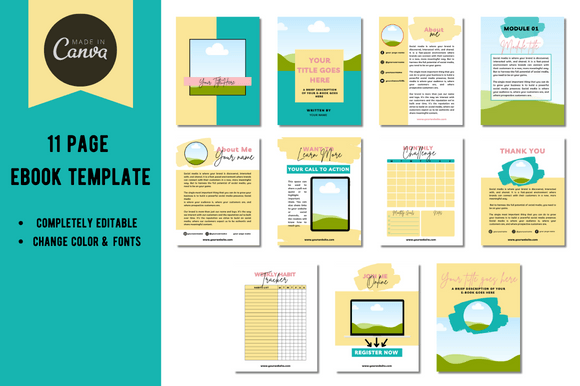
An 11-page editable Canva ebook that can be adapted for an online course, lead magnet or freebie. Its relatively compact format makes it a practical option when the project calls for a shorter course-related document rather than a large multi-module workbook.
- Includes 11 pages.
- Editable in Canva.
- The description lists online courses, lead magnets and freebies as potential uses.
- The template is described as customizable and editable.
Keep in mind: With 11 pages, it is more compact than the dedicated 40- and 60-page workbook options in this selection.
14. TikTok Shop Affiliate Course EBook — Best for a Ready-Made Niche Course Ebook
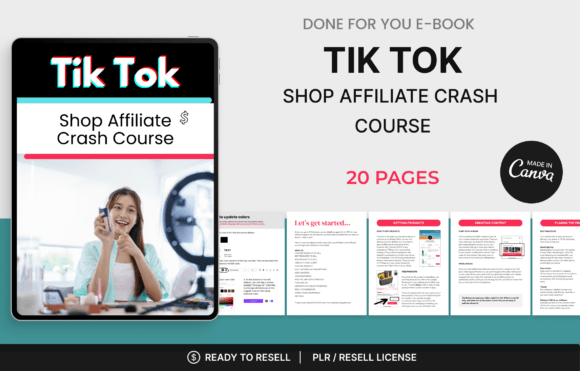
A 20-page Canva-editable course ebook focused specifically on TikTok Shop affiliate content. It covers product selection, affiliate access, scripts, filming, captions, campaigns, product links, ads, engagement and commission tracking, making it a content-specific option rather than a blank course framework.
- Contains 20 pages.
- Fully editable in Canva according to the listing.
- Covers TikTok Shop affiliate workflows and content creation.
- Includes product promotion, scripts, captions and campaign topics.
- The supplied description explicitly states that PLR rights are included.
Keep in mind: Unlike a general-purpose course Canva template, this product already centers on one specific subject: TikTok Shop affiliate education.
15. Done for You Canva Crash Course Ebook — Best for Teaching Canva Basics
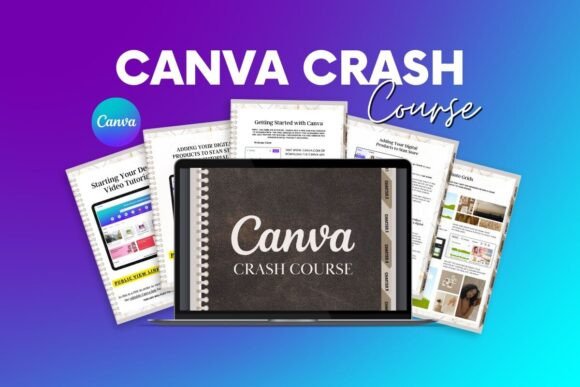
A 22-page Canva crash course covering platform basics, workspace navigation, tools, font pairing, project sharing and related digital-product topics. It also includes a video walkthrough, making it a ready-made educational resource rather than a blank template for an unrelated course topic.
- Includes a 22-page guide.
- Covers Canva basics, workspace navigation and tools.
- Includes font-pairing and project-sharing topics.
- A video walkthrough tutorial is listed as a bonus.
- The source describes access to an editable Canva template through the downloaded PDF.
Keep in mind: The course subject is Canva itself, so it is less flexible than a blank workbook intended to hold a creator’s own curriculum.
16. Canva Crash Course — Best for Beginner Canva Training
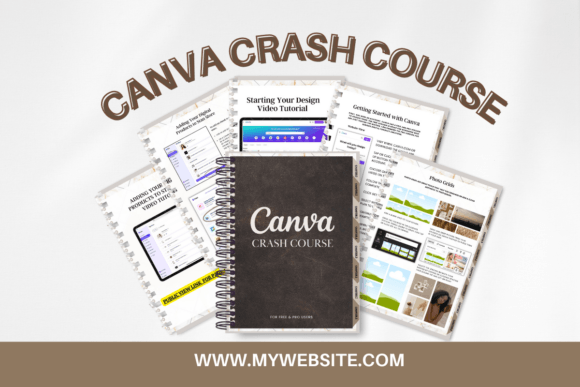
This 22-page beginner guide teaches Canva basics, tools, font pairing and project sharing, with additional material on Stan Store products and ebook editing. An editable Canva template and step-by-step video tutorial are included, making it another ready-made Canva training resource.
- Includes a 22-page beginner guide.
- Covers Canva basics, tools, font pairing and sharing projects.
- Includes a step-by-step video tutorial.
- The downloaded PDF provides access to an editable Canva template.
- Also discusses adding products to Stan Store and editing ebooks.
Keep in mind: This is prewritten beginner training about Canva rather than a general Canva online course template for building a course on another subject.
How to Choose a Canva Course Template
Start by identifying which part of the course workflow you are designing. A course workbook, slide deck, sales page, promotional mockup and training proposal solve different problems, even when they are all editable in Canva. Matching the template type to the intended deliverable is more useful than choosing on appearance alone.
Workbook or Presentation?
A Canva course workbook template is useful when students need pages they can read, complete or reference alongside lessons. Presentation-oriented templates are better suited to visual lesson delivery, webinars or live teaching. Some course projects may benefit from both formats.
Check the Page Structure
Think about the content your course actually requires. Module introductions, lesson pages, worksheets, checklists, assessments, resource pages and calls to action each serve different purposes. A large page library can provide flexibility, while a compact template may be easier to manage for a short course or resource.
Consider Brand Customization
If the course belongs to an established brand, look at the customization supported by the specific product description. Several options in this roundup explicitly allow changes to fonts, colors, images, logos or other design elements, while others provide a more defined starting aesthetic.
Choose Between Blank Frameworks and Ready-Made Course Content
Most course creators who already have a curriculum will want a visual framework into which they can place their own material. The TikTok Shop and Canva Crash Course products are different: their supplied descriptions indicate that they already contain educational material on specific topics. That distinction matters when deciding how much original course content you need to add.
Plan the Supporting Launch Materials
Course materials are only one part of a launch. If you already have the curriculum and workbook, a sales-page or mockup template may fill a more immediate gap. Likewise, consultants offering structured training to organizations may have greater need for a proposal template than another student workbook.
How to Use a Canva Course Template Well
Before editing individual pages, map the course structure. List the modules, lessons, exercises, supporting resources and calls to action that students will encounter. This gives you a clearer basis for deciding which supplied layouts are useful and which can be removed.
- Outline the curriculum first. Establish modules and lessons before choosing page layouts.
- Match layouts to content. Use worksheet, assessment, checklist or resource pages only where they support the learning material.
- Create a consistent visual system. Where the selected product supports customization, align fonts, colors, imagery and other editable elements with the course brand.
- Keep repeated pages consistent. Module and lesson pages should follow a predictable hierarchy so students can understand the structure quickly.
- Separate teaching from promotion. Student materials, sales pages and promotional mockups have different purposes and should be developed accordingly.
- Review the finished sequence. Check that pages appear in a logical order and that every exercise, resource or CTA has a clear role.
A Practical Course Template Decision Workflow
For creators primarily building student materials, the Course WorkBook Template offers the broadest documented variety of page types in this selection, while ECourse Ebook & Workbook for Canva provides a clearly defined 60-page structure. The 40-page Canva Online EBook Editable Templates may suit creators who want a substantial but more focused coaching workbook.
If presentation delivery is the priority, the Pitch Deck Template, Course Slide Deck is the most directly aligned option. If the educational materials are already finished and the next task is launching the offer, the two course sales-page templates focus on presenting the offer, while the Digital Product Mockup Listing Canva Template concentrates on promotional visuals.
Training providers working with companies can instead look toward the proposal templates. Their supplied descriptions focus on presenting professional training services rather than creating student lessons. For a short supplementary document, the 11-page EBook Template provides a more compact format.
Finally, distinguish editable design frameworks from products that already contain niche educational material. The TikTok Shop Affiliate Course EBook and the two Canva crash-course products are relevant to course creation, but they begin with specific subject matter rather than serving as neutral templates for any curriculum.
Frequently Asked Questions
What is a Canva Course Template?
A Canva Course Template is a pre-designed visual framework that can be used for course-related materials such as workbooks, ebooks, lesson resources, slide decks, sales pages or promotional assets. The exact contents and editing options depend on the individual template.
What should a Canva online course template include?
That depends on how the course is delivered. Workbook-based courses may benefit from module introductions, lesson layouts, worksheets, checklists, assessments and resource pages. Presentation-led courses may instead prioritize slides, while course launches can require separate sales and promotional materials.
What is the difference between a course workbook and a course slide deck?
A workbook is generally structured around material students read, reference or complete, while a slide deck is organized for visual presentation. A course can use both: slides for teaching and a workbook for exercises, notes, resources or follow-up activities.
How do I choose a course creator workbook Canva template?
Compare the template’s documented page types with your curriculum. If your course relies heavily on exercises, look for suitable worksheet or assessment layouts. If it contains many modules and lessons, repeated section and lesson pages may be more important. Also check any documented customization options and dimensions relevant to your workflow.
Can a Canva course workbook template be customized to a brand?
Several templates in this selection explicitly support changes to elements such as fonts, colors, images, logos or content. The available customization varies by product, so check the specific template description rather than assuming every course design includes the same editing options.
Do I need a course sales page as well as a workbook?
They serve different purposes. A workbook supports the educational experience, while a sales page presents the course offer to prospective customers. If you are building both the learning materials and the launch assets, separate templates can help address each part of the workflow.
Final Thoughts
Choosing a Canva Course Template starts with deciding what you are actually creating. A comprehensive workbook may need modules, lessons, worksheets and assessments, while a presentation-led course needs a different structure. Sales pages, mockups and proposals support separate stages of the course and training workflow.
For a substantial workbook, the Course WorkBook Template and 60-page ECourse Ebook & Workbook provide particularly detailed course-focused structures in the supplied selection. Creators who already have their learning materials can instead focus on a course slide deck, sales-page template or promotional mockup according to the next asset they need to build.