12 Best Canva Presentation Templates for Professional and Creative Slides
Canva presentation templates can give you a structured visual starting point for business decks, project proposals, educational presentations, webinars and brand-focused slides. The 12 options below cover a useful range of presentation needs, from versatile business layouts to more specialized templates for schools, online courses and brand guidelines.
The selections were ranked primarily by how closely their documented purpose fits presentation creation in Canva. The roundup also considers versatility, customization options and the specific presentation scenarios described for each template, helping you compare practical Canva presentation templates ideas without relying on appearance alone.
Why These Canva Presentation Templates Are Worth Considering
Presentation templates are most useful when their structure fits the information you need to communicate. This selection includes broad multipurpose decks alongside layouts built around proposals, business planning, education, online teaching and brand guidelines. That variety makes it easier to start with a design whose intended purpose already resembles your project.
Several options also document useful editing features such as customizable colors and fonts, image placeholders, charts or editable content. Others distinguish themselves through a specific aesthetic, including minimalist, abstract, elegant, monochrome and clean business styles. If you are searching for Canva presentation templates aesthetic enough for a particular brand or audience, those documented design directions can help narrow the choice.
Best Canva Presentation Templates
1. Templatera Canva Presentation Template — Best for Versatile Presentations
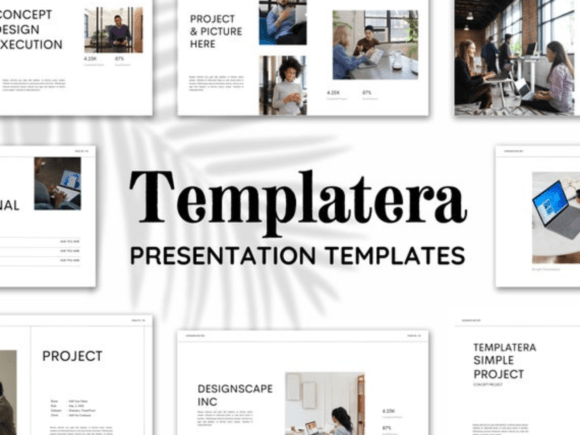
A versatile minimal business deck with 30 presentation templates sized at 1920 × 1080px. It combines clean layouts, creative photo arrangements and editable infographics, with customizable fonts and colors for projects ranging from business reports to school presentations.
- Includes 30 presentation templates.
- Slides are documented at 1920 × 1080px.
- Editable online in Canva.
- Fonts and colors can be customized for branding.
- Suitable for business reports, projects, school presentations, pitch decks, interviews and other documented uses.
Consider: Its broad range of stated uses makes this a strong general-purpose choice rather than a template focused on one narrow presentation type.
2. Company Presentation Canva Template — Best for Multipurpose Business Slides
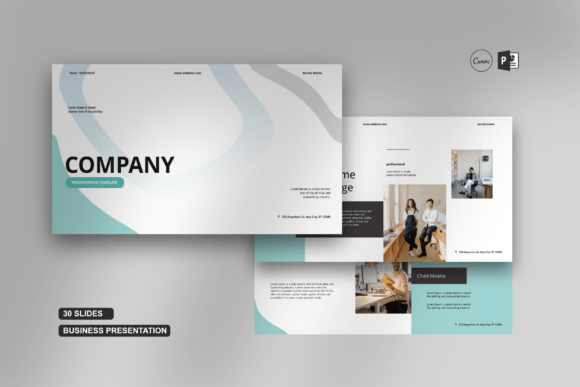
This versatile presentation is designed for business and creative projects, with Canva and PPTX files documented in the listing. Features include image placeholders, editable charts, master-slide-based layouts, vector icons, predefined text styles and easy color changes.
- Includes Canva link files and PPTX PowerPoint files.
- Provides image placeholders with drag-and-drop image handling.
- Includes editable charts and vector-based icons.
- Uses master slides and predefined text styles.
- The listing documents uses including business, marketing, market research, education and training.
Consider: The source notes that images are not included, so the image placeholders are intended to be filled with your own visual content.
3. Canva Powerpoint Template, Presentation — Best for Professional Business Decks
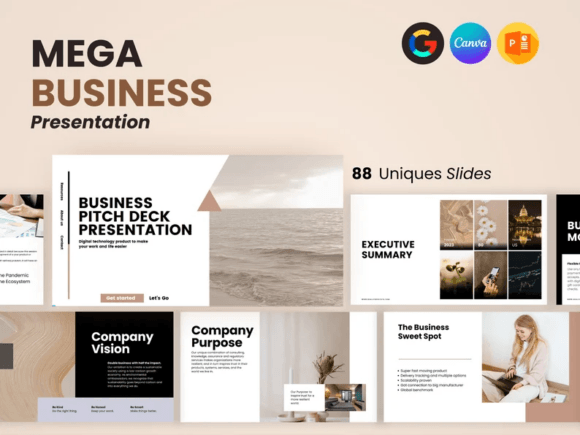
A professionally oriented presentation template created for business decks, meetings, executive summaries and idea pitches. Its documented design incorporates detailed infographics and is positioned as a ready-to-use option for structured corporate communication.
- Designed for professional business presentations.
- Suitable for pitching ideas.
- The description specifically mentions meetings and executive summaries.
- Includes infographic-oriented presentation design.
- Positioned as a ready-to-use presentation layout.
Consider: The supplied description focuses on its business use cases and overall presentation design rather than documenting an exact slide count.
4. Brand Strategy Google Slides Canva — Best for Brand Strategy Presentations
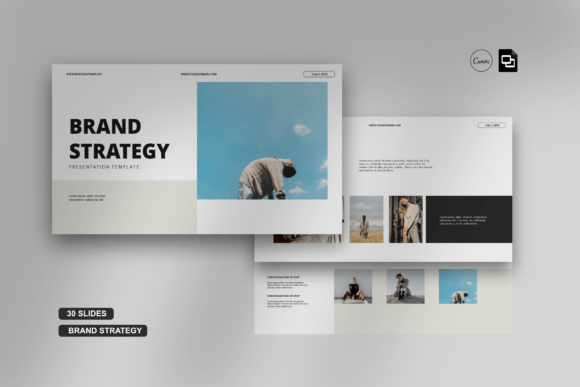
A flexible presentation package with Google Slides and Canva link files. It documents professionally designed slides, editable charts, image placeholders, vector icons, predefined text styles and color customization, making it a feature-rich starting point for brand-oriented presentations.
- Includes Google Slides and Canva link files.
- Provides image placeholders and drag-and-drop image functionality.
- Includes editable charts.
- Uses vector-based icons and master slides.
- Colors can be changed according to the supplied feature list.
Consider: The source notes that images are not included. Its description also presents the deck as versatile enough for uses beyond brand strategy.
5. Project Proposal Presentation Canva — Best for Clean Business Proposals
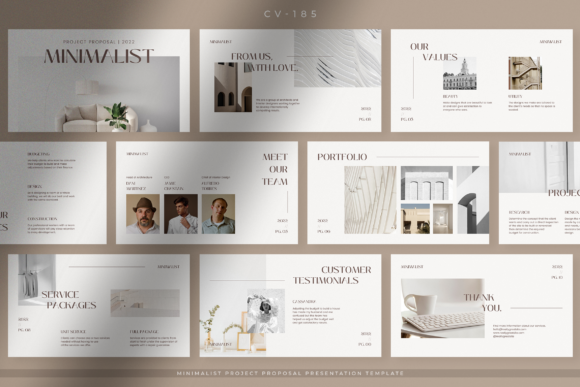
Built around a Pure White Project Proposal concept, this template uses a simple minimalist design to organize project information for clients, partners or customers. Its restrained presentation style is aimed at companies, startups, entrepreneurs and other professional business settings.
- Designed specifically around project proposal presentations.
- Uses a simple, minimalist visual direction.
- The source emphasizes an information-focused layout.
- Intended for company, corporate, startup, entrepreneur and professional use.
- Suitable for presenting project information to clients, partners or customers.
Consider: This option is more specifically focused on proposals than the multipurpose presentation templates ranked above it.
6. Business Proposal Presentation Canva — Best for Elegant Business Proposals
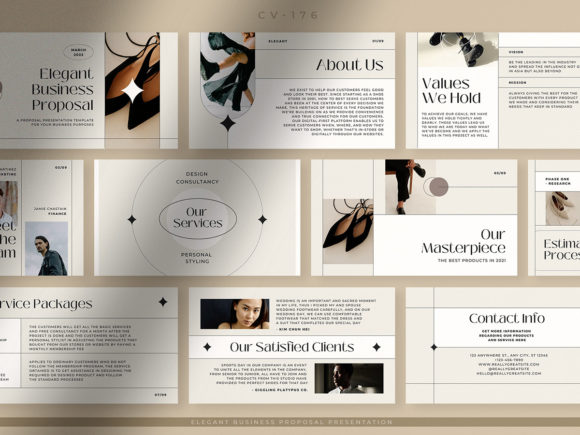
An elegant business proposal template with a feminine visual direction built around ivory white and soft gray. Its organized layout is intended for presenting proposals in company, corporate, startup and other professional business contexts.
- Designed for business proposal presentations.
- Uses ivory white and soft gray in its documented visual style.
- The source describes an elegant and feminine appearance.
- Features an organized presentation layout.
- Intended for businesses including companies, corporations and startups.
Consider: Its feminine, soft-toned aesthetic is more specific than a neutral corporate deck, so visual fit may be especially important when choosing it.
7. Project Proposal Presentation Canva — Best for Soft Monochrome Proposals
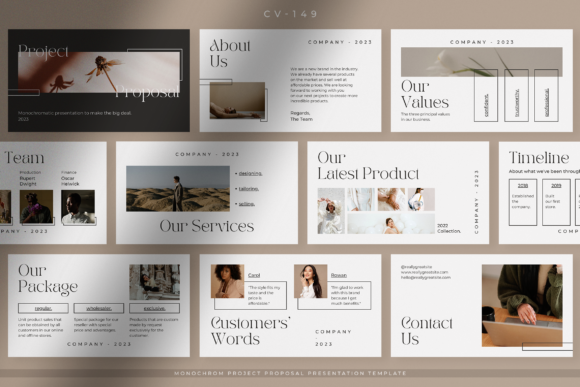
This Soft Monochrome Project Proposal template pairs a simple layout with an ivory background for an understated proposal deck. Its slides are intended to organize business offers and project information, including content such as products, portfolios and available packages.
- Focused on project proposals and business offers.
- Uses a simple design with an ivory background.
- The source describes an elegant visual feel.
- Designed to accommodate proposal information across its slides.
- The description mentions products, portfolios and packages as presentation content.
Consider: Compared with broader business decks, this template is more directly oriented toward presenting project offers to prospective clients.
8. Blue Simple Business Plan Presentation — Best for Business Planning
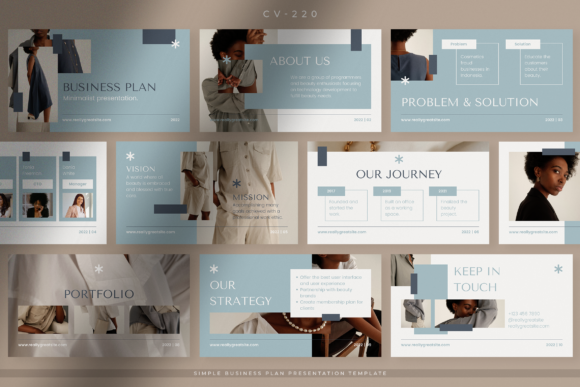
A blue-and-white business plan presentation with a clean, neat and organized layout. It is intended for companies, startups, entrepreneurs and professionals, while the source also identifies company profiles, business offers and marketing kits as additional presentation uses.
- Designed around business plan presentations.
- Uses a blue-and-white color direction.
- The source describes the layout as clean, neat and well organized.
- Also suitable for company profiles and business offers according to the listing.
- Marketing kits are another documented use.
Consider: Its strongest documented purpose is business planning, making it more specialized than a general creative presentation deck.
9. Brand Guidelines Presentation Canva — Best for Presenting Brand Guidelines
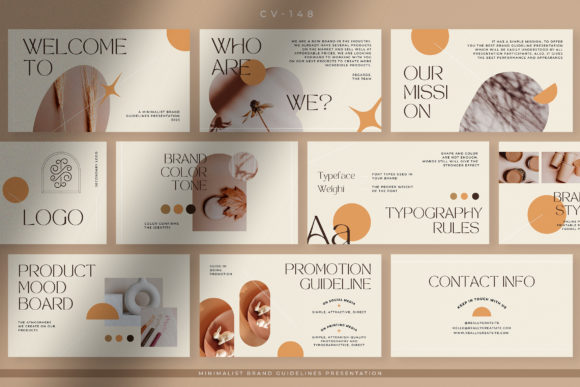
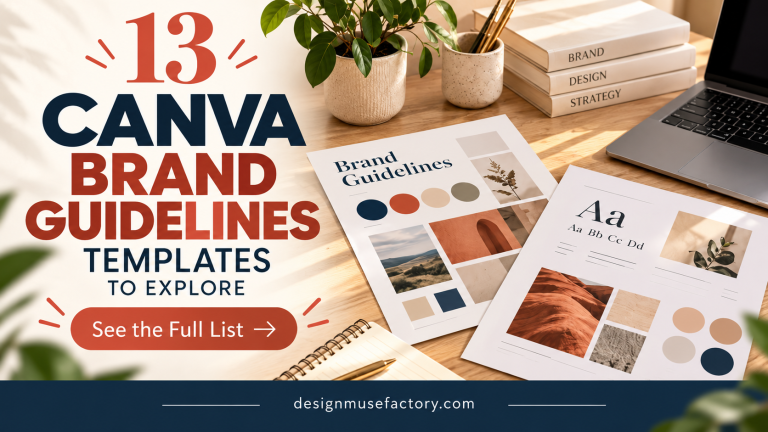
A Warm Earth Minimalist Brand Guidelines template created for presenting brand information to teams, clients and working partners. Its simple design, organized layout and proportional composition are intended to make brand guideline information structured and easy to follow.
- Purpose-built for brand guideline presentations.
- Uses a warm-earth minimalist design direction.
- Features a well-organized layout.
- Designed for presenting brand information to teams, clients or partners.
- The supplied description identifies Canva as its format.
Consider: Its dedicated brand-guideline structure makes it a more focused choice than templates intended for general business or educational presentations.
10. Online Course Presentation Canva — Best for Online Courses and Webinars
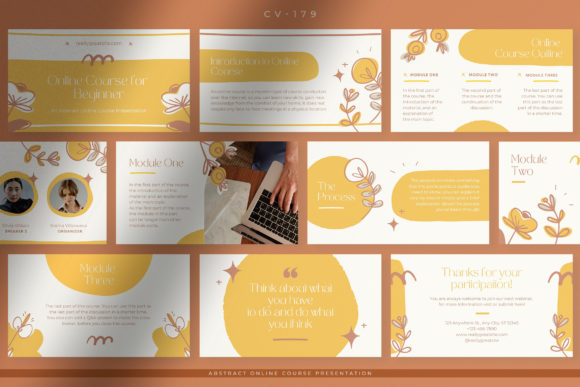
A Mustard Abstract Online Course Presentation designed for online courses, classes, webinars and seminars. Its abstract mustard styling is paired with an organized layout intended to present course information, key points and introductions for speakers, tutors or team members.
- Designed for online courses and online classes.
- Also intended for webinars and online seminars.
- Uses mustard colors and an abstract visual style.
- Features a well-organized layout with proportional composition.
- Can accommodate speaker, tutor or team introductions according to the description.
Consider: Its mustard abstract aesthetic is more distinctive than a neutral educational deck and should be matched to the intended course presentation style.
11. Creative Education Presentation Canva — Best for Schools and Educational Institutions
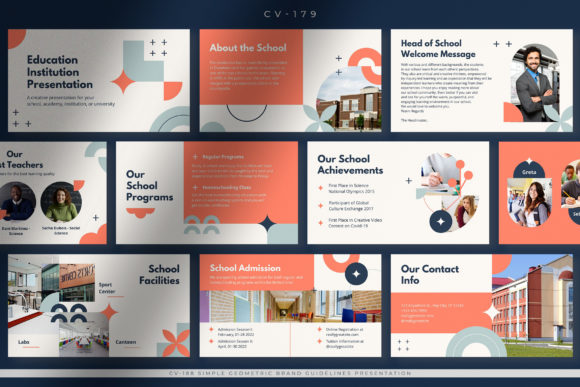
A Modern Creative Education Presentation intended for schools, academies, colleges, universities and other educational institutions. It combines a minimalist approach with an organized layout designed to accommodate institutional information in a clear presentation.
- Created for education-focused presentations.
- Suitable for schools, academies, campuses, colleges and universities.
- Uses a modern creative visual direction.
- The source also characterizes the template as minimalist.
- Its layout is designed to organize necessary institutional information.
Consider: This template is aimed at institutional education presentations rather than lesson delivery or online-course content.
12. Elementary School Presentation Canva — Best for Elementary School Profiles
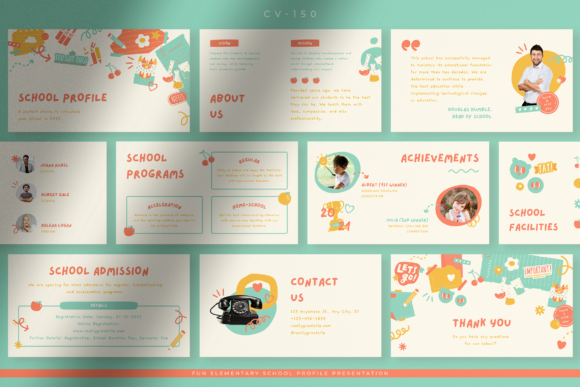
A cheerful school-profile presentation intended for elementary schools, preschools, kindergarten-level settings and similar educational institutions. Its documented content can cover programs, teachers, facilities, admissions and student achievements in a child-oriented visual style.
- Designed specifically for elementary-level education settings.
- Uses a cheerful, eye-catching presentation style.
- Can present school programs, teachers and facilities.
- The source also mentions school admission information.
- Student achievements and activities can be presented within the documented use case.
Consider: Its child-oriented school profile purpose is much narrower than a general Canva presentation template, but that specialization can be useful for the intended audience.
How to Choose Canva Presentation Templates
Start with the presentation’s purpose rather than choosing a template only because its preview looks attractive. A project proposal, online course, school profile and brand guideline deck need different types of information, so a template already designed around your intended use can provide a more relevant structure.
Match the Template to the Presentation Goal
For broad professional projects, Templatera and the Company Presentation Canva Template offer documented versatility. For a proposal, the two Project Proposal templates or Business Proposal Presentation provide a more specialized starting point. Online Course Presentation and the education-focused templates are more closely aligned with teaching and institutional communication.
Consider the Visual Style
The aesthetic should support the subject and audience. This selection ranges from clean business layouts and minimalist brand presentations to soft monochrome proposals, a mustard abstract course deck and a cheerful elementary school design. Start with the closest visual direction, then customize documented editable elements where the template allows it.
Look at Editing Features You Actually Need
Some listings document more editing details than others. Templatera includes customizable fonts and colors, while Company Presentation and Brand Strategy document features such as editable charts, vector icons, image placeholders and color changes. If your project relies on charts or image-heavy slides, those documented features may matter more than decorative styling.
Check Format Requirements
If you expect to work outside Canva as well, pay attention to the formats explicitly documented for each product. The Company Presentation listing includes PPTX PowerPoint and Canva link files, while Brand Strategy lists Google Slides and Canva link files. Do not assume every template in the roundup includes those additional formats.
Free Canva Templates vs. Paid Template Products
People searching for Canva presentation templates free may be looking for designs that can be obtained without purchasing a template. The supplied product data does not establish that the products in this roundup are free, so no individual listing here should be described that way. When evaluating any template, check its current product terms separately before deciding.
How to Use Canva Presentation Templates Well
- Define the main message and audience before editing individual slides.
- Choose a template whose documented purpose is close to your presentation type.
- Replace placeholder or sample content with information relevant to your own project.
- Keep typography, colors and visual treatments consistent throughout the deck.
- Use images, charts and graphics when they help explain information rather than filling space.
- Remove slides or sections that do not contribute to the presentation’s purpose.
- Review the full slide sequence to make sure ideas progress logically from introduction to conclusion.
A template provides the visual framework, but the final presentation still depends on how clearly you organize your message. Keep individual slides focused and avoid forcing information into every available placeholder simply because the original template includes it.
Practical Comparison and Decision Workflow
For maximum versatility within this selection, start with Templatera Canva Presentation Template. Its supplied description documents 30 templates, Canva editing, customizable fonts and colors, infographics and a wide range of professional and personal presentation uses. Company Presentation Canva Template is another broad option, especially when PPTX files, editable charts and image placeholders are useful.
For business proposals, narrow the choice according to visual direction. The Pure White Project Proposal emphasizes minimalist simplicity, the Soft Monochrome version uses an ivory-toned presentation style, and Business Proposal Presentation has a softer elegant and feminine aesthetic. Blue Simple Business Plan Presentation is more directly oriented toward planning and can also accommodate several other documented business presentation types.
For brand-focused work, Brand Guidelines Presentation is specifically structured around presenting brand guidelines, while Brand Strategy Google Slides Canva offers a broader feature set and additional Google Slides compatibility according to its listing. For education, choose based on audience: Online Course Presentation targets courses and webinars, Creative Education Presentation targets educational institutions, and Elementary School Presentation is designed for younger school audiences and school profiles.
Frequently Asked Questions
What should I look for in a Canva presentation template?
Start with the intended presentation type, then compare visual style and documented editing features. A template for a proposal may need a different content structure from one intended for a webinar, school profile or brand guideline presentation.
Are these Canva presentation templates free?
The supplied product information does not establish that these products are free. If you specifically need free Canva presentation templates, verify the current terms for the individual product before using it rather than assuming that Canva compatibility means the template itself is free.
Which template is suitable for a business presentation?
Several options have documented business uses. Templatera covers a broad range of professional projects, Company Presentation is designed as a versatile business and creative deck, and the Canva Powerpoint Template specifically targets professional business decks, meetings, pitches and executive summaries.
Can Canva presentation templates have an aesthetic style?
Yes. The products in this selection document several distinct visual directions, including minimalist, warm earth, soft monochrome, elegant ivory and gray, mustard abstract, blue and white, and cheerful education-focused designs. Choose an aesthetic that supports your topic and intended audience.
Can I use these templates for school or online course presentations?
Several products are specifically intended for educational uses. Online Course Presentation is described for courses, classes, webinars and seminars; Creative Education Presentation targets schools and other educational institutions; and Elementary School Presentation is designed around younger school audiences and school profiles.
Do all Canva presentation templates also work in PowerPoint or Google Slides?
No additional format should be assumed unless the product information documents it. Company Presentation lists PPTX PowerPoint and Canva link files, while Brand Strategy lists Google Slides and Canva link files. The other products should be evaluated according to the formats specifically stated in their own listings.
Final Thoughts
The strongest Canva presentation templates for your project depend on what you need to communicate. Templatera and Company Presentation provide broad documented versatility, while the proposal, brand, business-plan and education templates offer more specialized starting points for their respective presentation types.
Choose according to purpose first, then compare the aesthetic and editing features supported by the individual template. That approach can help you start with a slide structure that already suits your audience and content instead of adapting an unrelated design to fit the project.